Chapter 1 - About the Terason Ultrasound System About Ultrasound Modes
Terason t3000 / Echo Ultrasound System User Guide 28
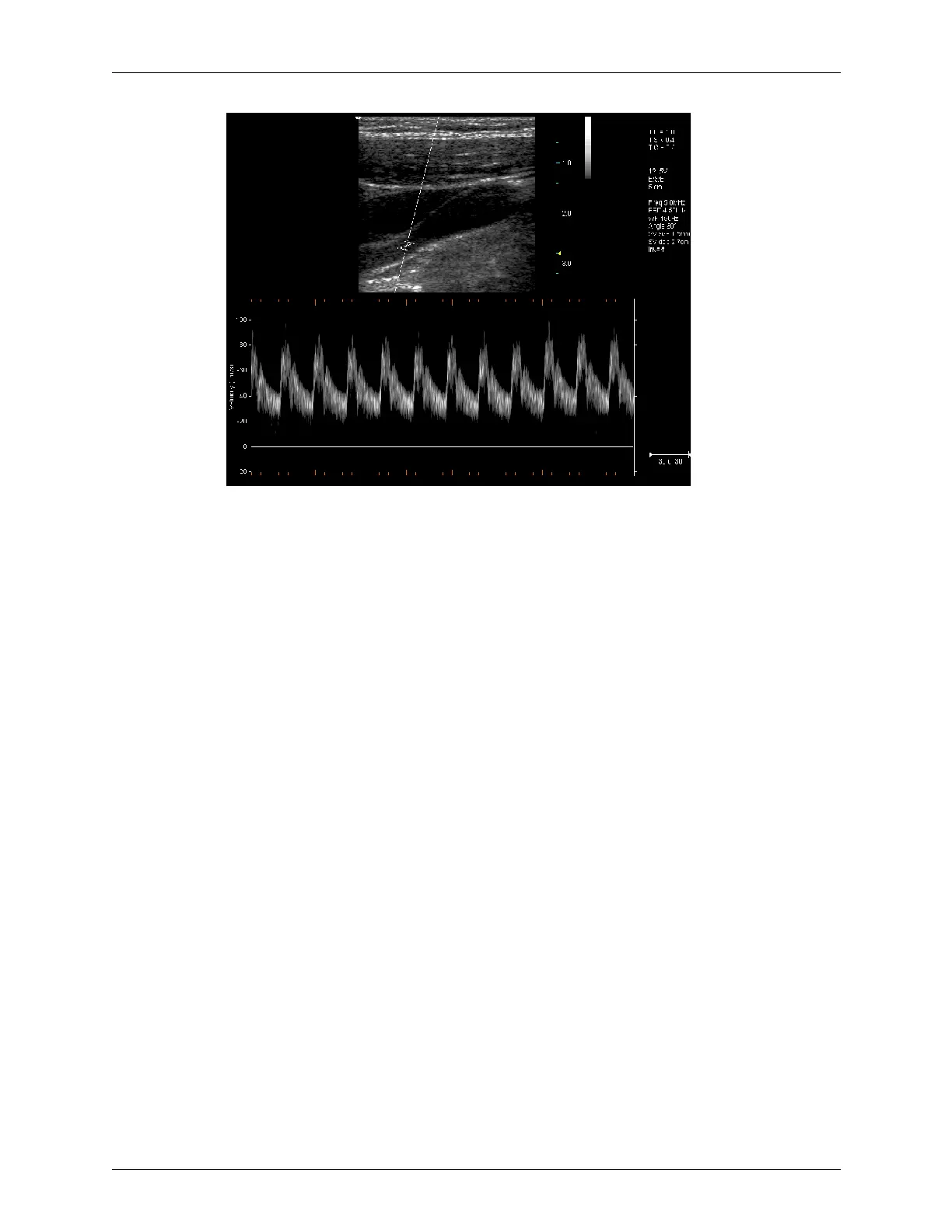
Example Pulsed-Wave Doppler Scan
In the 2D scan, the long line lets you adjust the ultrasound cursor position, the two parallel
lines (that look like =) let you adjust the sample volume (SV) size and depth, and the line
that crosses them lets you adjust the correction angle.
For more information on using Pulsed Wave Spectral Doppler, see:
• Acquiring Images on page 63
• Using Spectral Doppler Image Controls on page 109
• Measuring in the Spectral Doppler Modes on page 166
Continuous-Wave Doppler
Continuous-Wave Doppler scans display all velocities present over the entire length of the
ultrasound cursor. This is useful for imaging very high velocities such as those resulting
from a leaking heart valve.
As with Pulsed-Wave Doppler scans, the X-axis of the graph represents time, and the Y-
axis represents Doppler frequency shift.
For more information on using Continuous-Wave Spectral Doppler, see:
• Acquiring Images on page 63
• Using Spectral Doppler Image Controls on page 109
• Measuring in the Spectral Doppler Modes on page 166
Triplex
Triplex scan mode is available only with the AD version. Triplex scan mode combines
simultaneous or non-simultaneous Doppler imaging (Color Doppler, Directional Power
Doppler, or Power Doppler) with Pulsed-Wave Doppler imaging to view arterial or venous
velocity and flow data. Triplex allows you to perform range-gated assessment of flow.



 To Next Page