Chapter 7 - Working With Measurements Measuring in the M-Mode Window
Terason t3000 / Echo Ultrasound System User Guide 165
Measuring in the M-Mode Window
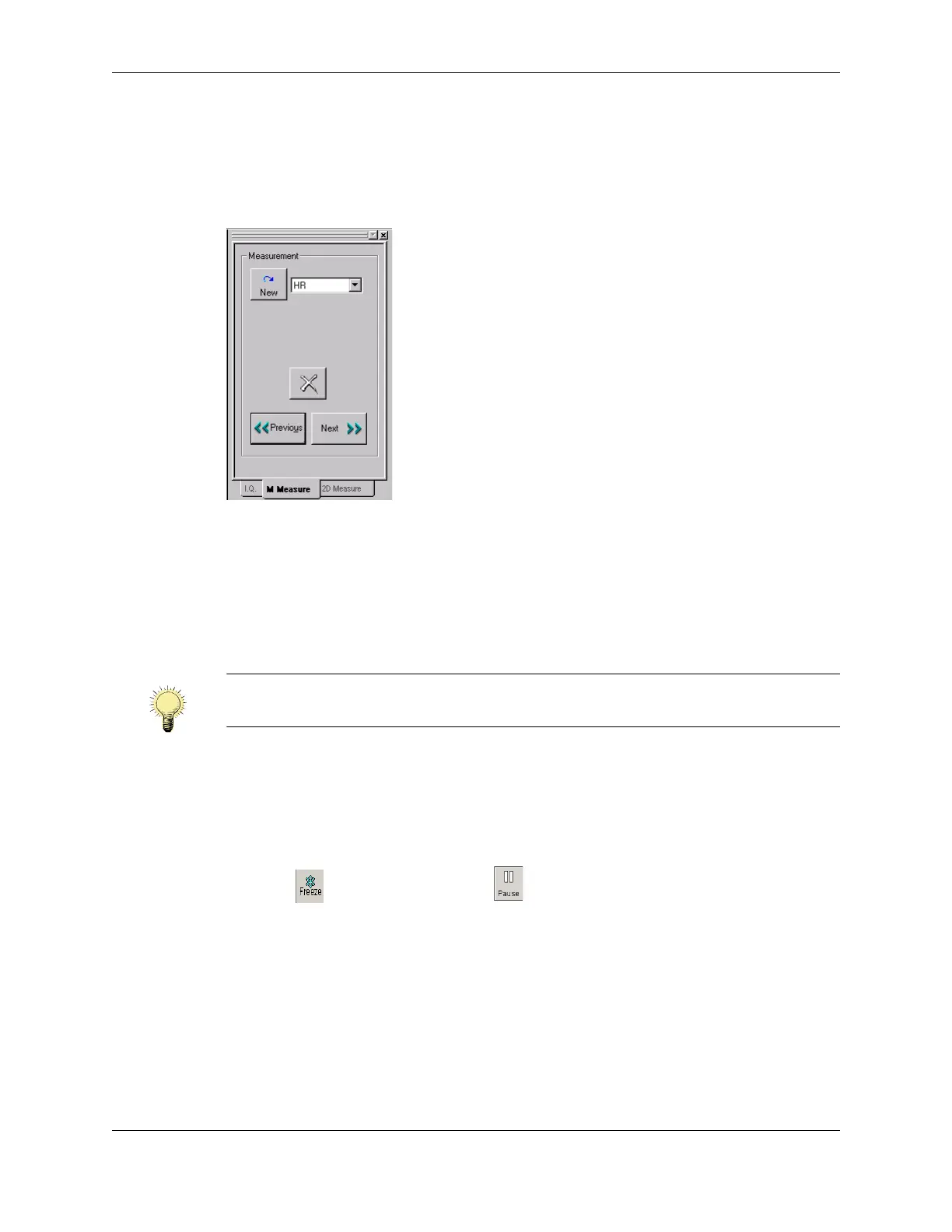
When you freeze an M-Mode scan, the Terason software adds the 2D Measure and M
Measure tabs to the Image Control bar, with the M Measure tab active.
See Making M-Mode Measurements.
M Measure Tab
Making M-Mode Measurements
In the Time Series window of an M-Mode scan, you can measure:
• Heart rate (HR)
• Distance (includes time over distance [TD] and Slope values)
When you save an image to the ULT format, measurements in the M-Mode window are
saved. You can edit those measurements when you view the file.
To measure in the M-Mode Time Series window, complete the following steps:
1. Click . If playing a loop, click . The measure tabs for the selected scan mode
are added to the Image Control bar.
2. Select a measurement type from the drop-down menu on the M Measure tab.
3. Click the target cursor where you want to start measuring.
4. Move the target cursor and click at the desired end location. The measurement
displays at the top left of the Time Series window.
Note: To make more than one measurement of the same type on a scan, click the New
button to make the second and any subsequent measurements.



 To Next Page