Chapter 1 - About the Terason Ultrasound System About Ultrasound Modes
Terason t3000 / Echo Ultrasound System User Guide 25
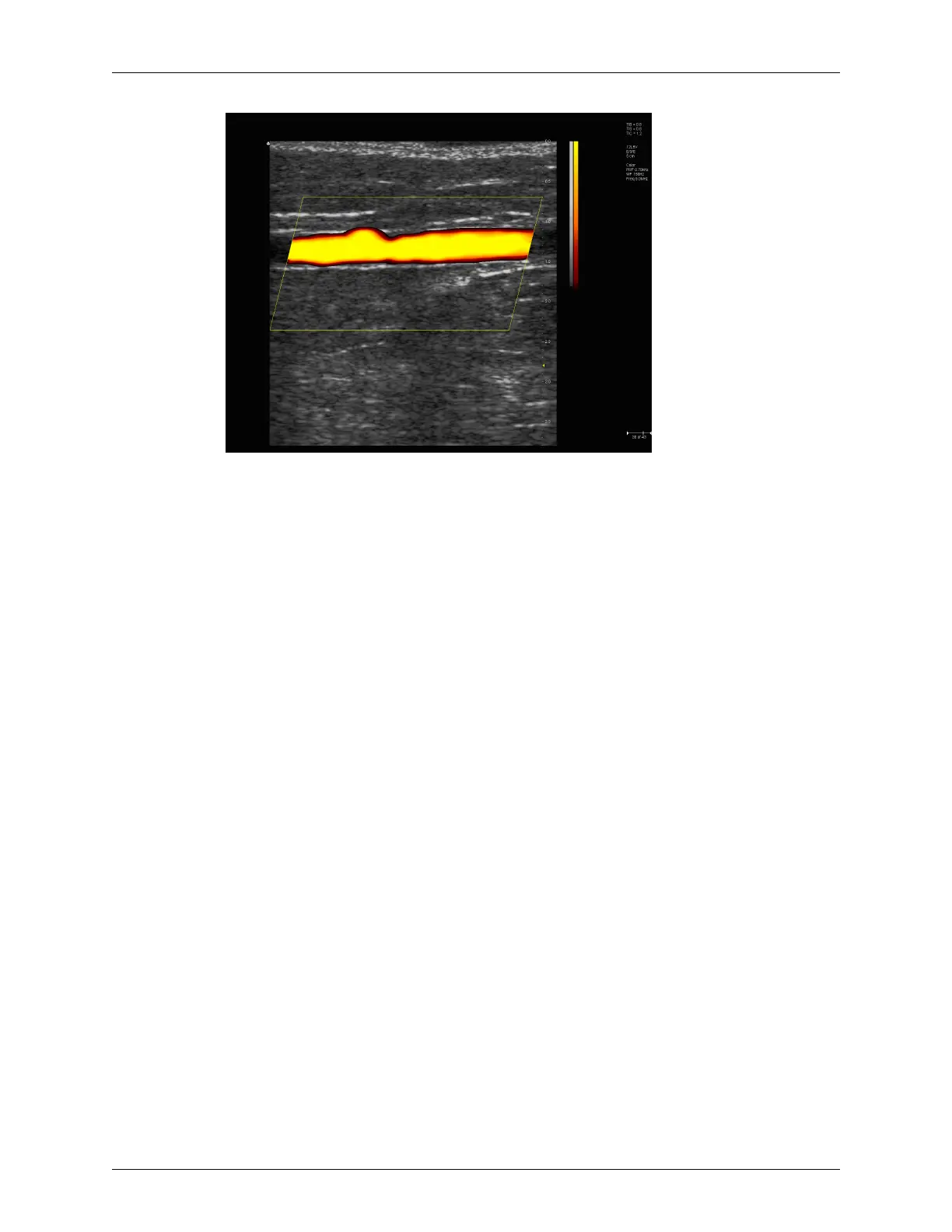
Example Power Doppler Scan
For more information on using Power Doppler mode, see:
• Acquiring Images on page 63
• Using Color and Power Doppler Image Controls on page 118
Color Doppler
Color Doppler mode is used to detect the presence, direction, and relative velocity of
blood flow by assigning color-coded information to these parameters. The color is
depicted in a region of interest (ROI) that is overlaid on the 2D image. Non-inverted flow
towards the transducer is assigned shades of red, and flow away from the transducer
displays in shades of blue. The mean Doppler shift is then displayed against a grayscale
scan of the structures.
All forms of ultrasound-based imaging of red blood cells are derived from the received
echo of the transmitted signal. The primary characteristics of this echo signal are its
frequency and its amplitude (or power). The frequency shift is determined by the
movement of the red blood cells relative to the transducer – flow towards the transducer
produces a higher-frequency signal than flow away from the transducer. Amplitude
depends on the amount of moving blood within the volume sampled by the ultrasound
beam. You can also apply a high frame rate or high resolution to control the quality of the
scan.
Higher frequencies generated by rapid flow are displayed in lighter colors, and lower
frequencies in darker colors. For example, the proximal carotid artery is normally
displayed in bright red and orange, because the flow is toward the transducer, and the
frequency (velocity) of flow in this artery is relatively high. By comparison, the flow in
the jugular vein displays as blue because it flows away from the transducer.
The Color Doppler scan data displays in the 2D Image Display window. The following
figure shows a sample Color Doppler scan.



 To Next Page