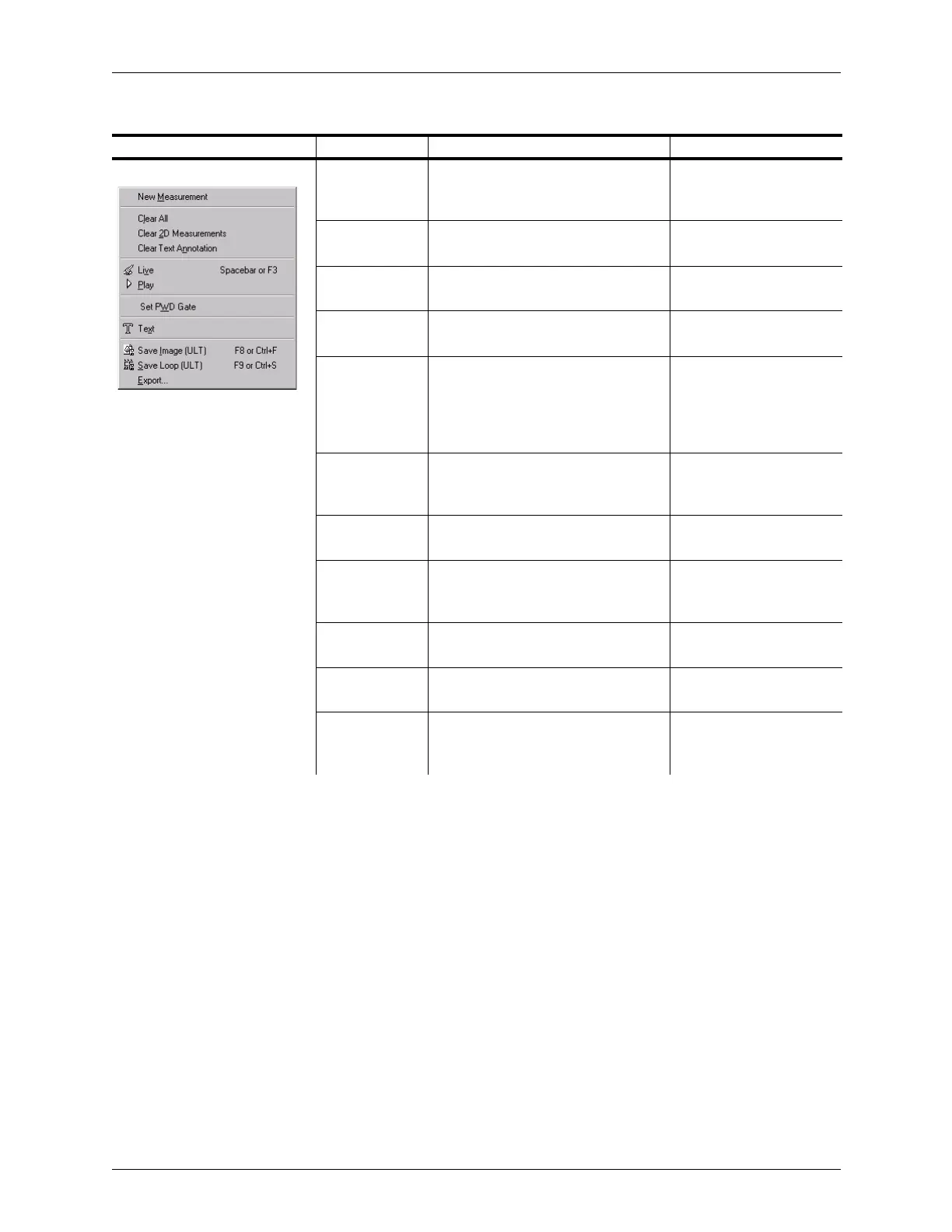
Appendix B - Menu and Toolbar Reference Shortcut Menu Reference
Terason t3000 / Echo Ultrasound System User Guide 310
2D Image Display Window: New
Measurement
Start a measurement of the type
currently selected in the 2D Measure
tab
Measuring in the 2D
Window on page 151
Clear All Deletes measurement and text
entries on the Image Display window
Deleting Text from an
Image on page 85
Clear 2D
Measurements
Deletes all measurements in the 2D
Image Display window
Deleting Measurements
on page 201
Clear All Text
Annotations
Deletes all text added to the Image
Display window
Deleting Text from an
Image on page 85
Live/Freeze Item shows as Live if the Image
Display window is frozen; shows as
Freeze if the Image Display window
is live: menu chooses the opposite
imaging state
Freezing Images on
page 70
Play If the Image Display window contains
a frozen loop or a saved loop, runs
through the frames in the loop
Working with Image Loops
on page 70
Set PWD Gate Locks the PWD gate position and
switches to the PWD scan mode
Setting the PWD Gate
Position on page 114
Text Activates the Text tool; you can click
in the Image Display window and
type any needed text
Typing Text on an Image
on page 84
Save Image
(ULT)
Saves the displayed frame as an
image file in the Terason file format
Saving Images and Loops
on page 133
Save Loop
(ULT)
Saves an image loop in the Terason
file format
Saving Images and Loops
on page 133
Export Specifies a filename, location, and
image format when saving an image
or loop
Exporting a File on
page 135
Shortcut Menus (Continued)
Where Active/Menu Menu Item Description Where Described



 To Next Page