Appendix B - Menu and Toolbar Reference Shortcut Menu Reference
Terason t3000 / Echo Ultrasound System User Guide 312
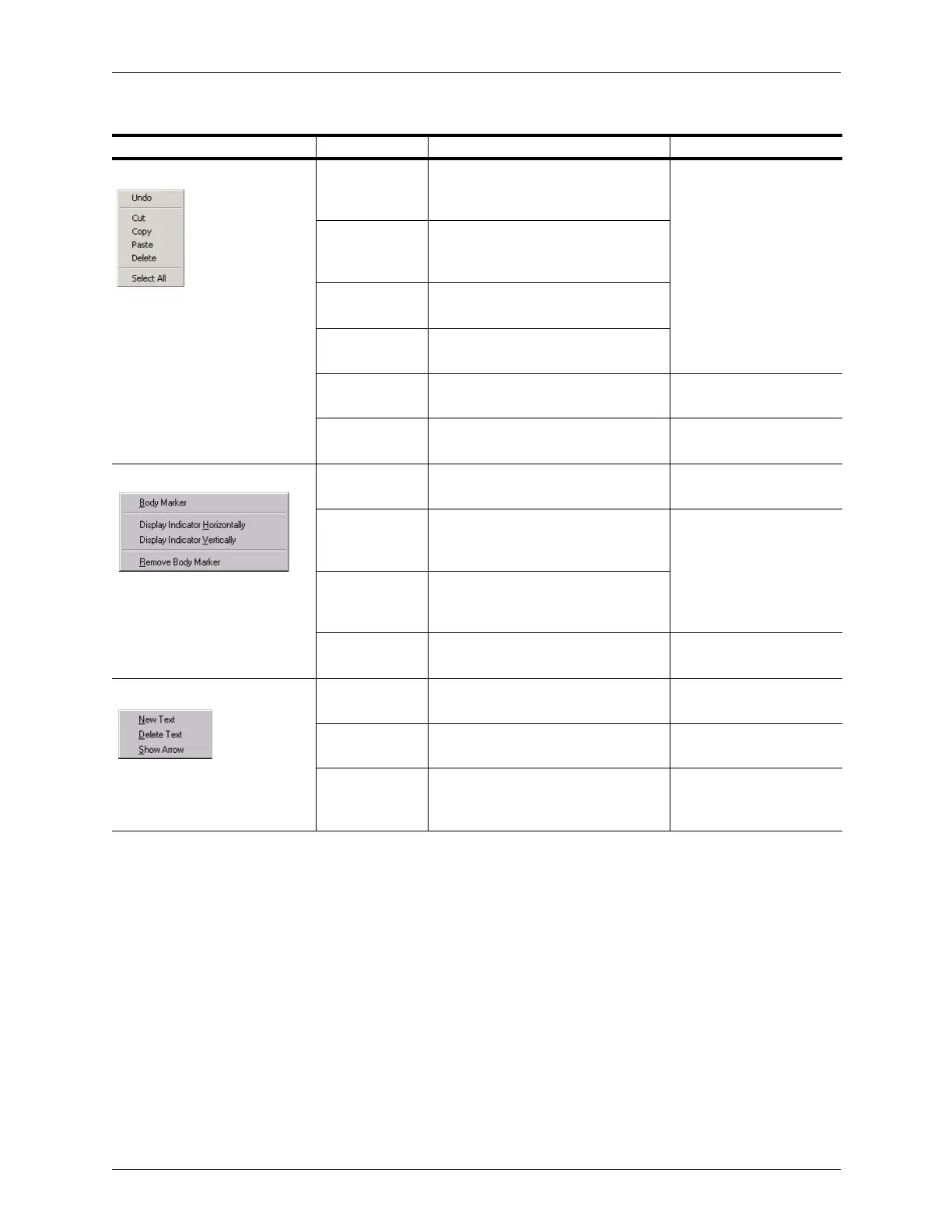
Patient Info fields: Undo Undoes the most recent text edit (cut,
paste, or delete) or entry in the
Patient Info window
Using the Patient Info
Window on page 57
Cut Removes the selected text from its
current location and puts it in the
clipboard
Copy Copies the selected text to a
clipboard
Paste At the location of the text cursor,
inserts the last text cut or copied
Delete Deletes the selected text in a text box
or text on the Image Display window
Deleting Text from an
Image on page 85
Select All Highlights all text in the field where
you placed the text cursor
N/A
Body Marker: Body Marker Show Annotation window with Body
Marker tab visible
Adding a Body Marker on
page 86
Display
Indicator
Horizontally
Show the pink indicator horizontally Changing the Indicator’s
Direction on page 87
Display
Indicator
Vertically
Show the pink indicator vertically
Remove Body
Marker
Removes the body marker icon Removing the Body
Marker on page 88
Text in 2D window: New Text Add a new line for typing text beneath
the current line
Editing Text on page 85
Delete Text Delete the highlighted text Deleting Text from an
Image on page 85
Show Arrow Add an arrow from the text toward the
center of the 2D scan (you can then
move the arrow head to any location)
Placing Arrows on the
Image on page 83
Shortcut Menus (Continued)
Where Active/Menu Menu Item Description Where Described



 To Next Page