Appendix B - Menu and Toolbar Reference Toolbar Reference
Terason t3000 / Echo Ultrasound System User Guide 314
or
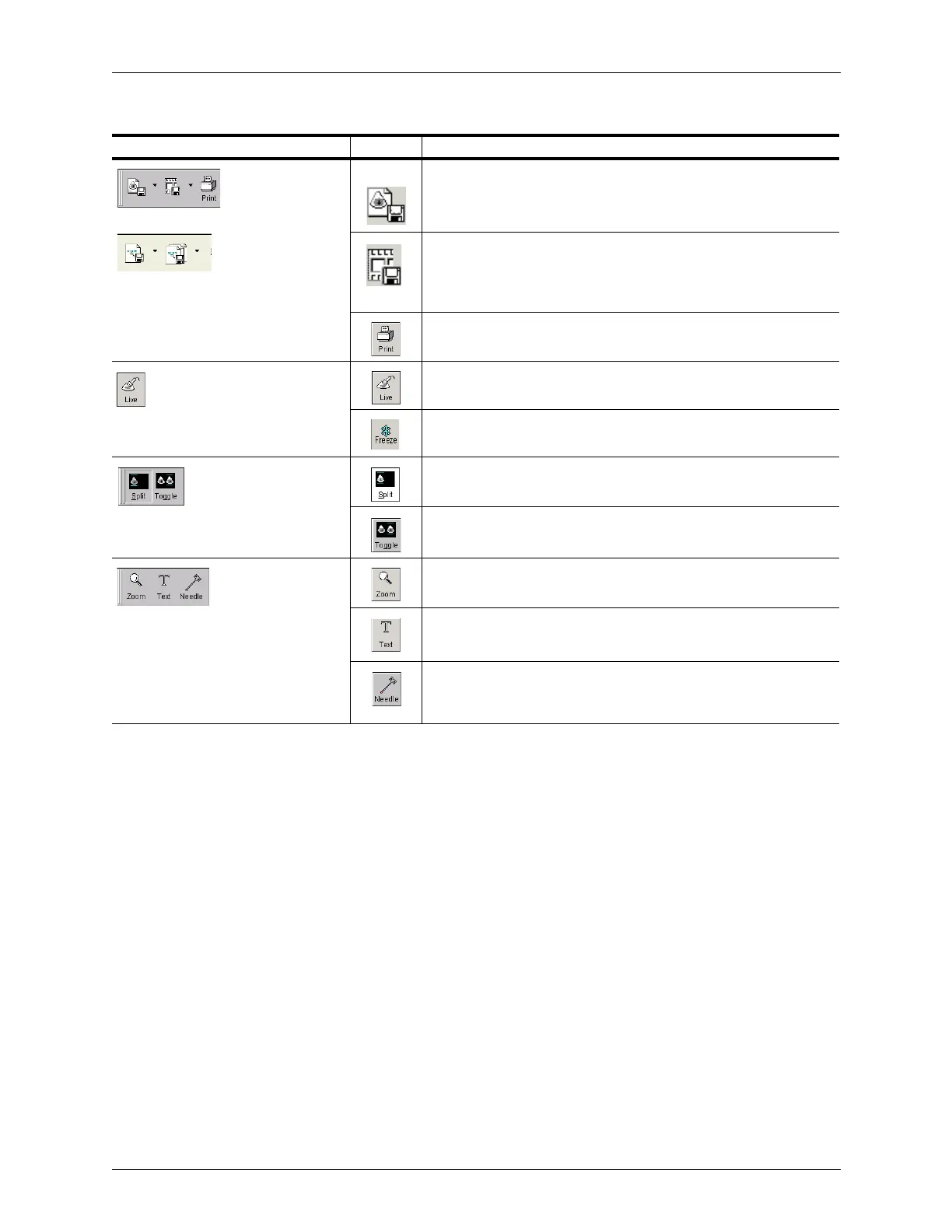
Save button saves the current image to a file; icon may be
different if you selected a default format other than Terason ULT;
click arrow to select different file format
Save Loop button saves the maximum allowed number of
previous frames as a loop; icon may be different if you selected a
default format other than Terason ULT; click arrow to select
different file format
Print button lets you print the current image to a printer
(toggles between Live and
Freeze)
Live button provides a real-time image display
Freeze button freezes the image during the scan to allow you to
print or save to a file
Split screen toggles split screen (two current scans displayed in
the 2D window) on and off
Toggle button makes the other screen active in split screen mode
Zoom: magnifies the selected region of your image
Text: lets you enter text on live or frozen images
Needle: Show or hide the needle guides for medical procedures;
also shows target indicator if that option is selected and the image
is Live
Descriptions of Buttons on the Image Mode Toolbar (Continued)
Toolbar Button Mode Description



 To Next Page