Chapter 2 - Installing Software Installing the FireWire Terason Transducer Driver
Terason t3000 / Echo Ultrasound System User Guide 43
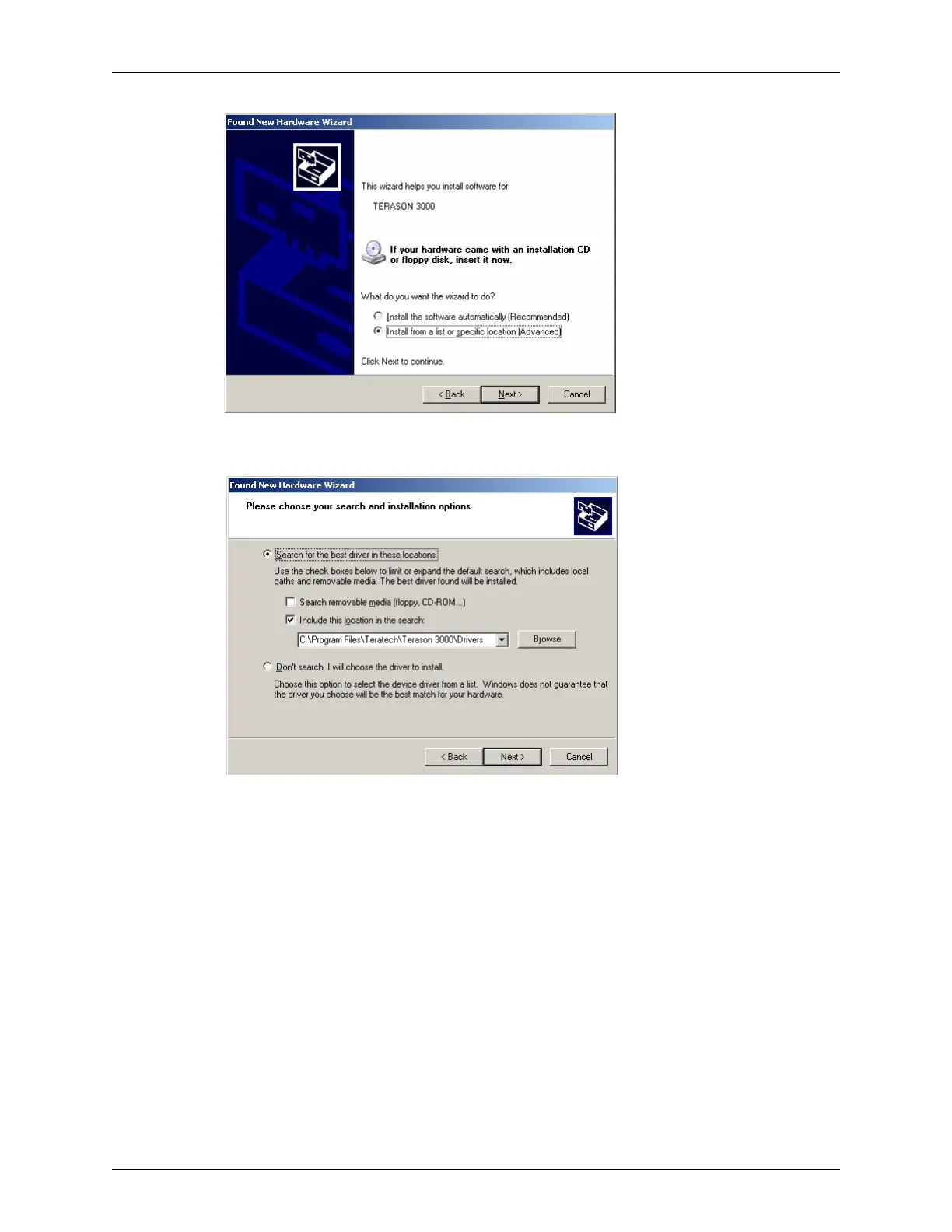
Selecting From a List or Location
2. Select Install from a list or specific location (Advanced) and click Next>.
Including a Location
3. Clear the Search removable media (floppy, CD-ROM...) check box.
4. Select the
Include this location in the search: check box.
5. Click
Browse.
6. Navigate to the Program Files folder on the C:\ drive.
7. Double-click the Teratech folder, then double-click the Terason 3000 folder. The
complete path to the required folder is:
C:\Program Files\Teratech\Terason 3000\Drivers
8. Click the Drivers folder to select it, then click Open.



 To Next Page