Chapter 2 - Installing Software Licensing the Terason Software
Terason t3000 / Echo Ultrasound System User Guide 55
To upgrade the Terason Ultrasound System, complete these steps:
1. Double-click the short-cut icon on your computer desktop to start the application.
2. Select
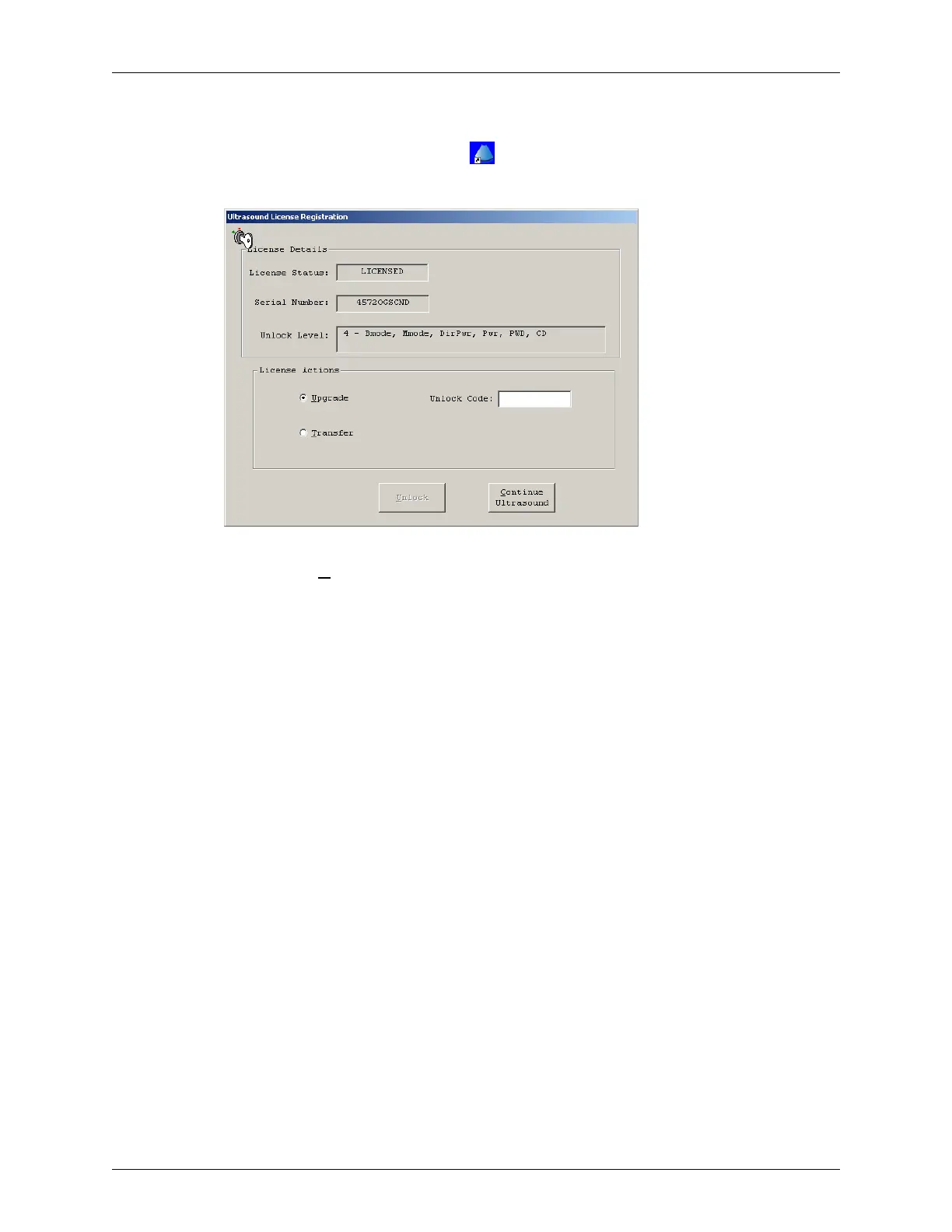
Help > License. The software shows the license dialog box.
Evaluation Period Dialog Box
3. Click the Upgrade radio button.
4. Contact Terason Technical Support and read the serial number to the Support
Representative. The Representative will give you an unlock level number and an 10-
digit unlock code.
5. Enter the Unlock Code.
6. Click
Unlock. The Terason software upgrades the features of your Terason Ultrasound
System.
7. Click
Continue Ultrasound.



 To Next Page