3.3 Operation Procedure (Link Analyzer)
42
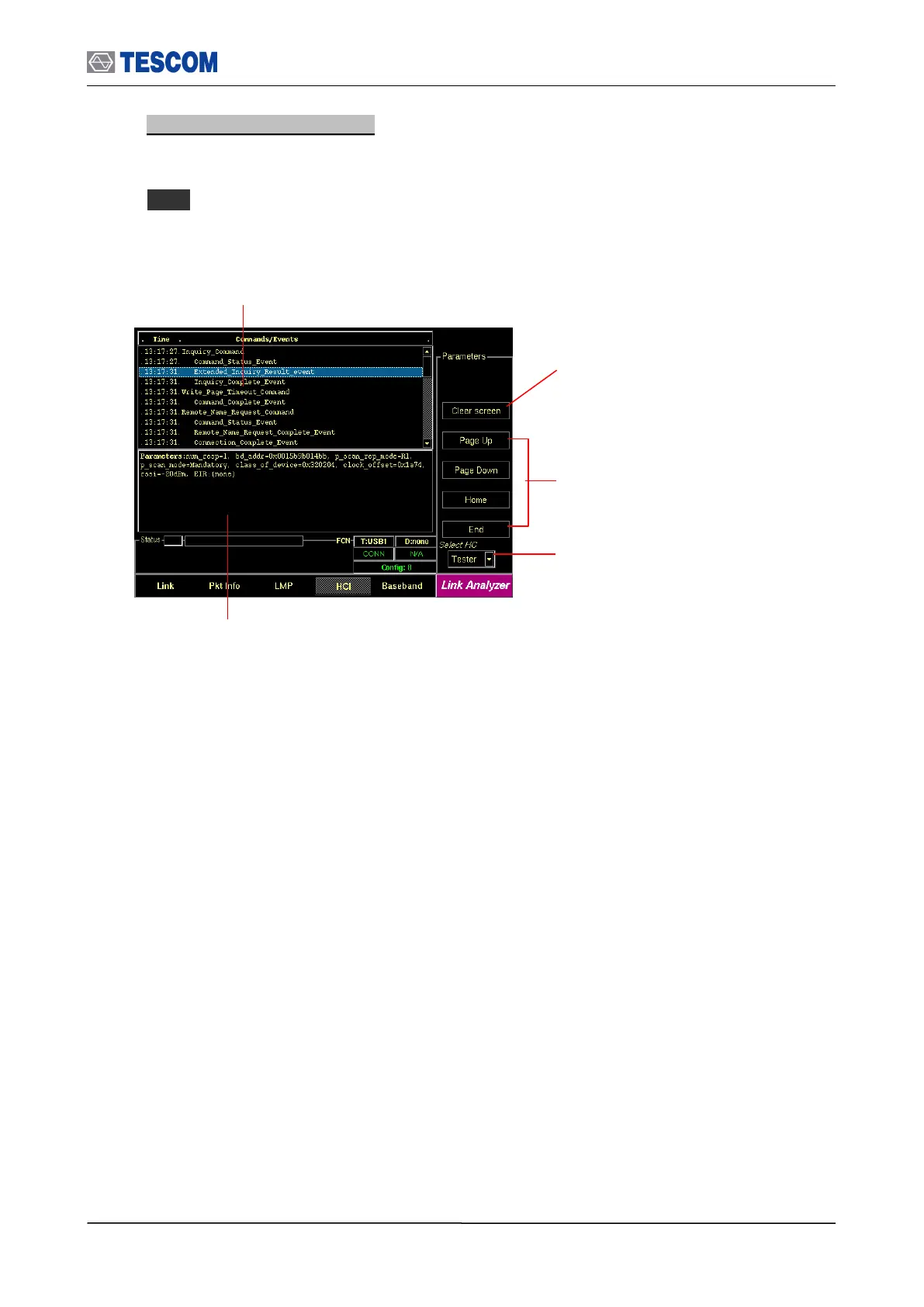
3. HCI commands and events: This screen shows the HCI commands and events sent
between the TC-3000C and the DUT, both from TC-3000C’s side and DUT’s side. To
access HCI screen, press
M4 soft key.
Clear Screen: Clear all messages
Cursor movement functions: For
easy scrolling the messages
Select Source: Select TC-3000C or
DUT as the reference side to display
commands and events
Commands/Events: This window displays the
HCI commands/events sent between the TC-
3000C Host and Host controllers (TC-3000C and
DUT).
Parameters window: This window shows detail
parameters about the highlighted HCI commands or
event.



 To Next Page