3.6 Operation Procedure (EDR Measurement)
60
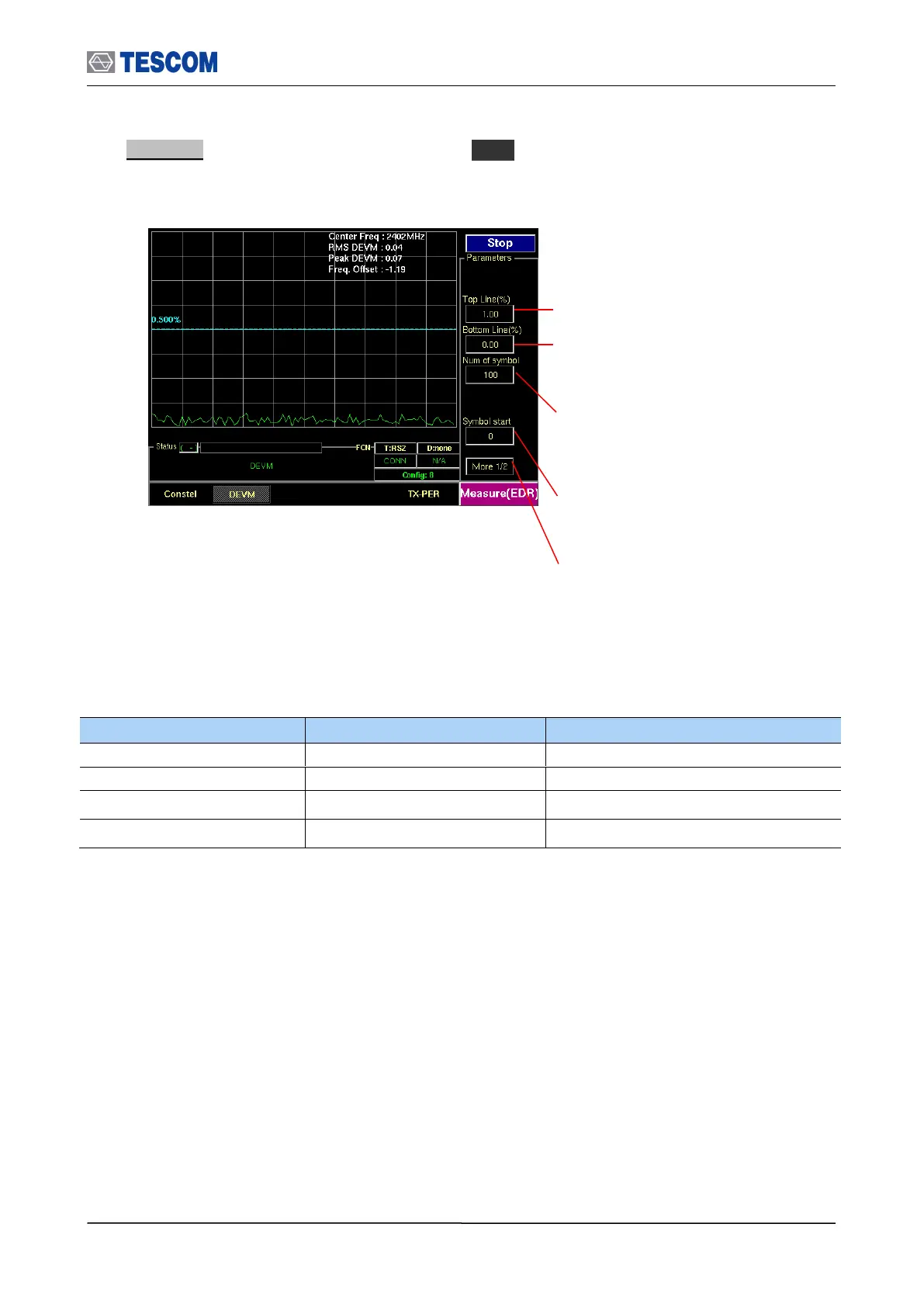
3. DEVM : To access DEVM screen, press M3 soft key. This screen shows the DEVM
according to PSK payload position. X-axis means position of PSK payload.
Num of symbol : Number of PSK symbols
displayed on screen, To see more symbol,
increase this value
Symbol start : Specifies the start point to
display PSK symbol. “0” means the start point of
PSK Payload
Test mode: Configures Bluetooth Test Mode
connection with the DUT
Top Line : Specifies the amplitude of top line
Bottom Line : Specifies the amplitude of
Bottom line



 To Next Page