FM-750 Display User Guide 111
GPS 7
The Position Quality screen provides options that allow you to operate when the quality
of GPS position information is compromised.
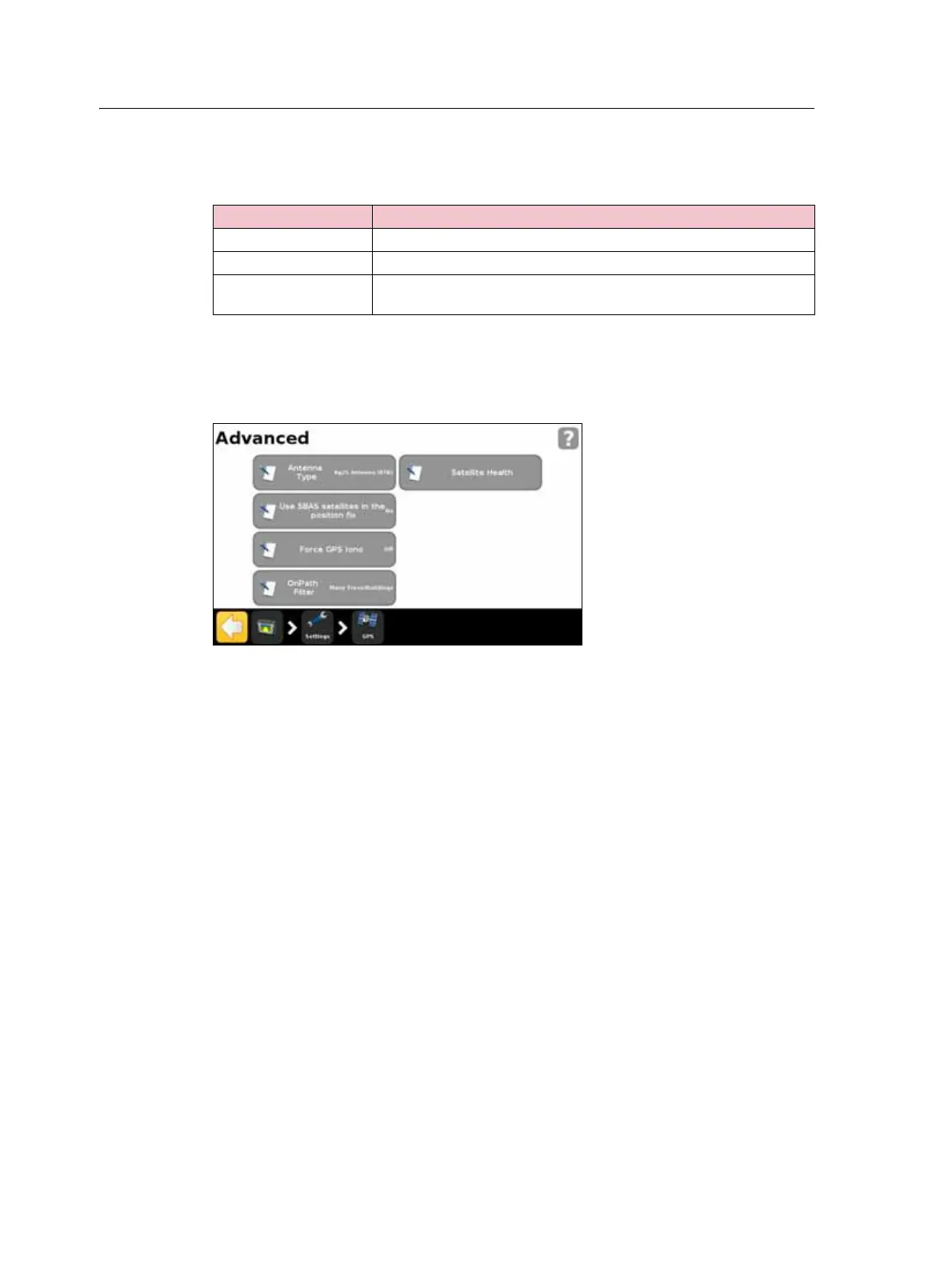
Advanced
The Advanced screen enables you to view and adjust advanced GPS settings.
Antenna Type
Access the Antenna Type screen to alter the internal settings of the GPS receiver to
ensure optimum accuracy for the antenna.
Select the antenna you have connected to the display. The AG15 and AG25 antennas
are white and dome shaped.
Use SBAS satellites in the position fix
Choose this option if you want to use SBAS corrections from WAAS satellites to
calculate the GPS positions. For example, if the display receives position information
from six standard GPS satellites and two WAAS satellites, the display uses all eight
satellites to calculate the GPS position.
This can extend operating time when limited number of satellites are available.
Note – This option does not work with EGNOS satellites, OmniSTAR or RTK corrections.
Option Description
Favor Accuracy Provides the highest level of accuracy.
Balanced Quality Trades potential accuracy for a slight increase in production time.
Favor Availability Extends production time further, with more potential for reduced
accuracy.



 To Next Page