FM-750 Display User Guide 19
Installing the Display and Antenna 2
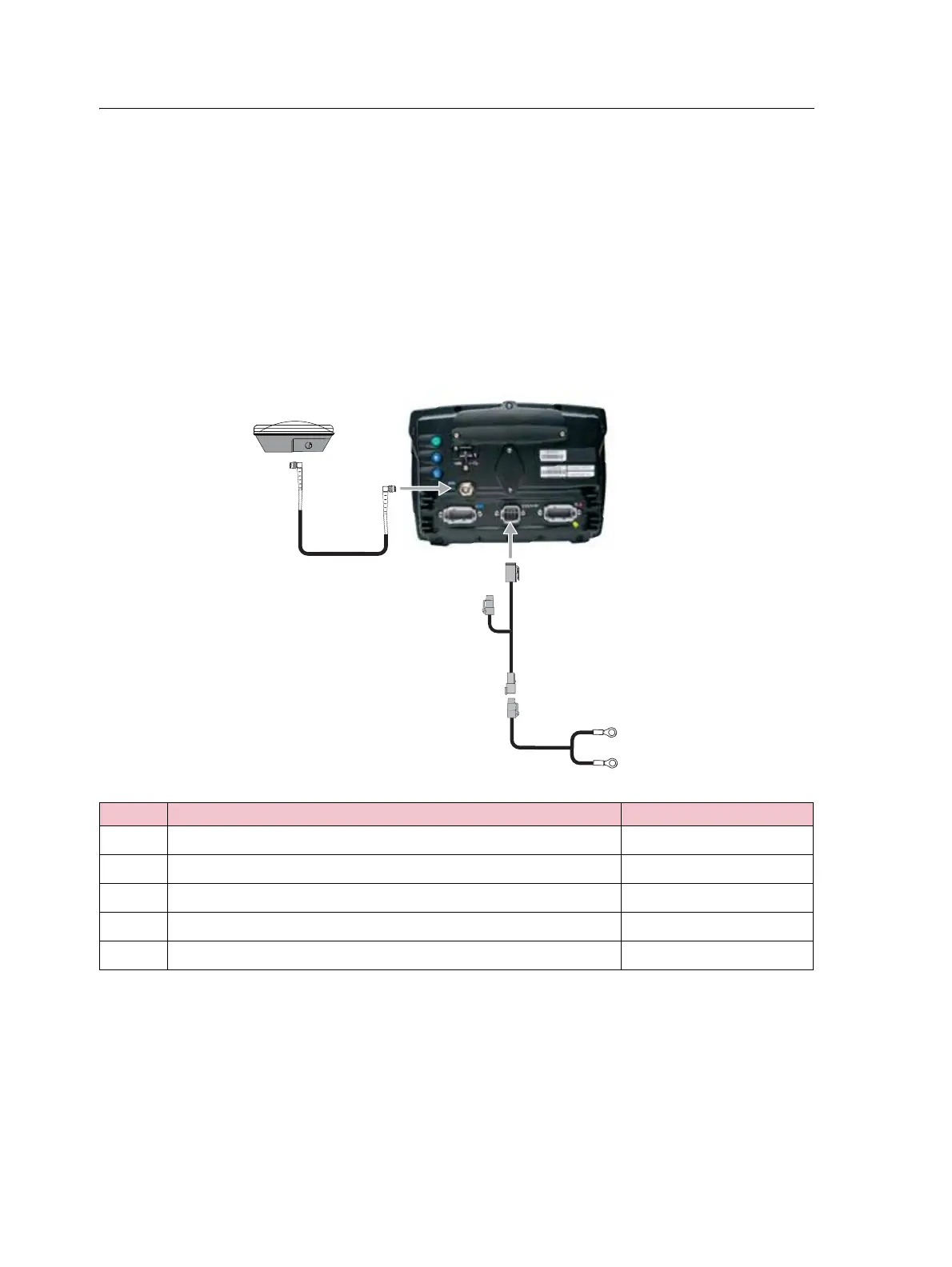
Connecting the display
The diagrams in this section show how to setup the FM-750 display as a standalone
system.
To learn how to connect the FM-750 display to other the system components, see the
FM-750 Cabling Guide.
Standalone FM-750 / WAAS / EGNOS / OmniSTAR XP/HP corrections
Connecting the FM-750 display to use WAAS or XP/HP corrections:
Item Description Trimble part number
c
FM-750 display 94100-01
d
FM-750 power cable 77282
e
FM-750 basic power cable 67258
f
8 m GPS TNC/TNC RT angle cable
50449
g
Ag25 GNSS antenna 77038-00



 To Next Page