3 Getting Started
32 FM-750 Display User Guide
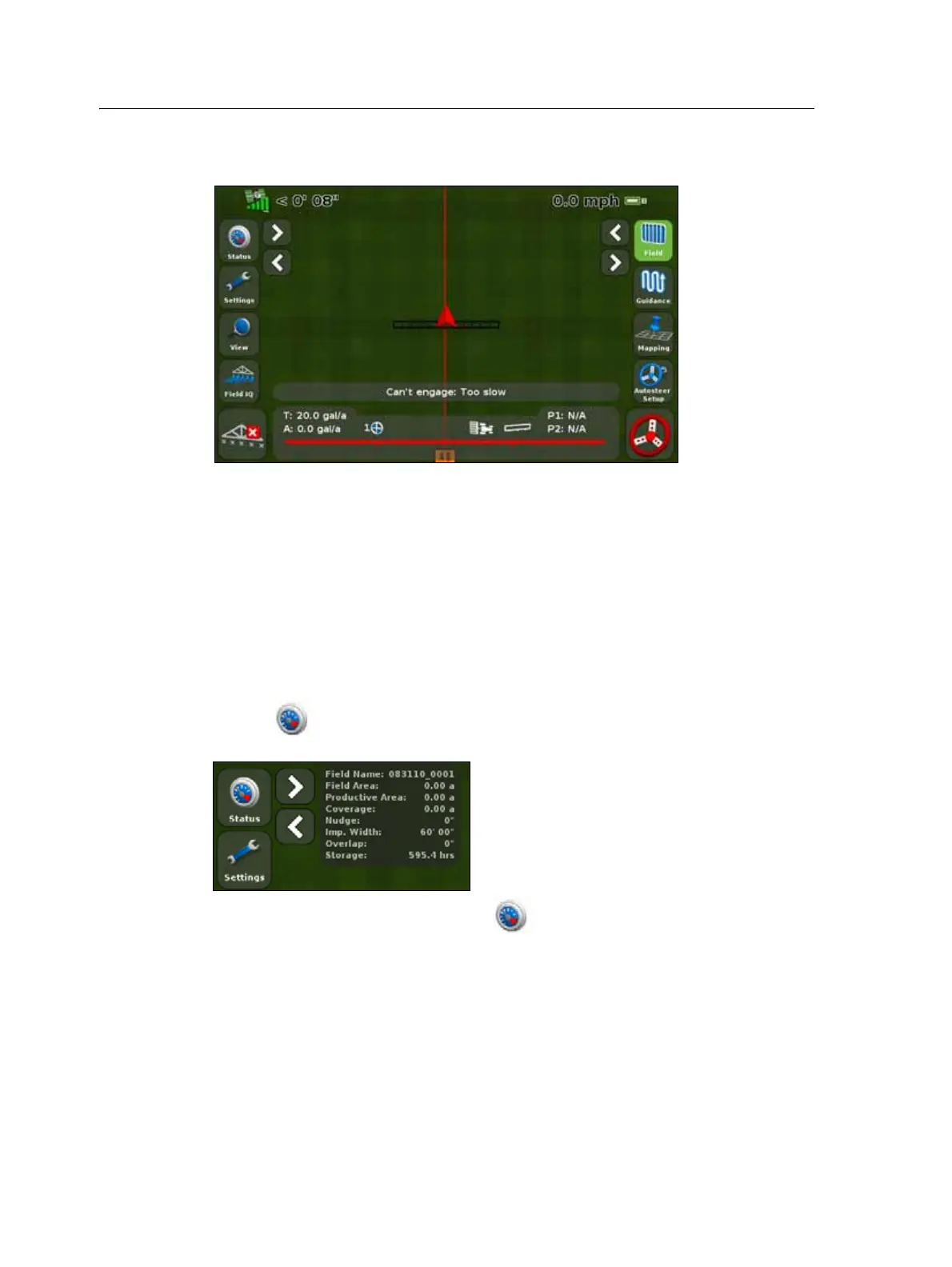
The guidance screen
The guidance screen displays a mix of text and icons that provide operating
information and access to various system functions. The availability of the text and
icons depends on the set up of your system. For example, some icons are not available
while you are using an auto steer system.
To activate an icon, tap it with your finger. If the display does not respond when you
tap it, see Recalibrate Touchscreen, page 129.
The following sections describe the icons that can appear on the guidance screen.
Status
Tapping scrolls through several pop-up screens that describe various system
settings:
To remove the pop-ups, continue to tap until they disappear.



 To Next Page