FM-750 Display User Guide 87
Implement Application Controller 5
Turn Off Rate on Overlap
Use this option to view and adjust the following settings:
Operation
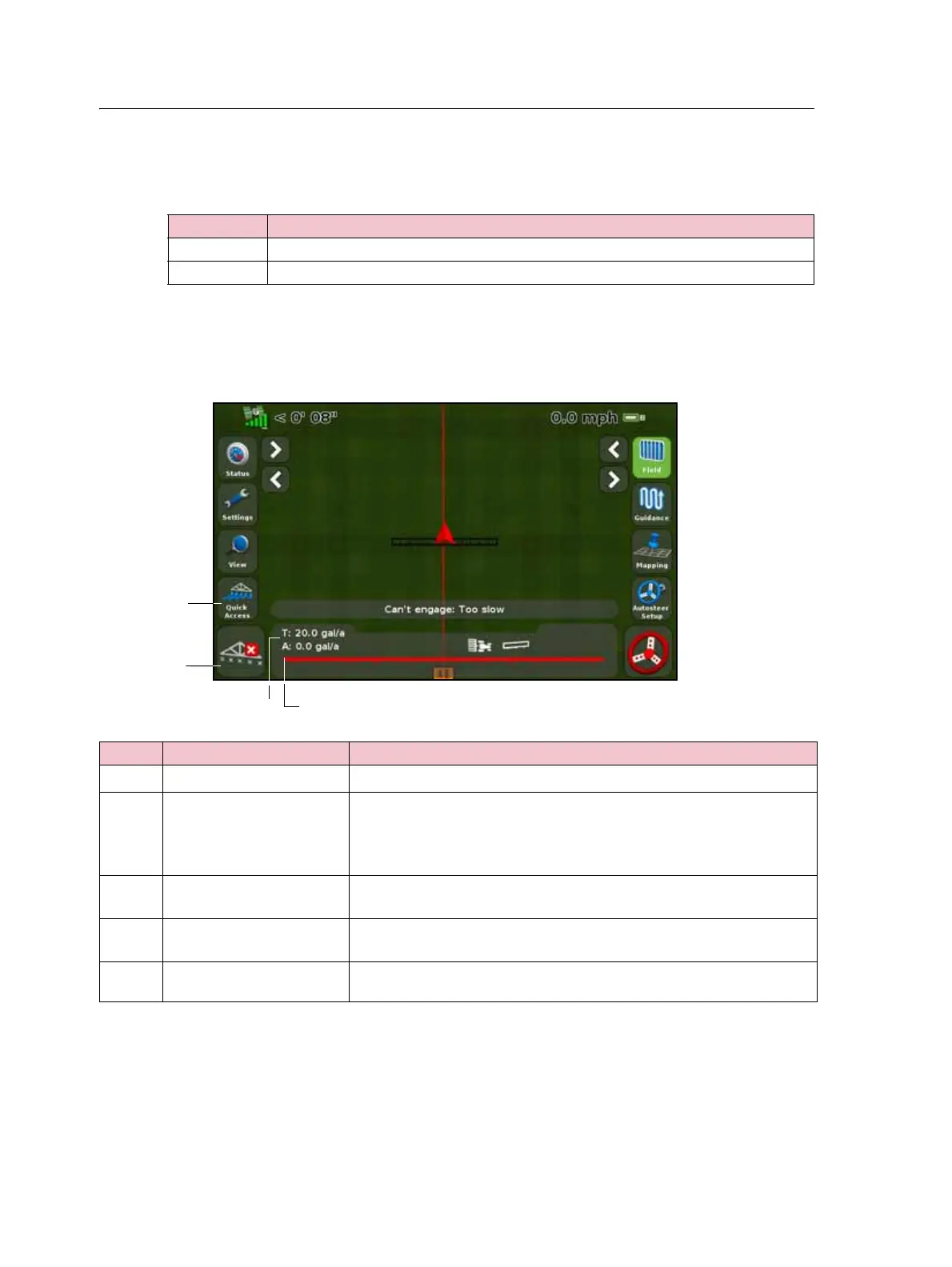
When the LH 5000 variable rate controller is connected to the display, the following
items appear on the FM-750 display’s guidance screen:
Setting ... Notes ...
Yes Does not spray over an area that has been previously sprayed.
No Sprays over an area that has been previously sprayed.
Item Description Notes
c
Quick Access icon See, Quick Access icon, page 35.
d Boom section status
indicators
Shows the current state of each boom section:
• Green: Enabled and spraying
• Gray: Enabled but not currently spraying
• Red: The section is off (the switch is off)
e Target rate If a prescription is loaded, P displays to indicate that the prescription
rate is being used rather than the target rate.
f Actual rate The actual application rate. This is the amount of product that is
currently being applied.
Application indicator The wheel spins when the LH 5000 master switch is on and the lightbar
receives flow messages from the controller.



 To Next Page