5 Implement Application Controller
68 FM-750 Display User Guide
Operation
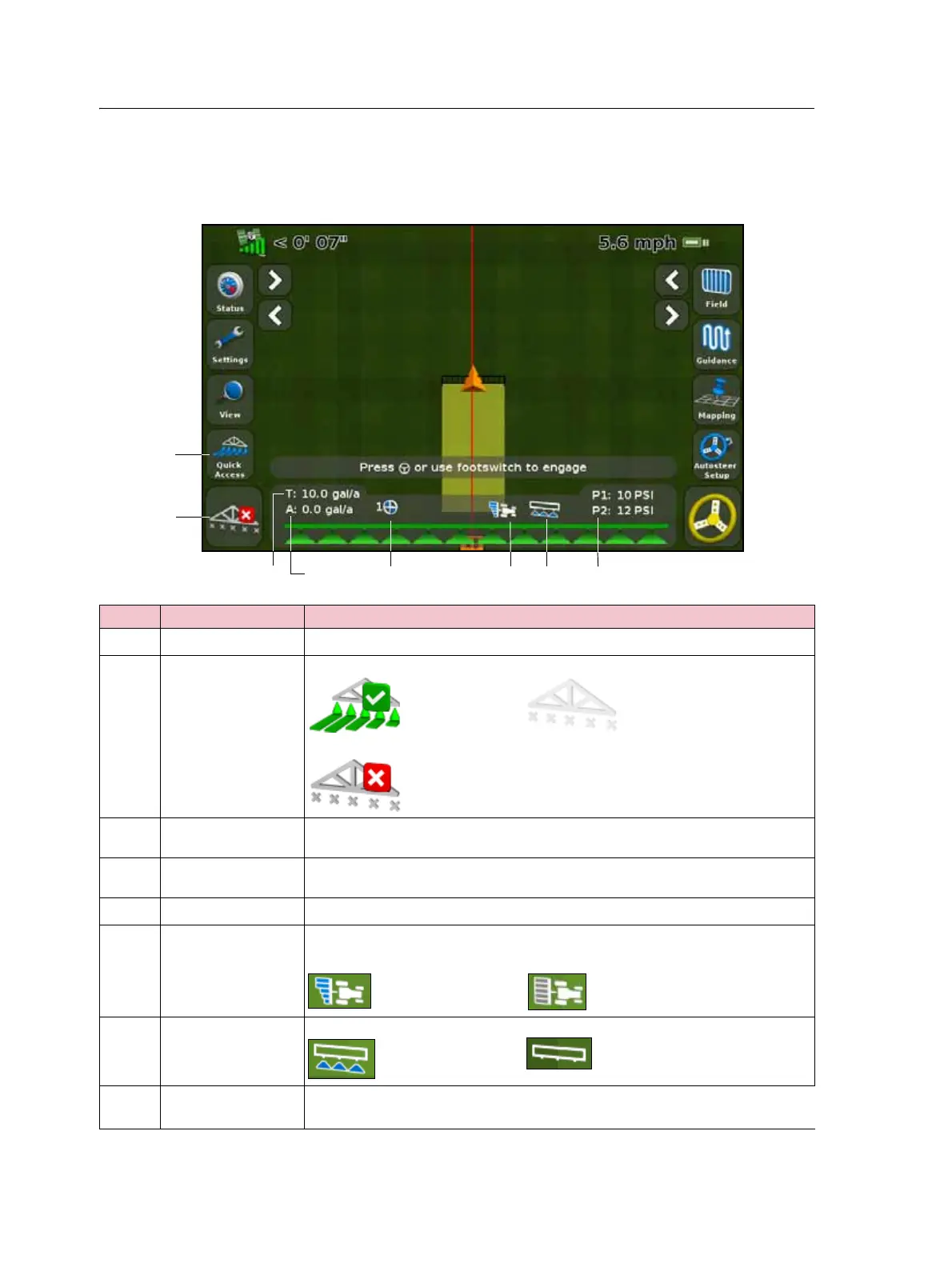
Once you have enabled, configured and calibrated your Field-IQ crop input control
system, the following items appear on the guidance screen:
Item Description Notes
c
Quick Access icon See Quick Access icon, page 35
d
Coverage status On: Inactive:
Off:
e
Target rate The target application rate for the current rate switch position.
This is the amount of product that you want to apply.
f
Actual rate The actual application rate.
This is the amount of product that is currently being applied.
g
Rate switch position Indicates the current position of the rate switch.
h
Section control Shows the current mode for the controller.
Automatic: Manual:
i
Master switch status Master switch on: Master switch off:
j
Pressure P1: The current pressure reported by the primary pressure sensor.
P2: The current pressure reported by the secondary pressure sensor.



 To Next Page