FM-750 Display User Guide 39
Getting Started 3
Reading lightbar patterns
When lit, the LEDs show the position of your vehicle relative to your intended
guidance line. As your vehicle position changes in relation to the guidance line, the
LEDs move left or right.
Use the lightbar to obtain accurate guidance when:
• you have set an implement offset or implement draft
• fine-tuning guidance on straight swaths
The LEDs in the integrated lightbar show the position of your vehicle relative to the
guidance line:
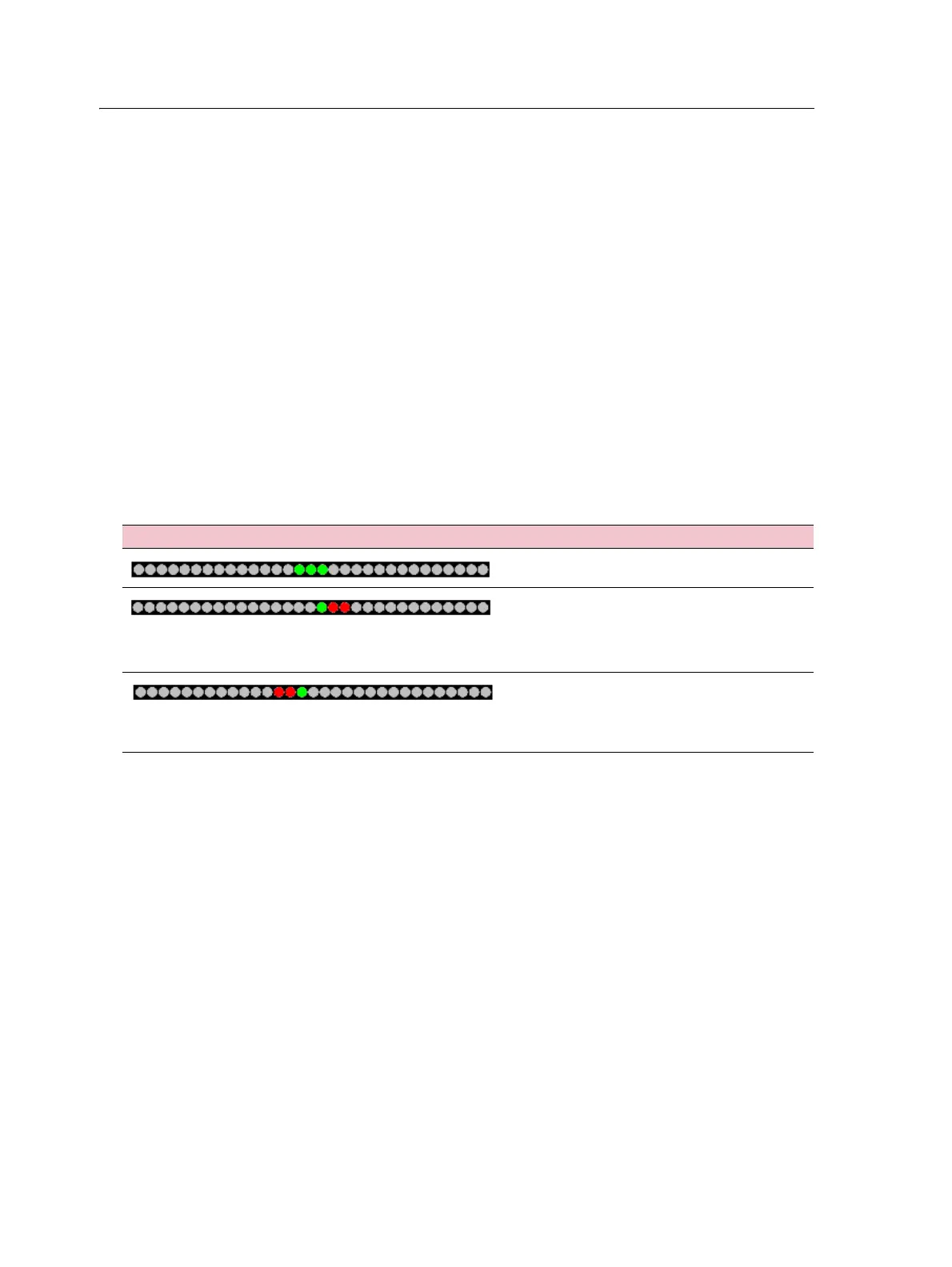
• When your vehicle is on the guidance line, the three central green LEDs are lit.
• As your vehicle moves off the guidance line, the lit LEDs move left or right, and
change to red. Note that the LED pattern that appears has a different meaning
for each Main Lightbar LED Mode. For more information, see the table below,
and Lightbar Setup, page 124.
This LED pattern ... Indicates that the vehicle is ...
Directly on the guidance line.
Off the guidance line. For this pattern, if the
Main Lightbar LED Mode is set to:
• Chase, the vehicle is offline to the left.
• Pull, the vehicle is offline to the right.
Off the guidance line. For this pattern, if the
Main Lightbar LED Mode is set to:
• Chase, the vehicle is offline to the right.
• Pull, the vehicle is offline to the left.



 To Next Page