6 Mapping and Guidance
98 FM-750 Display User Guide
Record keeping
Optionally, you can record operational and environmental information about each
field that you create, including:
Additionally, there are four custom fields where you can enter your own values.
To learn how to use this information, see Chapter 8, Data.
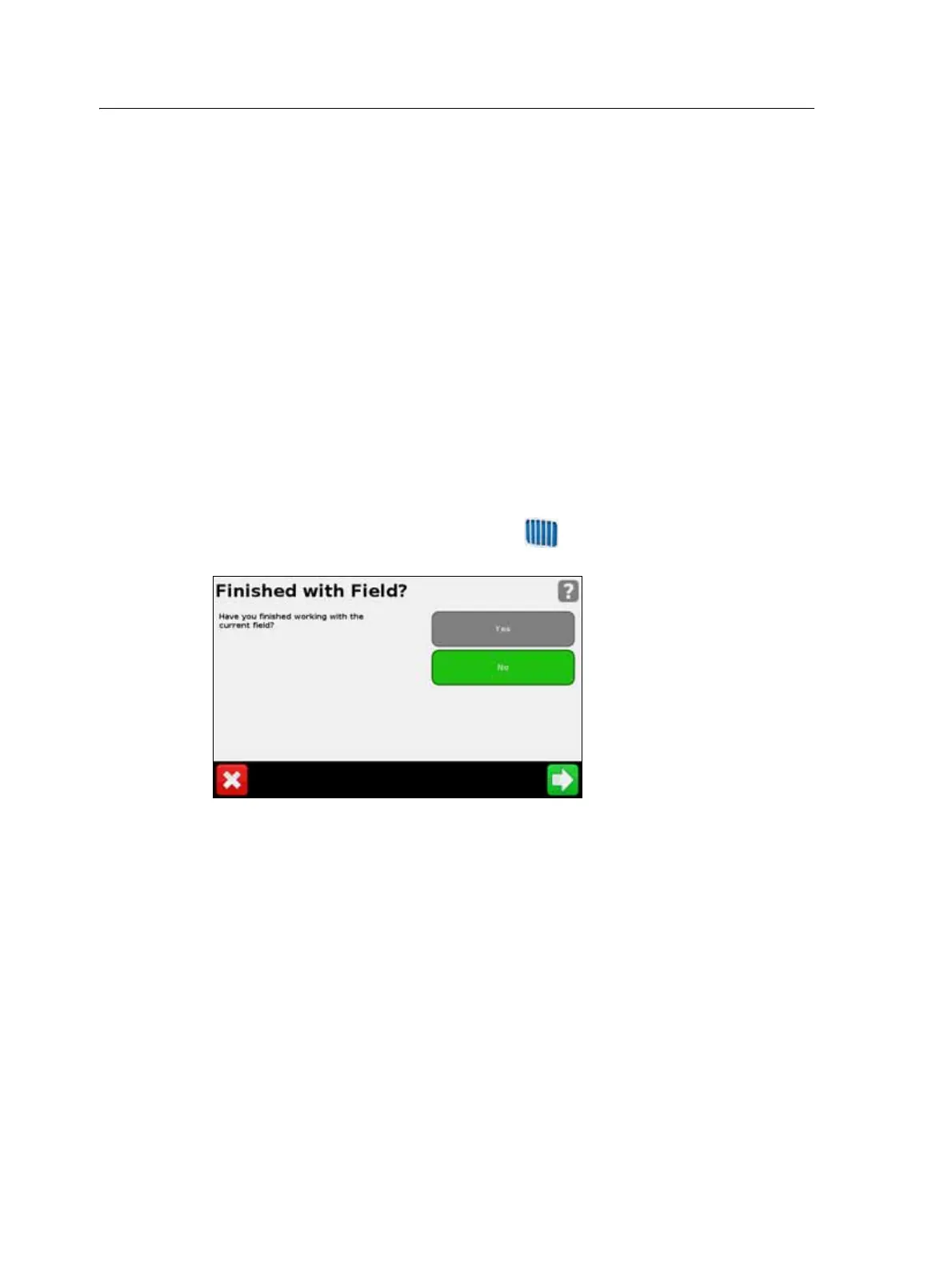
Resetting guidance
To reset guidance, in the guidance view, tap . The Finished with Field screen
appears:
To map a new :
• field or select an existing field, select Yes.
• AB line or select an existing AB line in the current field, select No.
Note – If you select ‘Yes’, then the current field automatically closes. This means that you
cannot cancel out of the New Field wizard and go back to your current field.
Guidance lines
To create a guidance line, you define a start point (A) and an end point (B). Once you
define the A and B points, the display draws a line between them. This is the master AB
line.
Note – AB lines are stored automatically. You do not have to actively save an AB line.
• Operator • EPA license number • Harvest year
•Farm location •Vehicle •Implement
• Application method • Wind speed • Wind gust speed
• Wind direction • Sky conditions • Soil conditions
• Temperature • Humidity • Crop
• Target pests • Applied material



 To Next Page