FM-750 Display User Guide 25
Getting Started 3
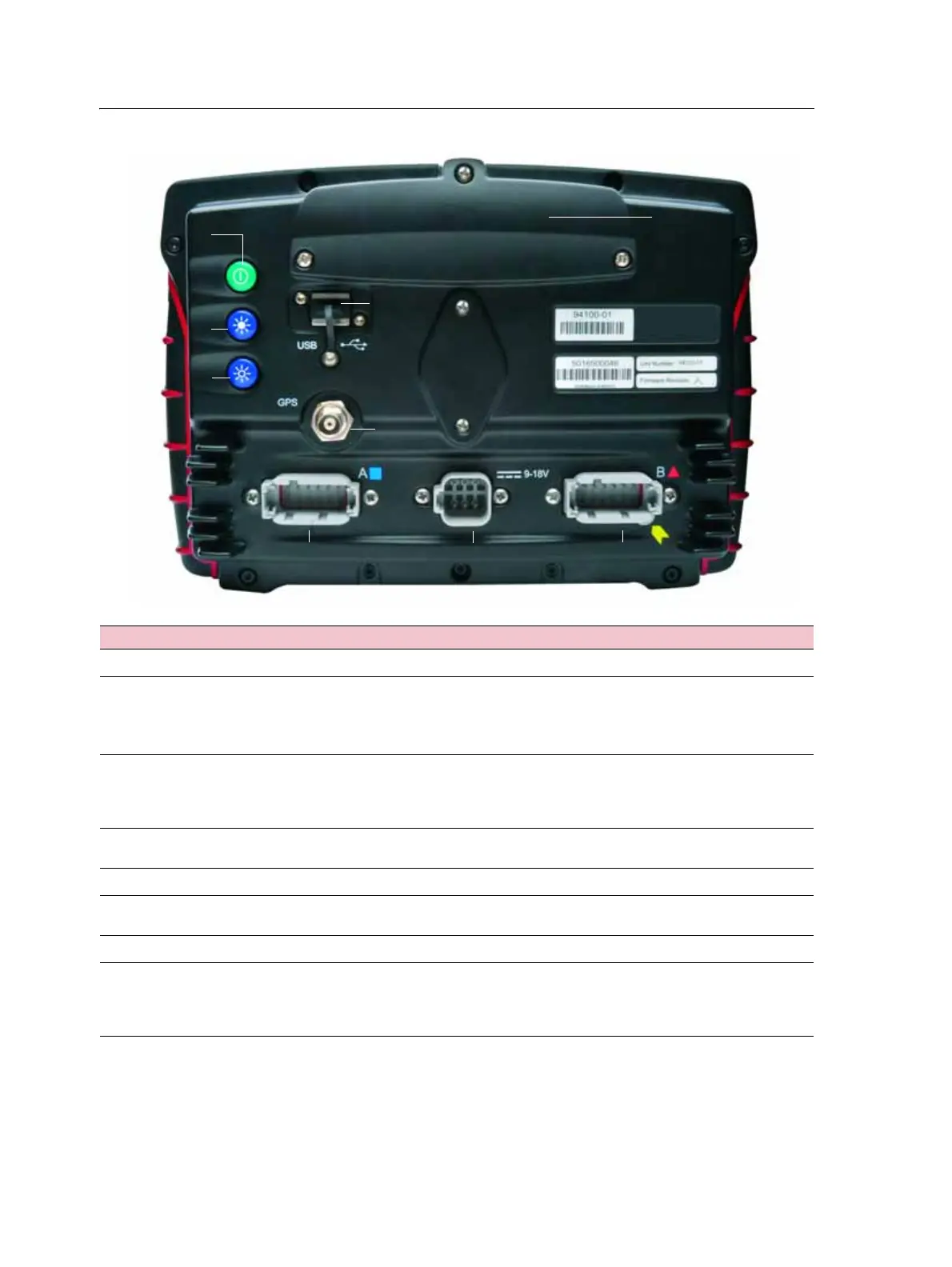
Figure 3.2 The back of the FM-750 display
Item Description Notes
c
Power button Turns the display on or off.
d
and
e
Brightness controls
Note – You can also use the Color Scheme and
Backlight menu options to set the screen brightness.
See Color Scheme, page 123, and Backlight, page 124.
•To increase the brightness of the screen,
press
d
.
•To decrease the brightness, press e.
f
USB socket You can connect a USB memory stick to the
display to transfer data to and from the
unit. For more information, see The USB
socket, page 28.
g
GPS connector Connects the GPS cable (P/N 50449) to the
display.
h
Port A Connects external devices to the display.
i
Power connection socket Connects the power cable (P/N 67258) to the
display.
j
Port B Connects external devices to the display.
k
Radio access panel If you purchase the optional RTK module,
install the module here. For more
information, see the install instructions
supplied with the radio module.



 To Next Page