8-34 Trio BASIC Commands
Motion and Axis Commands
Trio Motion Technology
Example 2:
MOVE(10) AXIS(5)
MOVE(10) AXIS(4)
MOVE(10) AXIS(3)
In this example axes 3,4 and 5 are moving independently (without interpolation).
Each axis will move at its programmed
SPEED
etc.
Example 3:
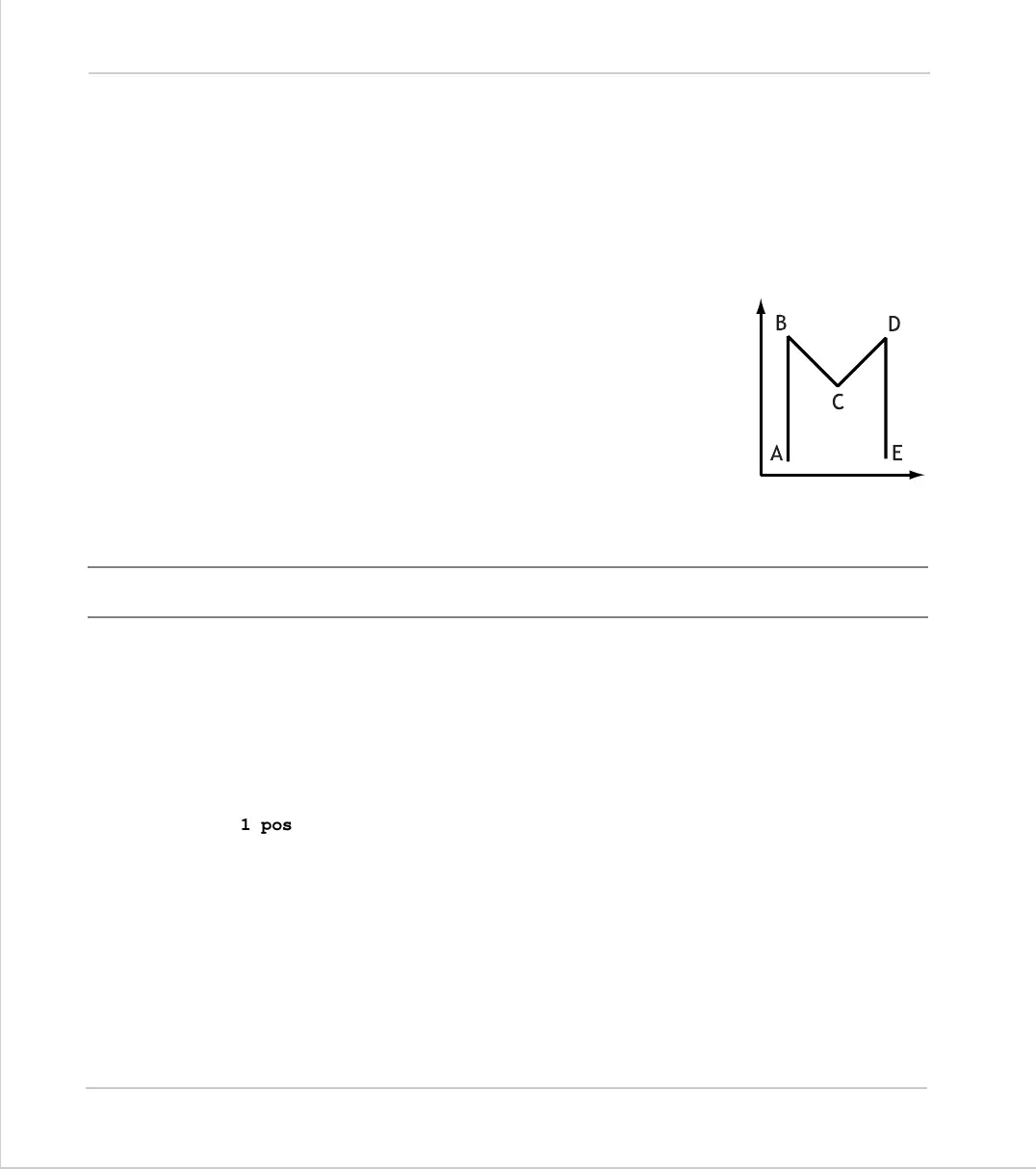
An X-Y plotter can write text at any position within its work-
ing envelope. Individual characters are defined as a
sequence of moves relative to a start point so that the same
commands may be used no matter what the plot position.
The command subroutine for the letter ‘M’ might be:
m:
MOVE(0,12)'move A > B
MOVE(3,-6)'move B > C
MOVE(3,6)' move C > D
MOVE(0,-12)'move D > E
MOVEABS
Type:
Motion Command.
Syntax:
MOVEABS(1 pos [, 2 pos , 3 pos[, 4 pos...]]])
Alternate Format:
MA()
Description:
Absolute position move. Move an axis or axes to position(s) referenced to the zero
position.
Parameters:
Note:
The
MOVEABS
command can interpolate up to the full number of axes available on
the controller.
)
*
+
,
-
1 pos:
position to move to on base axis.
2 pos:
position to move to on next axis in BASE array.
3 pos:
position to move to on next axis in BASE array.
n pos:
position to move to on next axis in BASE array



 To Next Page