13-28Communications Protocols
Ethernet
Trio Motion Technology
Or a string of all 1's for the first three quads (telling the router to look at these)
and 0's for the host number (which the router doesn't need to look at). Subnet
masking allows routers to move the packets on more quickly.
Connecting to the Trio Ethernet Daughter Board
The following steps can be followed to establish an ethernet connection from a
PC to the MC controller.
1. One-to-One Connection
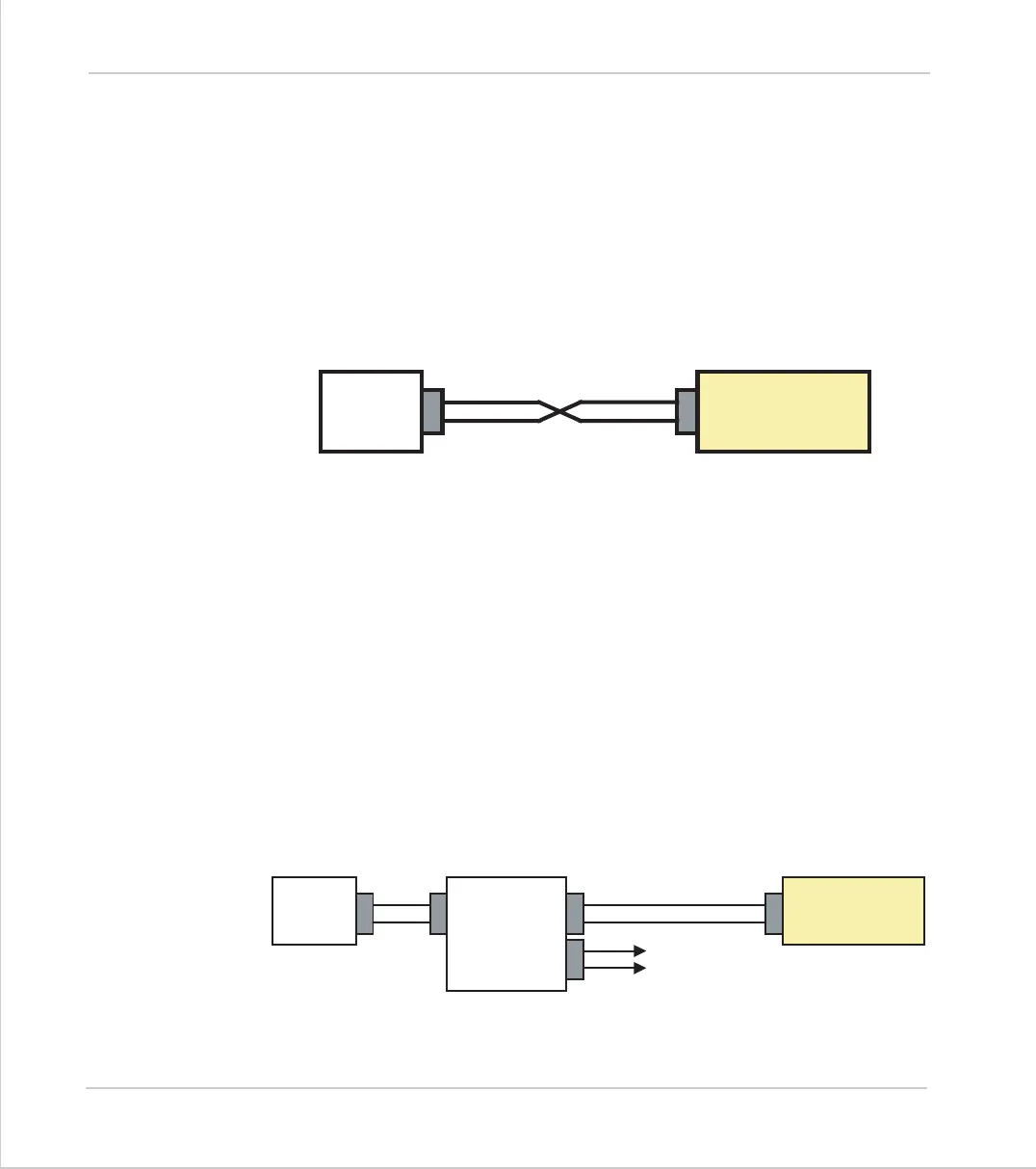
For a PC to the MC controller direct connection, use a "null modem" data cable.
The IP address of the Host PC can be set to the match the default value of the
Trio ethernet card.
Host PC IP: 192.168.000.251
Subnet: 255.255.255.000
Trio IP: 192.168.000.250
Subnet: 255.255.255.000
If leaving the Trio's IP address as default, proceed to step 6 to test communica-
tions.
2. Connecting the Trio to Network through an ethernet hub/switch
When connecting the Trio MC controller to an existing ethernet network on a
hub, no swap in the data cable is required since the hub or router will handle the
data inversion.
Board
Existing
ETHERNET
Hub/switch
Board



 To Next Page