Motion Coordinator Technical Reference Manual
Support Software 10-7
Motion Perfect 2 Projects
Motion Perfect 2 Projects
One of the keys to using Motion Perfect is to understand its concept of a
"Project". The project facilitates the application design and development proc-
ess, by providing a disk based copy of the multiple controller programs, parame-
ters and data which may be used for a single motion application. Once the user
has defined a project, Motion Perfect works behind the scenes automatically
maintaining consistency between the programs on the controller and the files on
the PC. When creating or editing programs on the controller they are automati-
cally duplicated on the PC which means you do not have to worry about loading
or saving programs and you can be confident that next time you connect to the
controller you will have the correct information on your PC .
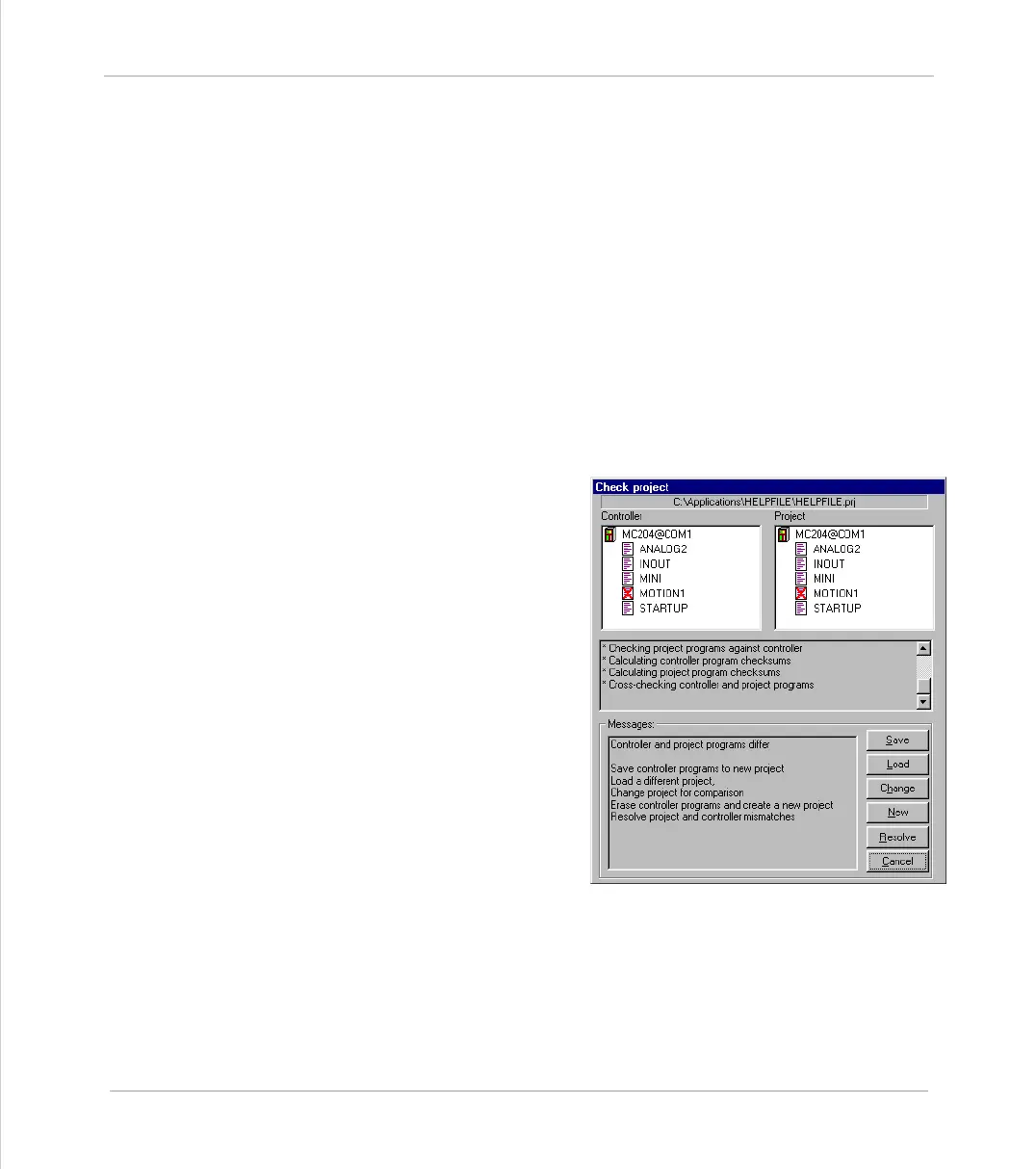
The Project Check Window
Whenever you connect to the con-
troller, Motion Perfect will perform
a project check to compare the
programs on the controller with
those defined in the current project
on the pc. During the project check
a window similar to the one below
will be displayed. If the projects
match then you will see a "project
checked ok" message and an OK
button to continue. If however
there is any inconsistency between
the controller and the PC, the dis-
play will feature a number of addi-
tion options, shown below.
You can force Motion Perfect to
perform a project check at any
time with the "Check Project"
option from the project menu.
(Ctrl+Alt+P)



 To Next Page