10-22Support Software
Motion Perfect Tools
Trio Motion Technology
Terminal
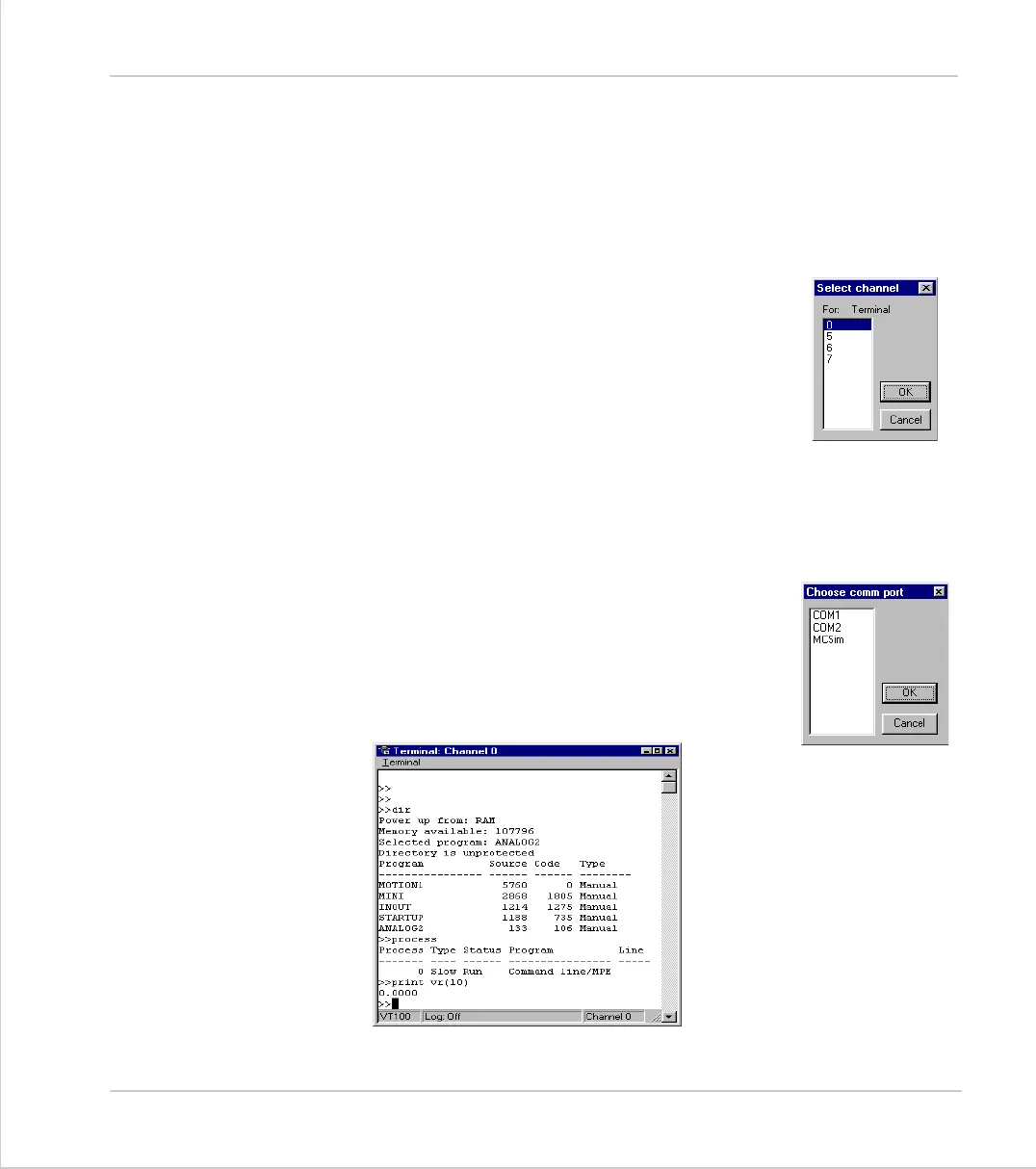
The terminal window provides a direct connection to the Motion Coordinator.
Most of the functions that must be performed during the installation, program-
ming and commissioning of a system with a Motion Coordinator have been auto-
mated by the options available in the Motion Perfect menu options. However, if
direct intervention is required the terminal window may be used.
Selecting a communications channel
If Motion Perfect is connected to the controller, you will be
prompted to select from any of the active user communica-
tions channels:
For this example we will select channel 0 which is used for
the Motion Coordinator Command Line interface.
Using the terminal without a Motion Perfect Connection
If Motion Perfect is not connected to the controller, then the terminal window
may be used to talk to the controller in a “No Motion Perfect connection”. In this
mode the terminal window has complete control over the serial link.
Once connected to the controller, the terminal window
opens a communications channel to the controller. The
user must select the required channel.
If this channel is already in use, either by another terminal
window or a keypad emulation then access will be denied.



 To Next Page