Motion Coordinator Technical Reference Manual
Support Software 10-15
The Motion Perfect Desktop
Feature Enable
Certain Motion Coordinators, such as the EURO205 and MC206, have the ability to
unlock additional axes by entering a "Feature Enable Code".
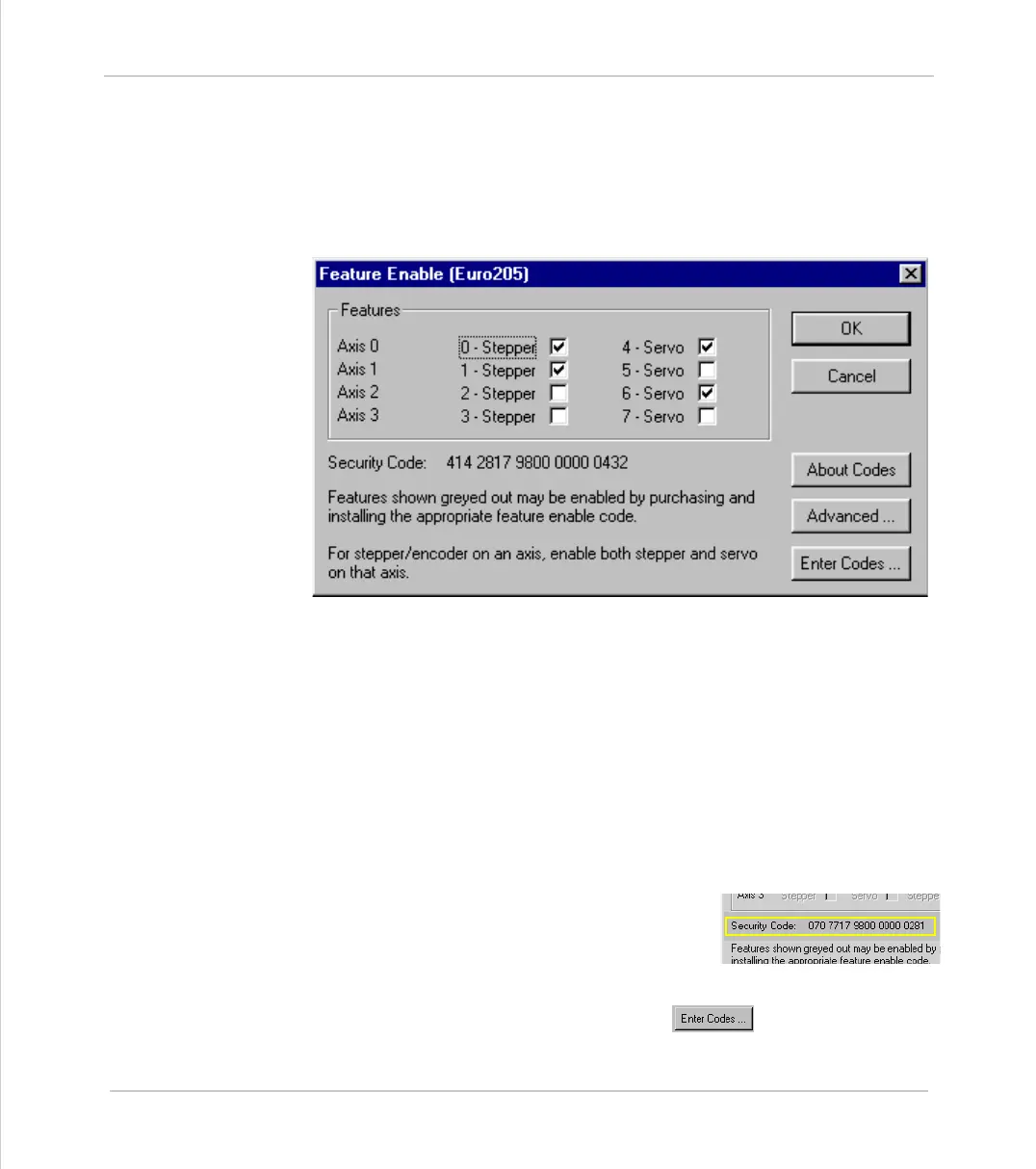
When you access the Feature Enable dialog, you will be presented with a display
similar to the following:
This display illustrates the feature which are currently available. If the codes for
additional features have been purchased, the relevant boxes will be available for
checking.
Enabling Additional Features
To enable a feature you must enter a Feature Enable Code, which is unique to
each controller and feature. To obtain a Feature Enable Code, you will need to
specify the feature required and the security code for the specific controller to
be updated. The order for the required codes should be FAXed to Trio or an
authorised Trio distributor.
Security Code
Controllers with features which can be enabled
each have a unique security code number which is
implanted when the unit is manufactured. This
security code number is displayed on the above
screen (as highlighted right).
Once you have the required codes, select the button.



 To Next Page