Motion Coordinator Technical Reference Manual
Daughter Boards 4-9
Fitting Daughter Boards to the MC206
Fitting Daughter Boards to the MC206
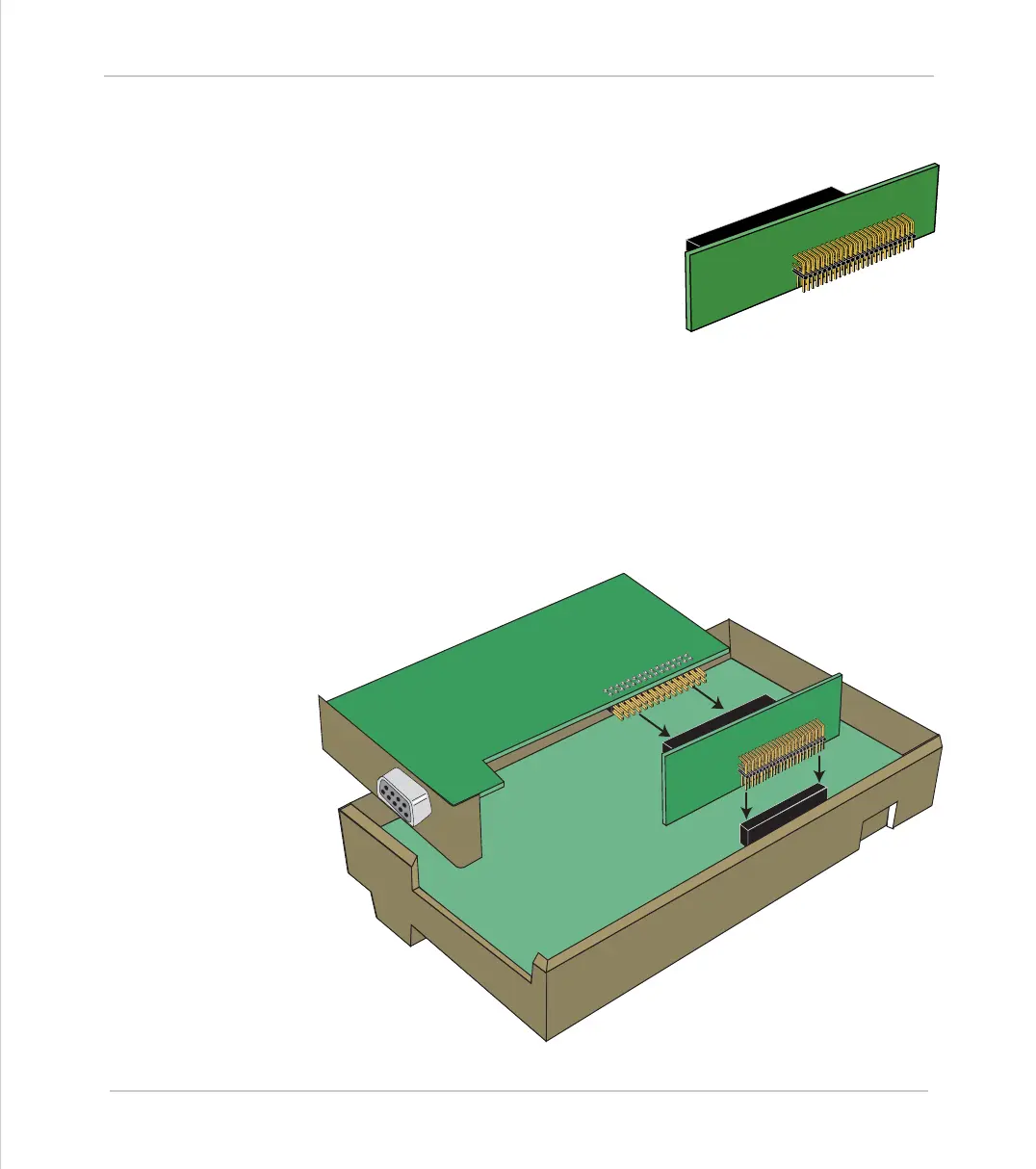
The Motion Coordinator MC206 can use a single
daughter board. This is fitted internally, and
connected via the optional P399 MC206 Daugh-
ter Board Adaptor (shown right).
The axis daughter boards are supplied in an
anti-static bag or box. This should be used to
hold the daughter board at all times when not
installed in the Motion Coordinator.
Installation Procedure
• Check there is no power on the module
• Turn the module face-down and carefully remove the back moulding.
To remove the back moulding, a thin bladed small screwdriver needs to be
inserted between the back and front mouldings to release in sequence each of
the five latches which locate the top edge of the back on to the front.
• Ensure that anti-static precautions are taken when handling the MC206 board.
• Connect the daughter board to the P399 adaptor, and insert the adaptor into
the connector on the MC206 circuit board, as shown below



 To Next Page