10-24Support Software
Motion Perfect Tools
Trio Motion Technology
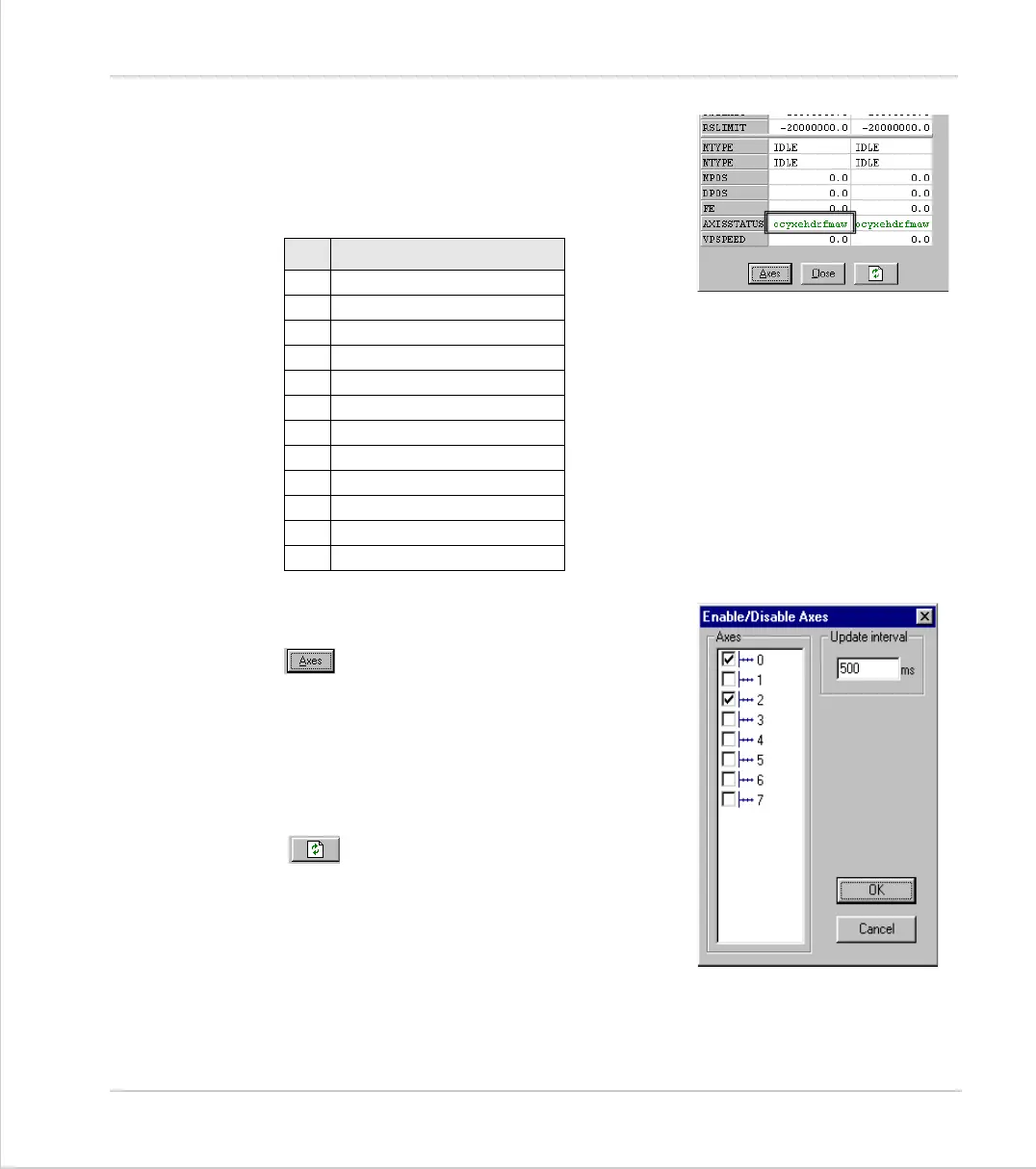
In the Motion Perfect parameter screen the
AXISSTATUS
parameter is displayed as a series
of characters,
ocyxehdrfmaw
.
These characters represent
AXISSTATUS
bits in
order, as follows:-
Parameter Screen Options
Select Axes
This shows a dialog that allows the user to
select the axes for which the data will be dis-
played.
The axes set by the last Create Startup, Jog
Axes window or Axes Parameters window will
be displayed by default.
Refresh Display
In order to minimise the load placed upon the
controller communications, the parameters in
the bank 1 section are only read when the
screen is first displayed or the parameter is
edited by the user. It is possible that if a
parameter is changed in a user program then
value displayed may be incorrect. The refresh button will force Motion Perfect to
read the whole selection again.
char status bit
w
Warning FE Range
a
Drive Comms Error
m
Remote Drive Error
f
Forward Limit
r
Reverse Limit
d
Datum Input
h
Feed Hold Input
e
Following Error
x
Forward Soft Limit
y
Reverse Soft Limit
c
Cancelling Move
o
Encoder Overcurrent



 To Next Page