Setting-up for FI/FD operation 9-11
Inserting the FI/FD inner source probe
When the inner source lock assembly has been fitted, you can insert the FI/FD
inner source probe with either an FI or FD emitter fitted. The FI/FD inner
source probe can be fitted and removed without venting the source chamber by
using inner source lock assembly.
See also: Figure titled “FI/FD inner source lock assembly:” on page 9-8
To insert the FI/FD inner source probe:
1. Fit the correct emitter to the inner source shaft.
See also: Changing an emitter on page 10-33.
2. Ensure that the shaft is fully pulled back.
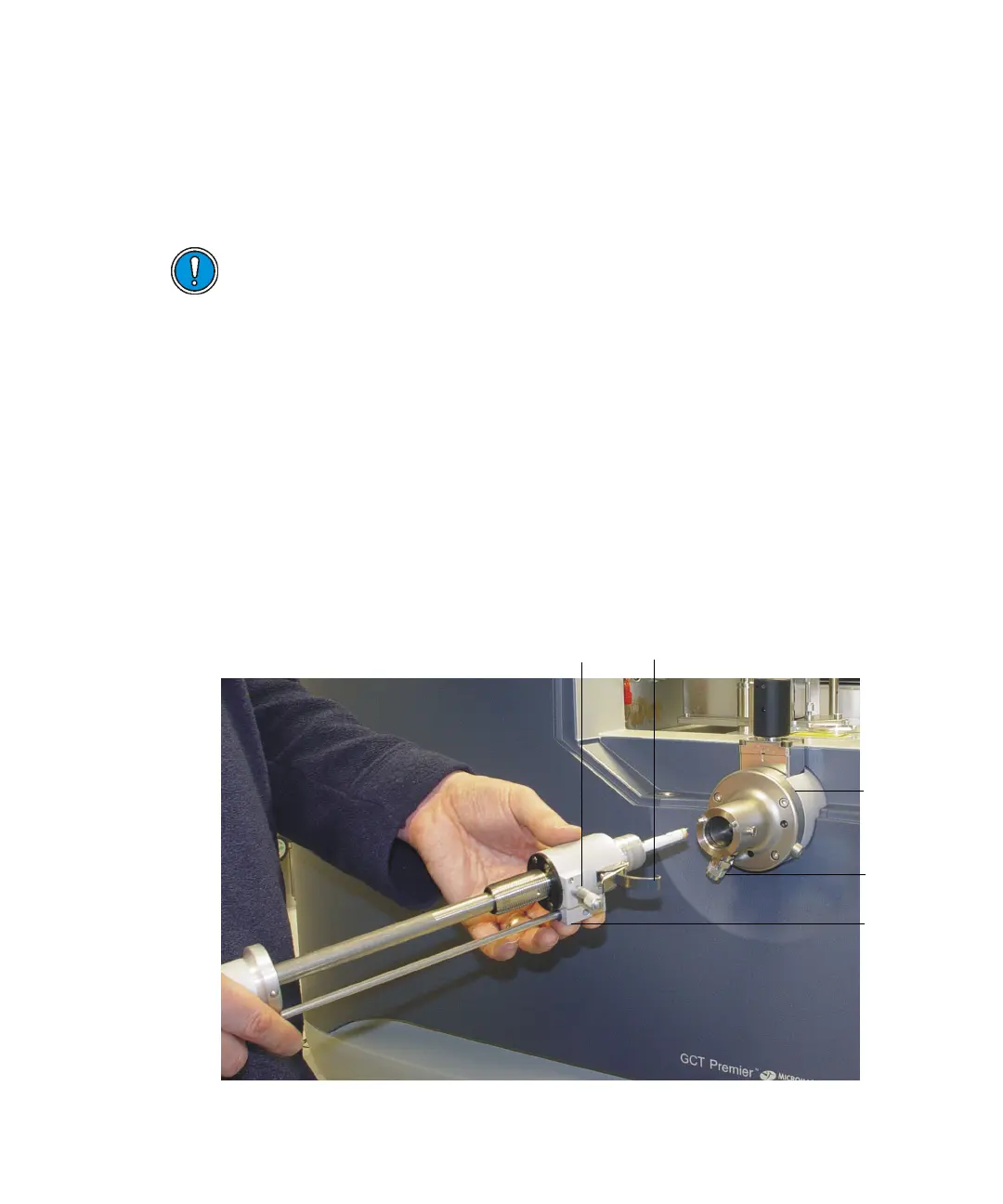
3. Carefully present the inner source probe centrally to the inner source
lock assembly.
Presenting the inner source probe to the inner source lock assembly:
Caution: To avoid damage when installing the inner source assembly,
be careful not to knock the emitter.
Vent
valve
Inner
source
lock
assembly
Inner
source
probe
Micrometer











 To Next Page