Troubleshooting: Display Icons
Issue 2
153
Part No. 306-0430-102
Icon Name Possible Cause Remedial Action
Environment too hot for printer. Measure ambient temperature. If it is greater
than 45
°
C, move the printer to a cooler position
or reduce ambient temperature by improving
ventilation etc.
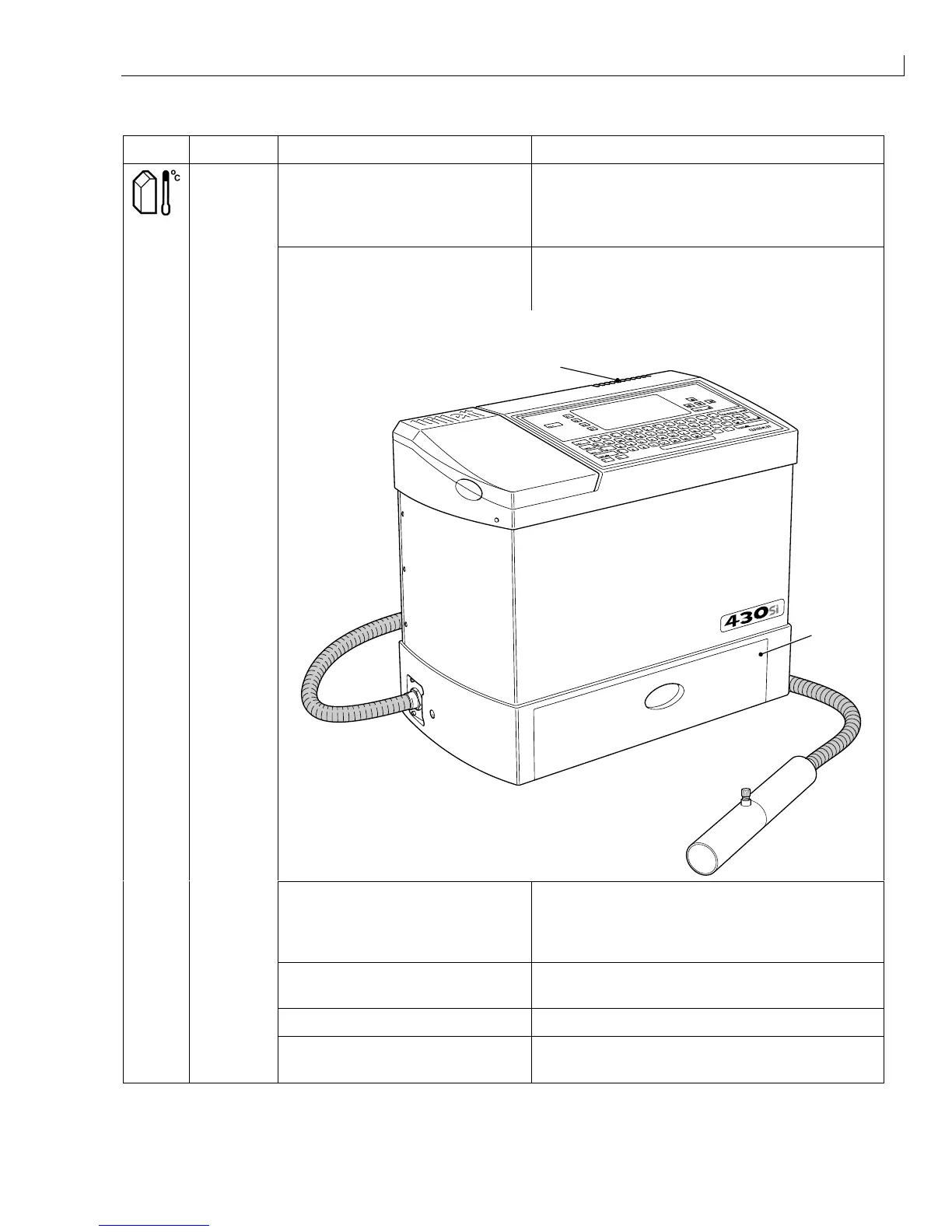
Printer air inlet or outlet blocked. Check that the printer is standing on a flat
surface and that the inlet (
2
) and outlet (
1
) are
clear.
1
2
Fan failed (Fan failed icon is
displayed)
Check for 24 V DC across pins 4 and 5 on the
EHT/FAN connector on the I/O board. If the
voltage is present, replace the fan (see
Fan
,
page 128).
Fan failure card faulty Replace fan failure card
(see
Fan Failure Card
, page 129).
I/O board faulty Replace I/O board (see
I/O Board
, page 110).
Cabinet
Too Hot
CPU board faulty Replace CPU board
(see
CPU Board
, page 112).



 To Next Page