STARTUP
Carl Zeiss Mounting the Standard Components Axio Scope.A1
44 M60-2-0007 e 05/08
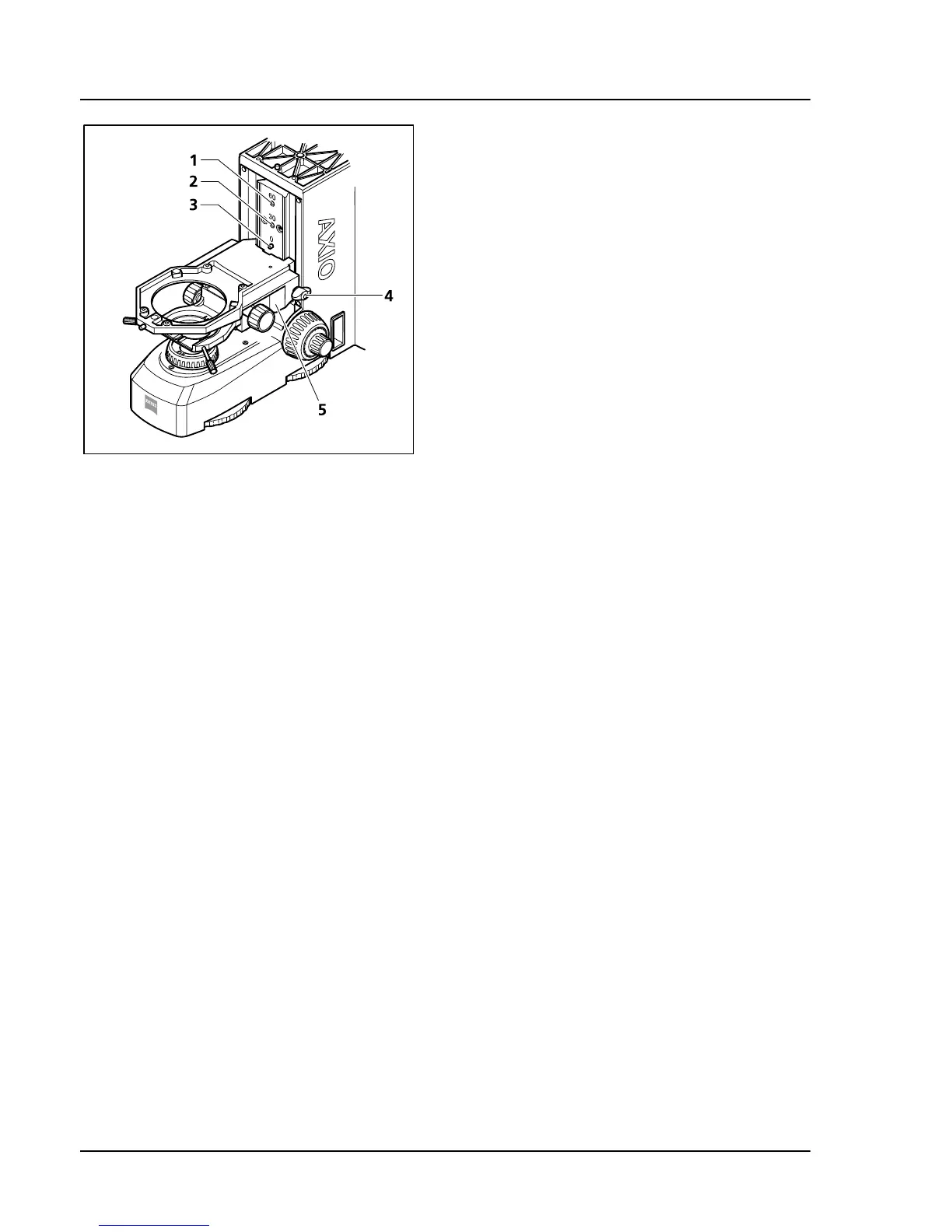
3.1.13 Mounting the Stage Carrier
• Screw the shoulder screw (
405H405HFig. 3-20/3) into the
appropriate opening:
− Opening with mark 0: no adapter is
mounted for specimen holder expansion
(
406H406HFig. 3-20/3),
− Opening with mark 30: adapter is mounted
for expanding specimen holder by 30 mm
(
407H407HFig. 3-20/2),
− Opening with mark 60: adapter is mounted
for expanding specimen holder by 60 mm
(
408H408HFig. 3-20/1).
• Insert the stage carrier (
409H409HFig. 3-20/5) at a slight
angle (beneath the shoulder screw) first left into
the guide, then press it in straight and tighten
the Tommy screw (
410H410HFig. 3-20/4) slightly.
• Push the stage carrier along the guide upward
until it engages in the shoulder screw. Tighten
the Tommy screw.
• Check for an exact position of the guide.
Fig. 3-20 Mounting the stage carrier









 To Next Page