STARTUP
Axio Scope.A1 Mounting the Standard Components Carl Zeiss
M60-2-0007 e 05/08 45
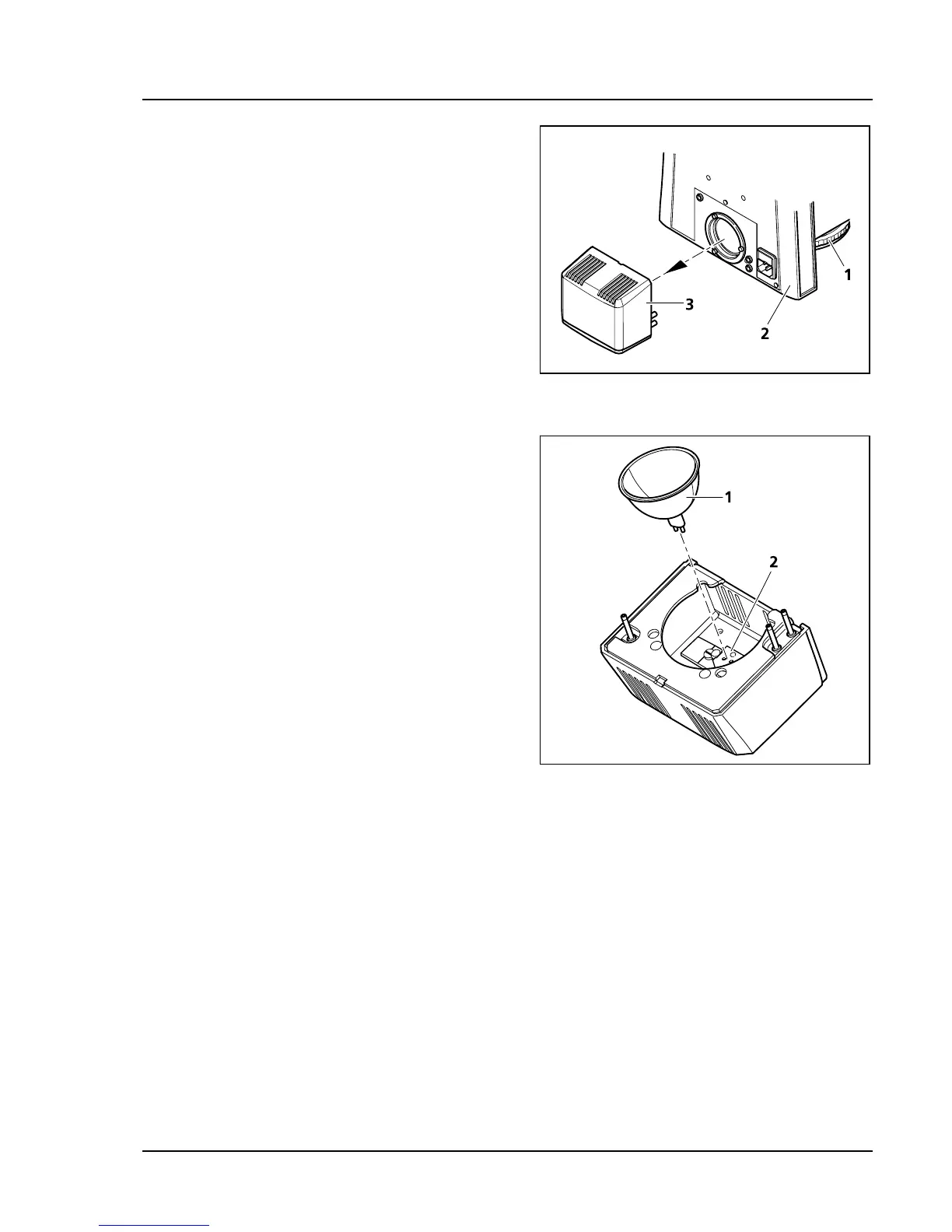
3.1.14 Inserting the Halogen Lamp 12 V,
50 W
• Switch off the microscope and pull its plug.
Wait at least 15 min for the halogen lamp to
cool down.
• Remove the halogen lamp HAL 50 (
411H411HFig. 3-21/3)
from the back of the stand (
412H412HFig. 3-21/2) and put
it down with the open side facing up.
• Remove a used halogen lamp 12 V, 50 W (if
necessary) by pulling it out of the cap (
413H413HFig.
3-22/2) in an upward motion.
• Press the new lamp (
414H414HFig. 3-22/1) with its two
cap pins delicately and carefully into the lamp
cap (
415H415HFig. 3-22/2). Be careful not to touch the
protective glass of the lamp. The lamp mustn’t
be canted in order to avoid bending its cap pins
or damaging the lamp holder.
• Place the halogen lamp HAL 50 with the
connecting pins into the back side of the
microscope and press until the lamp engages
securely.
• Replace the plug of the microscope.
The intensity can be controlled with the control
wheel (
416H416HFig. 3-21/1).
Fig. 3-21 Removing a halogen lamp HAL 50
Fig. 3-22 Inserting a halogen lamp 12 V, 50 W









 To Next Page