OPERATION
Axio Scope.A1 Illumination and Contrasting Method Carl Zeiss
M60-2-0007 e 05/08 83
4.1.7 Adjusting the Reflected Light/Bright-Field According to KÖHLER
(1) Application
The reflected light/bright-field microscopy is the easiest and most commonly used optical microscopy
method. It is used to examine optically opaque specimens or samples as e.g. cut material or wafers.
For an imaging result which is as true to the object as possible we need not only consider the so called
direct bundled beams but just as well the indirect ones, i.e. the beams which diffract and scatter on the
sample details. According to ABBE, the image is more true to the object when the fraction of the indirect
bundled beams is larger.
The bundled light emerging from the reflected light illuminator is reflected on a color-neutral beam
splitter before it passes through the objective which is focused on the specimen surface (so-called
condenser function). The objective collects the light reflected on the object and creates, with the tube
lens, the microscopic intermediate image. This image can then be examined visually or documented
objectively.
(2) Instrumentation
− Axio Scope.A1 with adjusted halogen lamp HAL 100 mounted on the reflected light barrel
− Reflector module bright-field ACR P&C for reflected light in the reflector turret /slider
− Upper stand part HAL 100/HBO 6x HD, DIC with pre-installed aperture and field diaphragm or
upper stand part HAL 100/HBO 6x HD, DIC and 2x diaphragm slider 14x40 mm
(3) Adjusting the reflected light/bright field
− The microscope is in correct operational
mode according to chapter
657H657H3 .
− The microscope is switched on.
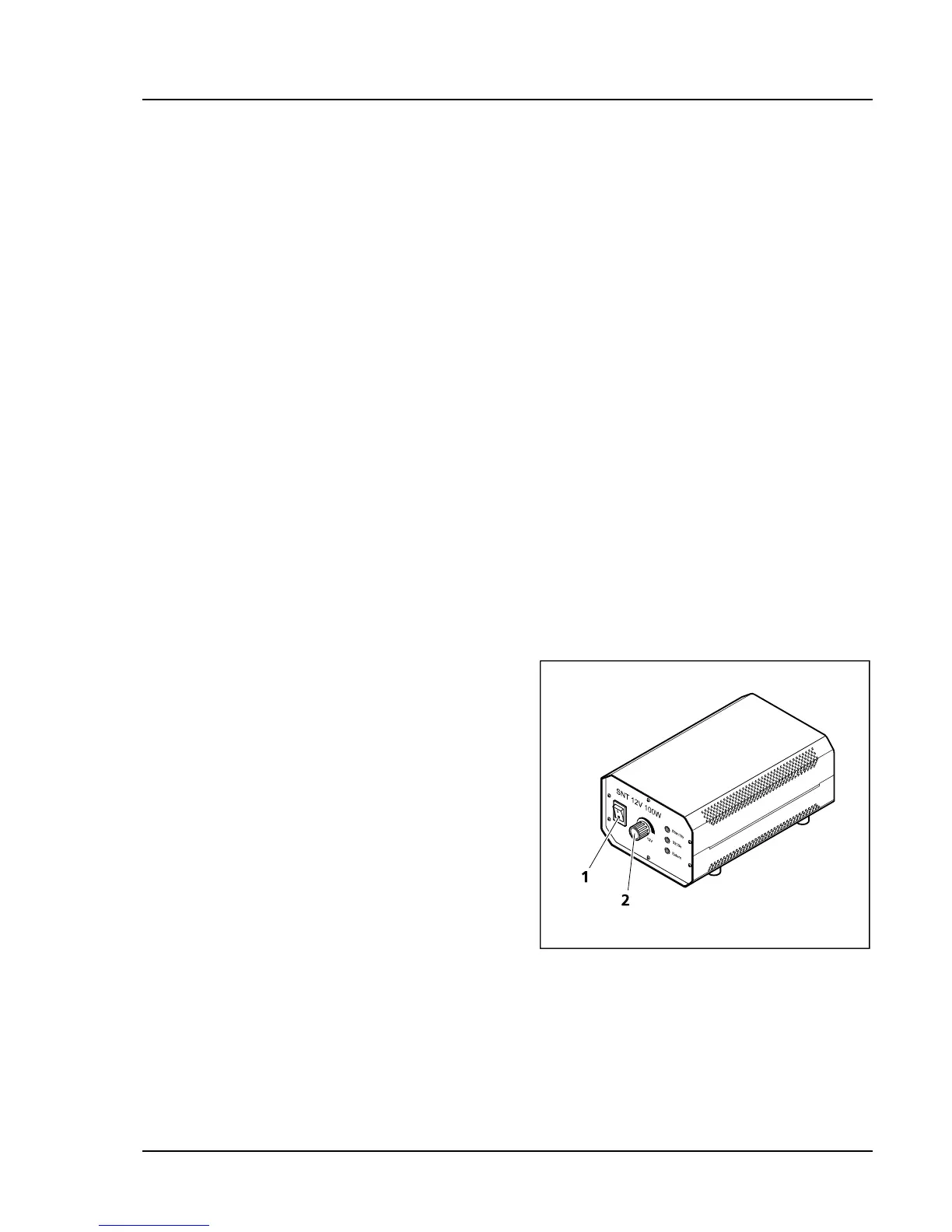
• Switch on halogen lamp HAL 100 on the
separate auxiliary power supply unit (
658H658HFig.
4-10/1).
• Adjust light intensity with the control button on
the auxiliary power supply unit (
659H659HFig. 4-10/2).
• Put a high-contrast reflected light sample on the
microscope stage.
• Swing in objective 10x on the nosepiece (
660H660HFig.
4-11/6).
• Focus the sample with the focusing drive (
661H661HFig.
4-11/5). Try to focus away from the sample in
order to avoid any collision between objective
and sample.
• Put the knurled button of the aperture diaphragm (
662H662HFig. 4-11/2) to a medium position (approx. half
open and half closed).
Fig. 4-10 External auxiliary power supply
unit for HAL 100









 To Next Page