STARTUP
Axio Scope.A1 Switching the Microscope and its Separate Illumination Fixtures on and off Carl Zeiss
M60-2-0007 e 05/08 55
3.2.3 Upper Stand Part for HAL 100/HBO,
FL/HBO, FL-LED
• Mount the halogen lamp HAL 100 to the stand
(see chapter
492H492H3.1.15.1).
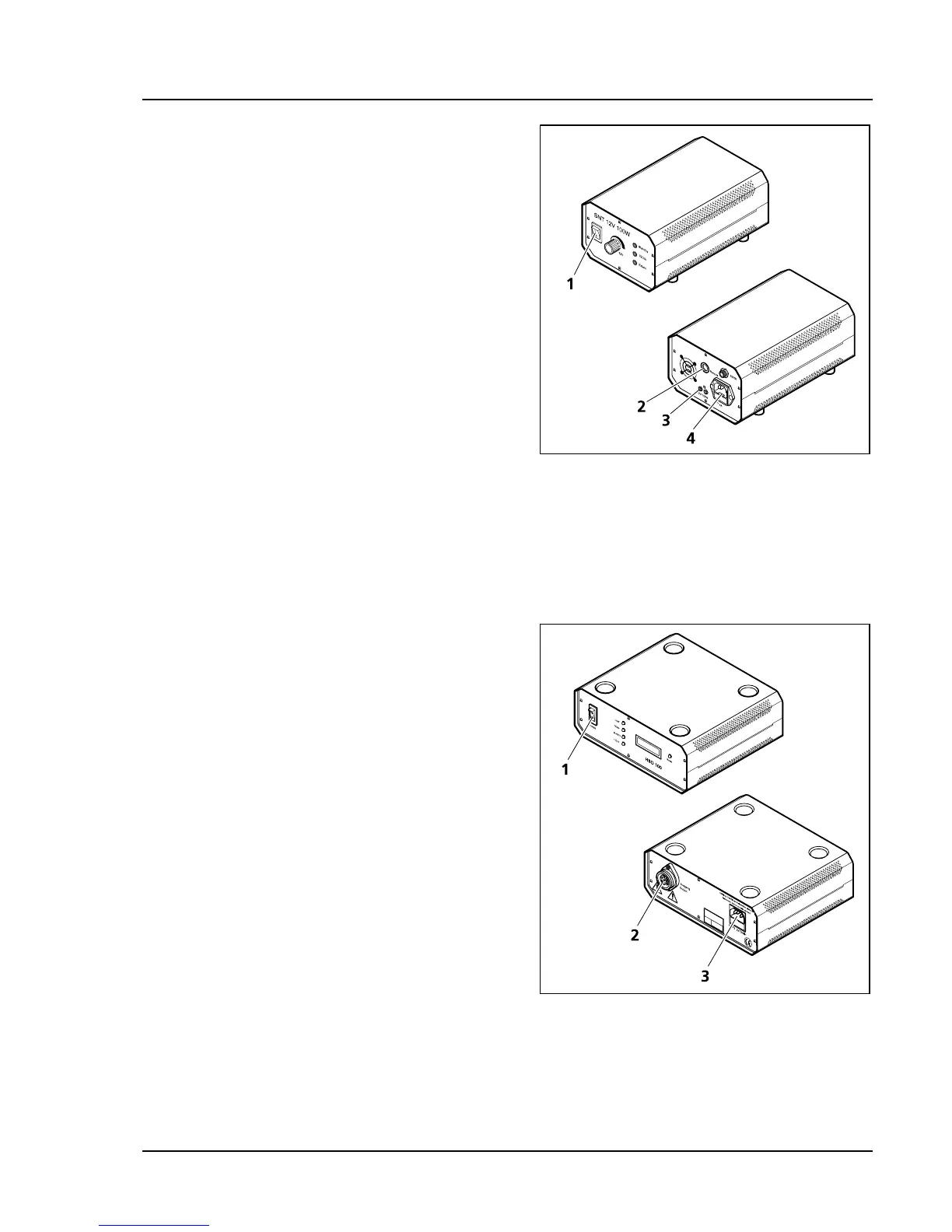
• Connect the 3-pin HAL 100 plug to the
separate auxiliary power supply unit
(
493H493HFig. 3-37/3).
• Connect the power cord of the auxiliary power
supply unit (
494H494HFig. 3-37/4) with an electrical
outlet.
Or
• Connect the HBO 100 plug to the transformer
HBO 100 W (
495H495HFig. 3-38/2), then connect the
power supply (
496H496HFig. 3-38/3) of the transformer to
an electrical outlet.
Or
• Connect the external ac adapter of the upper
stand part FL-LED (with integrated LED-
illumination) to an electrical outlet.
3.3 Switching the Microscope and
its Separate Illumination
Fixtures on and off
• Turn the power switch (497H497HFig. 3-35/1) of the
microscope with lower stand part for LED or
HAL 50 illumination either on or off.
• Switch on the halogen lamp for transmitted
light (lower stand part for HAL 100 illumination)
and reflected light (if in use) at its separate
auxiliary power supply unit (
498H498HFig. 3-37/1)
accordingly (also refer to the separate operation
manual of the auxiliary power supply unit).
• Switch on or off the HBO 100 lamp for
overhead fluorescence light (if in use) with the
power switch of the transformer HBO 100 W
(
499H499HFig. 3-38/1).
• Switch on the LED illumination on the upper
stand part FL-LED directly (
500H500HFig. 4-23/2).
Fig. 3-37 Auxiliary power supply unit
HAL 100 (front and back)
Fig. 3-38 Transformer HBO 100 W
(front and back)









 To Next Page