STARTUP
Axio Scope.A1 Mounting the Standard Components Carl Zeiss
M60-2-0007 e 05/08 49
3.1.16 Inserting the Adjustment Aid into
the Upper Stand Part FL/HBO
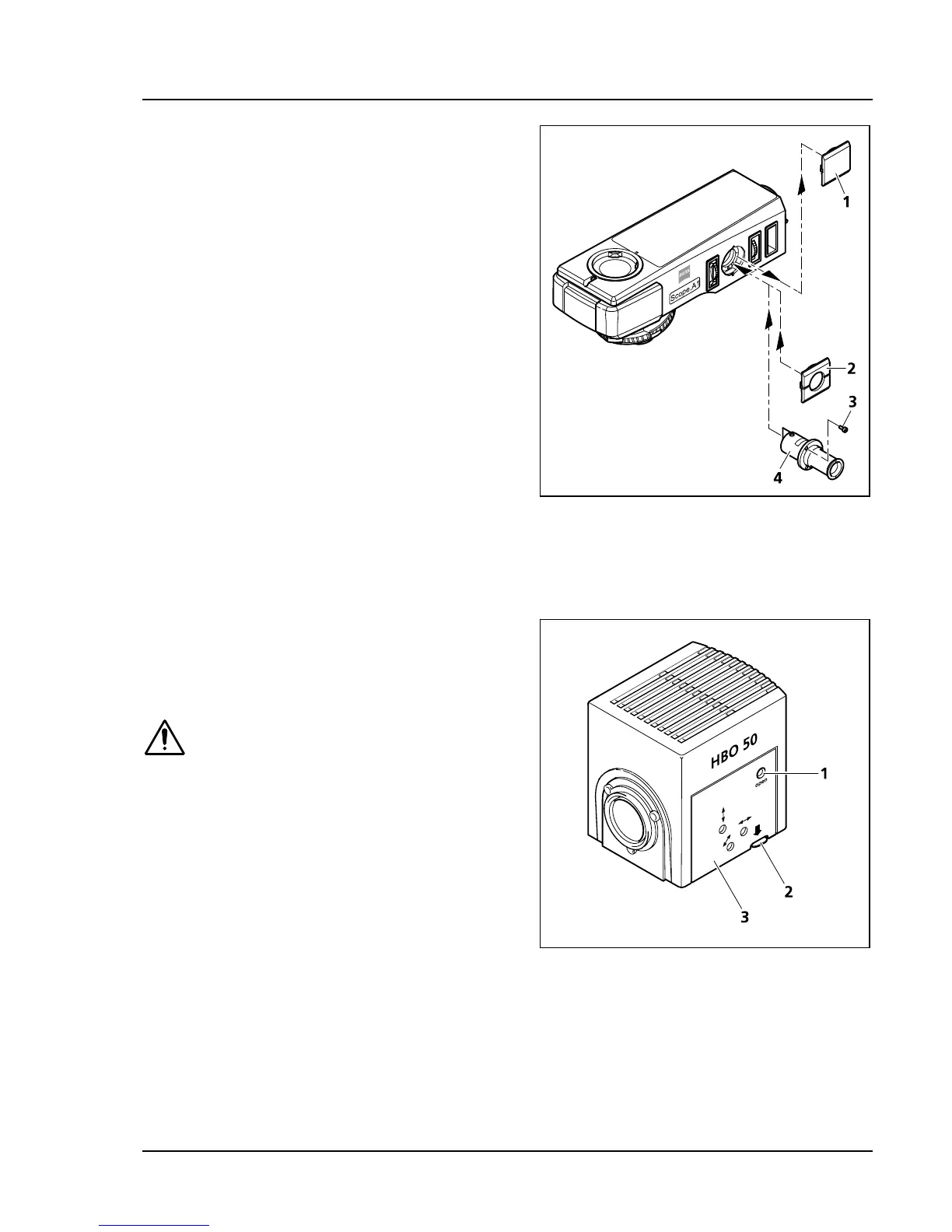
• Remove the cover (
447H447HFig. 3-26/1) from the
mounting aperture of the adjustment aid.
• Insert the adjustment aid (
448H448HFig. 3-26/4) and
tighten the three included screws (
449H449HFig. 3-26/3).
• Mount the cap with the opening (
450H450HFig. 3-26/2).
Make sure it locks.
• Slide in the movable connecting piece of the
adjustment aid.
3.1.17 HBO 50 Illuminator
3.1.17.1 Inserting or changing the burner
of the HBO 50 illuminator
BE CAREFUL – Danger of burns!
Before changing the burner of
HBO 50 switch off the transformer
and pull its plug. Let the lamp case
cool off for at least 15 min. After the
lamp case has cooled down, remove
the HBO 50 from the upper stand
part and put it aside on a plane
surface.
• Loosen the clamping screw (
451H451HFig. 3-27/1) with
the ball head screwdriver SW 3.
• Press down the release button (
452H452HFig. 3-27/2) of
the HBO 50, pull out the lamp carrier (
453H453HFig.
3-27/3) and set it aside.
Fig. 3-26 Inserting the adjustment aid
Fig. 3-27 Opening the HBO 50









 To Next Page