STARTUP
Carl Zeiss Mounting Optional Components Axio Scope.A1
60 M60-2-0007 e 05/08
3.4.6 Changing the Color Splitter in the Reflector Module FL P&C
Be extremely careful when mounting the filters and the color splitter in order to avoid damaging
and soiling the optical components.
We advise ordering completely equipped reflector
modules FL P&C, as changing the color splitter is
very challenging.
When changing the color filter, please proceed as
follows:
• Remove the reflector module FL P&C from the
reflector turret (see also chapter
540H540H3.1.6).
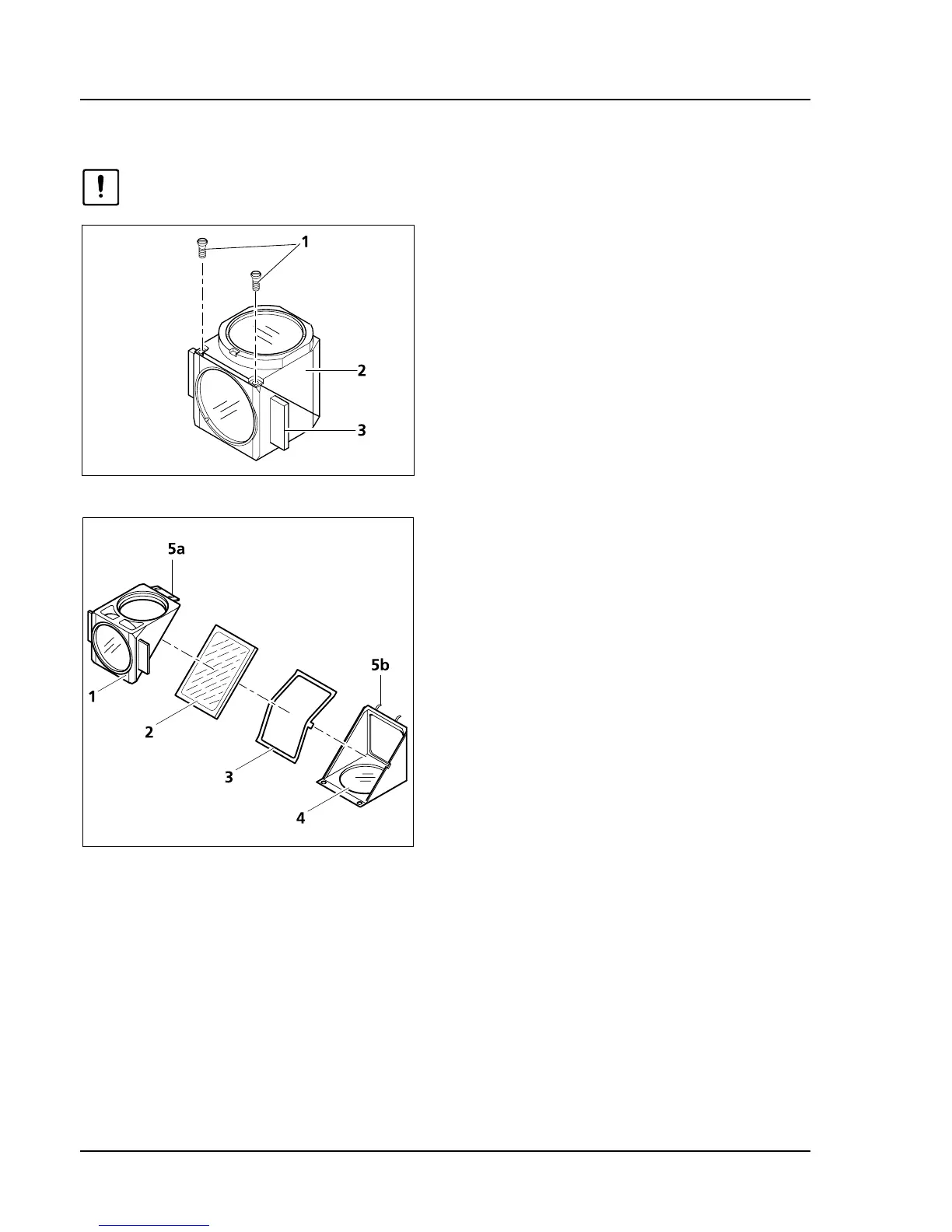
• Loosen both slit screws (
541H541HFig. 3-44/1) with a
screwdriver.
• Hold both parts of the reflector module (the
emission part (
542H542HFig. 3-44/2) and the excitation
part (
543H543HFig. 3-44/3) together, turn them against
the mounting position and put them down.
• Now tilt the excitation part, which lies on top
(
544H544HFig. 3-45/1), upward and lift the emission part
(
545H545HFig. 3-45/4) out of the holding fixtures
(
546H546HFig. 3-45/5b).
• Remove color splitter (
547H547HFig. 3-45/2) and spring
box (
548H548HFig. 3-45/3) from the bottom part of the
module.
• Remove the old color splitter and put the new
splitter with the reflecting coating facing up
carefully on the spring box (
549H549HFig. 3-45/3). Put
both pieces together into the bottom part of
the module. Make sure that the side latch of
the spring box is in the appropriate recess of
the bottom part of the module.
Fig. 3-44 Opening the module
Fig. 3-45 Changing the color filter









 To Next Page