Appendix F - Remote Access
Acterna ANT-5 Page 159
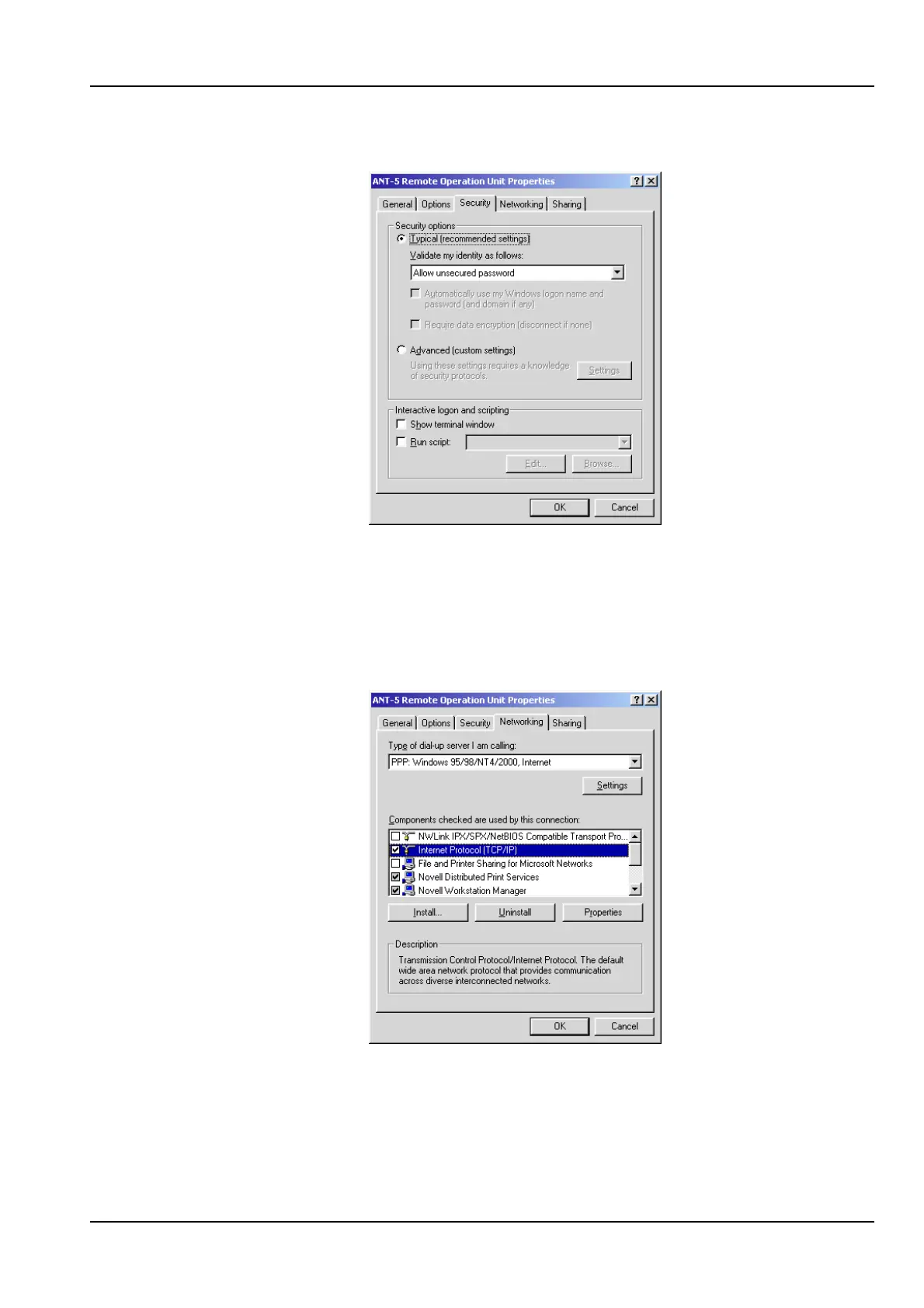
10. Select the Security tab and emulate the following settings.
11. Select the Networking tab. Select PPP as the type of dial-up server. The list of
components used by the connection may differ for your Windows 2000
configuration. Ensure that the Internet Protocol (TCP/IP) box is checked. The
greyed options (Novell Distributed Print Services and Workstation Manager) below
are disabled by Windows 2000. (You may have some components like this, as this
is normal. Ensure that all other components are unchecked).



 To Next Page