Appendix F - Remote Access
Page 160 Acterna ANT-5
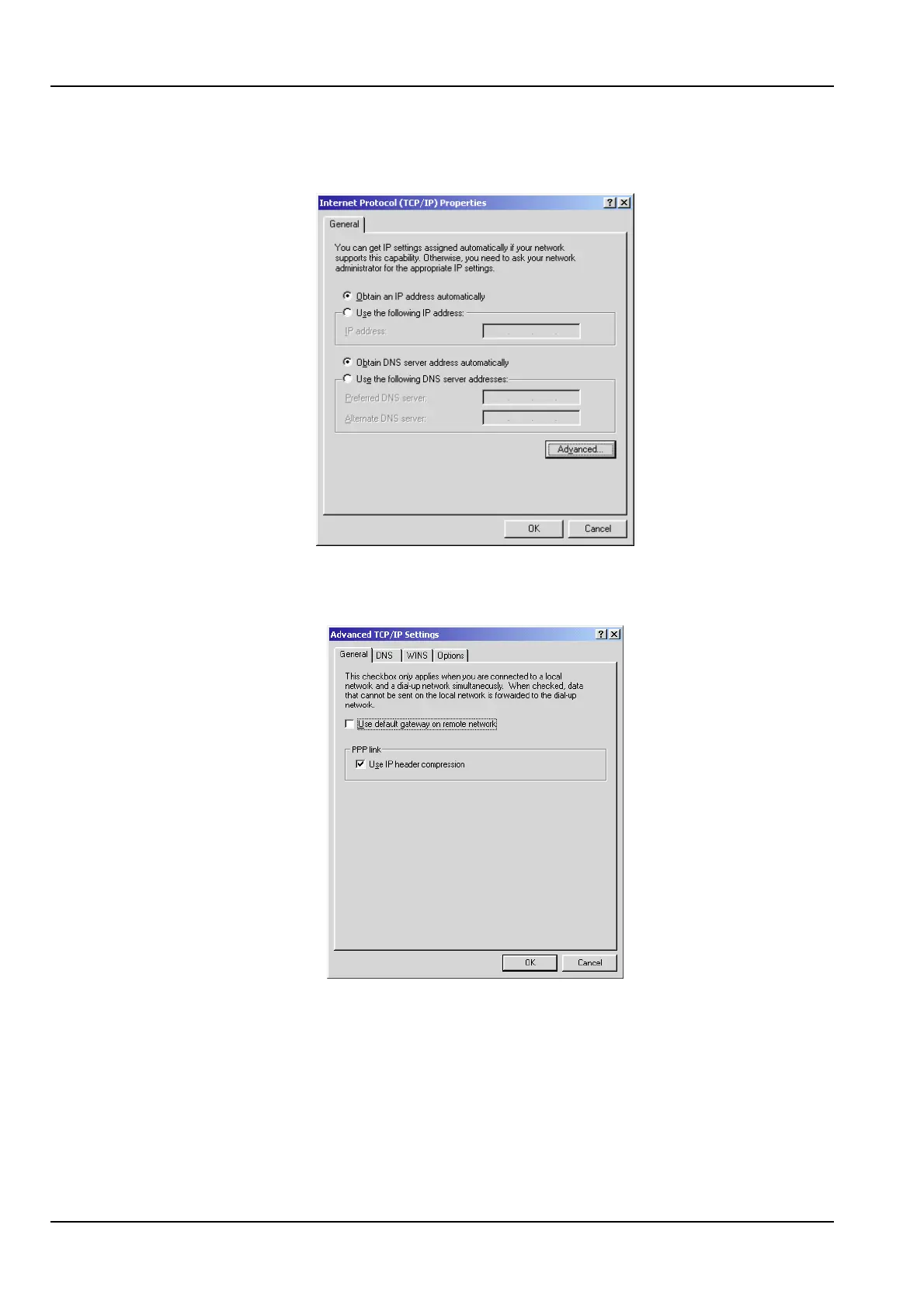
12. Click the Internet Protocol (TCP/IP) component, and then click Properties. The
following dialog box appears.
13. Click Advanced…, and from the General Tab, uncheck Use default gateway on
remote network and the click OK.
14. Click OK, close the Internet Protocol (TCP/IP) Settings dialog box.



 To Next Page