Radio Test Instruments
Subject to Export Control, see Cover Page for details.
7-19
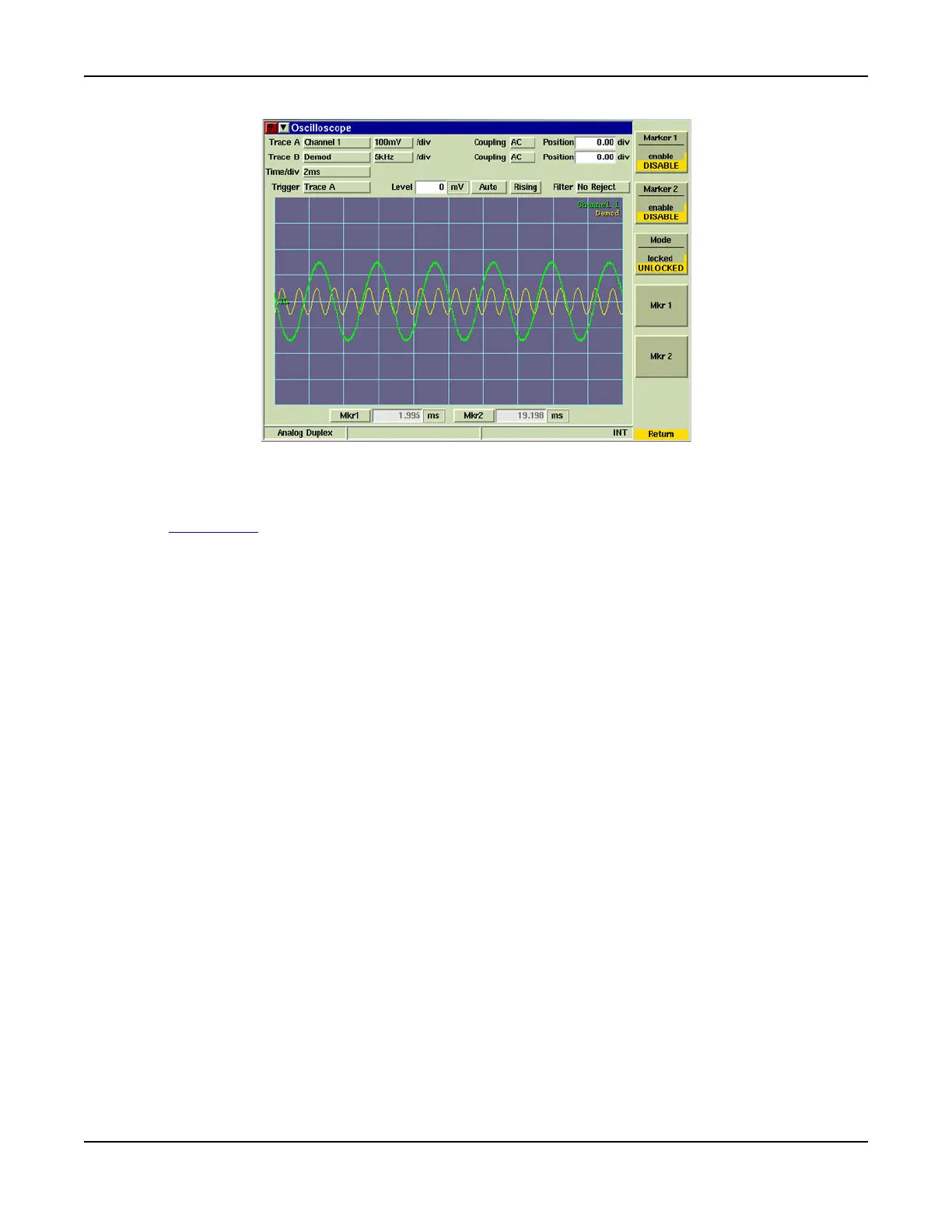
Fig. 7-21 Oscilloscope Marker Soft Keys
[Marker 1/Marker 2] Soft Key
Enables or disables markers displayed on the Oscilloscope graph. These soft keys are linked to
the Mkr1 / Mkr2
toggle buttons.
[Mode] Soft Key
When Marker 1 and Marker 2 are both enabled, LOCKED sets the markers at the current
frequency spacing. When the markers are LOCKED, moving either of the markers also moves
the other marker while maintaining the current frequency spacing. Enable and define BOTH
Markers prior to selecting LOCKED state since Markers maintain spacing that is defined when
LOCKED is enabled. UNLOCKED removes the link between markers.
[Mkr 1 and Mkr 2] Soft Key
Pressing the [Mkr1] or [Mkr2] Soft Key(s) selects the corresponding marker data field which can
then be edited. Marker(s) must be enabled to use this feature.













 To Next Page