Analog Duplex System
Subject to Export Control, see Cover Page for details.
8-39
[Calibration] Soft Key
Initiates Sensitivity Search Calibration function. Unit under test must be configured and
connected to Test Set prior to running calibration.
[Spec Data] Soft Key
Displays logged data on a Spectrum Analyzer plot field. Data can be viewed while data is being
logged and after logging stops.
[File Manager] Soft Key
Opens a soft key sub-menu that allows user to navigate between or delete existing Data Log
Files.
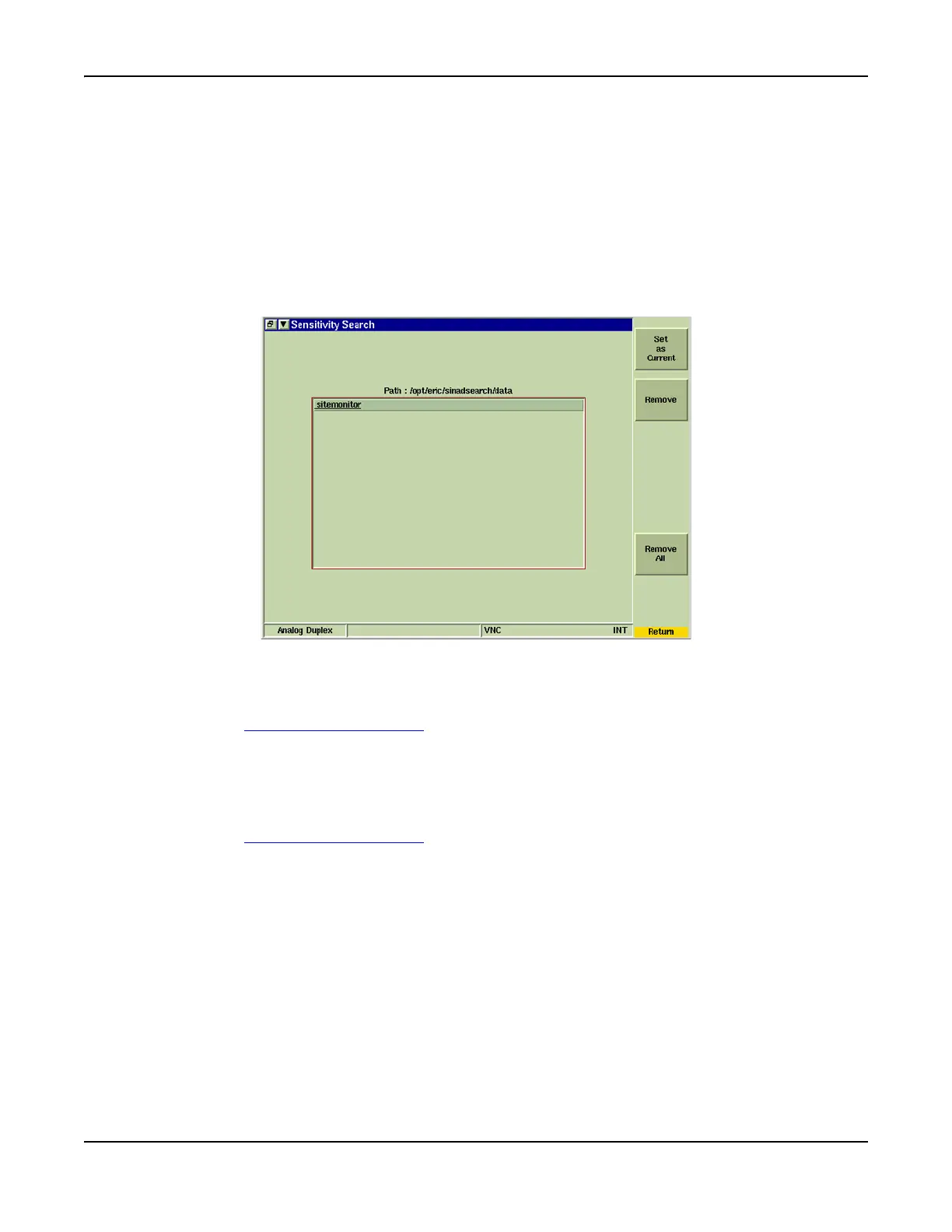
Fig. 8-32 Sensitivity Search - File Manager Tile
Open Existing Log File
To open an existing Data Log File:
1. Press [File Manager] Soft Key
.
2. Select the desired file name from list.
3. Press [Set as Current] Soft Key.
Delete Log File
To delete existing Data Log File(s):
1. Press [File Manager] Soft Key
.
2. Select the desired file name from list.
3. Press [Remove] Soft Key to remove selected Data Log File or press [Remove All] Soft
Key to delete all Data Log Files.













 To Next Page