Analog Duplex System
Subject to Export Control, see Cover Page for details.
8-41
3900 Series IQ Gen Option
Introduction
IQ Gen (Generator) is an optional feature for the 3900 Series (390XOPT054). This option allows
users to download IQCreator® waveform files to the 3900. This option only supports waveform files
that have been created using IQCreator software. Refer to the IQCreator Getting Started Guide
which is included on this CD for information on using IQCreator®.
This section provides a description of the following:
● Accessing IQ Gen.
● Configuring the Test Set to run IQ Creator files.
Preliminary Procedures
IQCreator® waveform files must be imported to the Test Set prior to using the IQ Gen option. Refer
to Refer to the section titled File Management Tile
in Chapter 3 for information on use of the File
Management function.
Accessing IQ Gen
The Analog Duplex System must be operating on the 3900 to utilize the IQ Gen. To select
Analog Duplex:
1. Power on Test Set.
2. Press CONFIG Key
twice to access CONFIG Floating Menu.
3. Select System, Analog Duplex from the Systems Menu. Wait while Analog Duplex loads.
4. After system loads, select IQ Gen from the CONFIG floating menu.
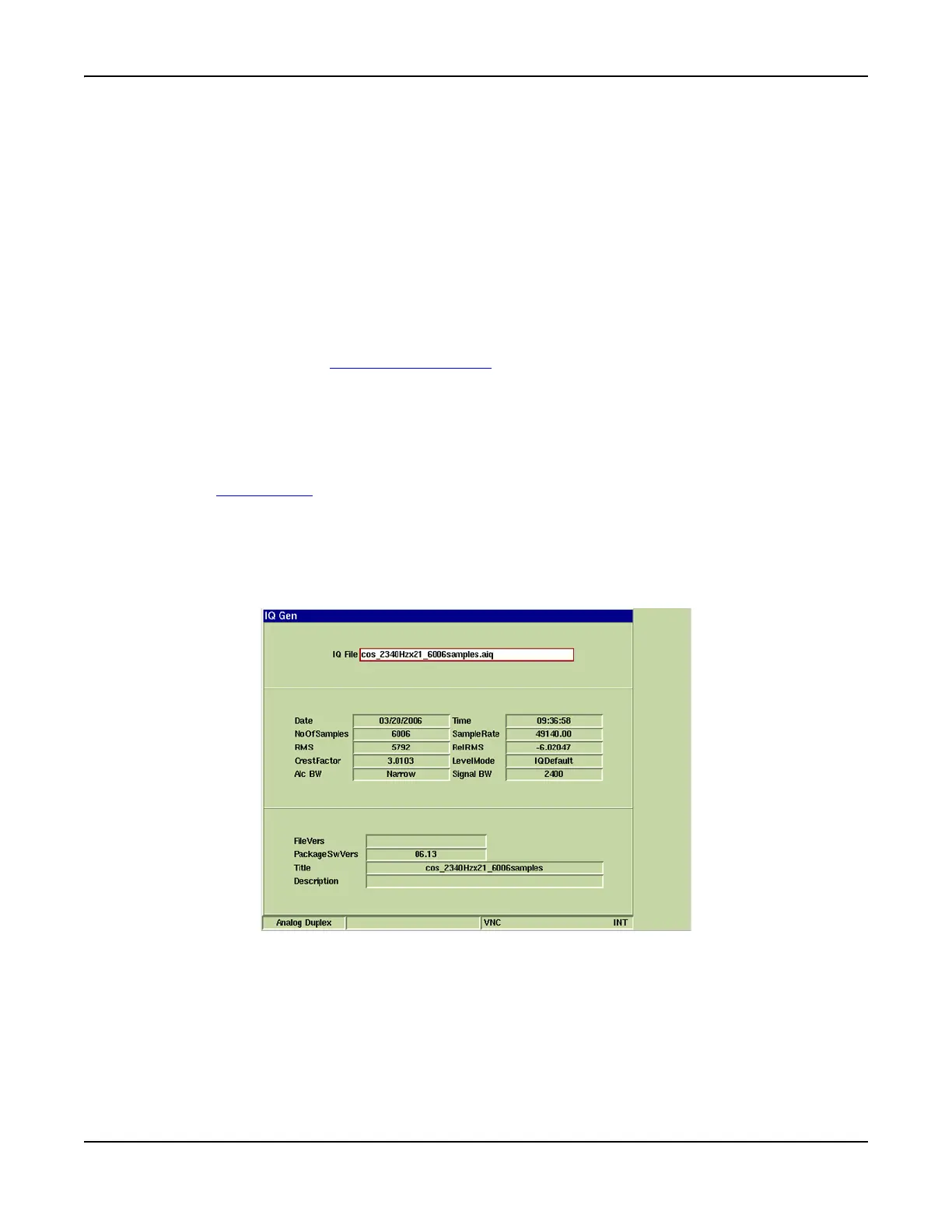
5. After the IQ Gen Configuration Tile opens, select the desired IQ File from the IQ File drop-
down menu. After the file is selected, data fields on the IQ Gen Configuration Tile are filled
with IQ File data information (refer to Fig. 8-35).
Fig. 8-35 IQ Gen Configuration Tile - File Data













 To Next Page