8-8 PN: 10580-00321 Rev. M S331L UG
8-5 Recall File File Management
8-5 Recall File
You can recall a previously saved measurement or setup or a screen
shot file either from the instrument internal memory or from a
removable USB drive. Only one file of any type can be recalled at a time.
Recall a Measurement
1. Press the File (1) key to display the File menu.
2. Press Recall to open the Recall dialog box.
3. Press the Filetype button, then touch Measurement or All to list
only measurement files or all file types, respectively.
4. Press the Location button and navigate to the desired
measurement file (.dat). Select it, then press Enter (or Recall in
the Recall dialog).
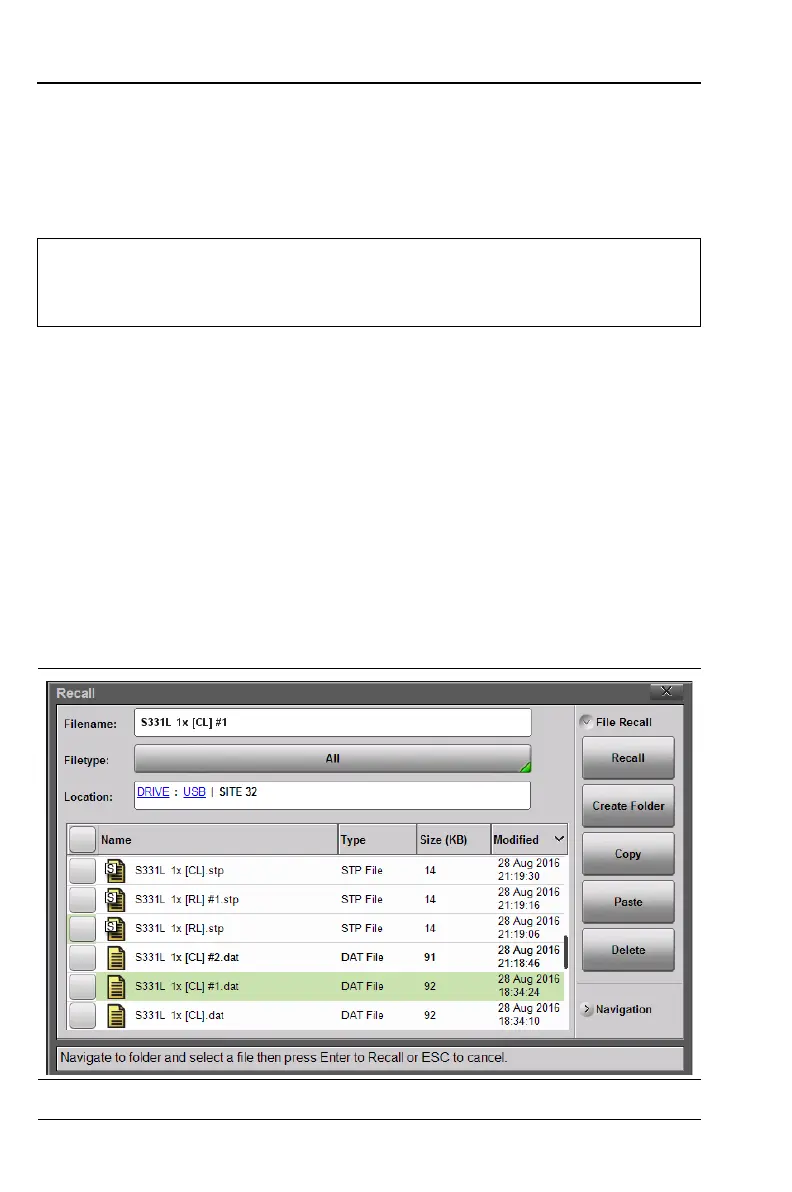
In the example below, the selected file is a Cable Loss
measurement file located on a removable USB drive.
Note
Recalling a measurement or setup may change the current
instrument settings and turn off any calibration correction.
Consider saving the current setup before recalling a file.
Figure 8-8. Recall Dialog Box













 To Next Page