Appendix A: Accessories
Page A–37
DuRApulse GS4 AC Drive User Manual – 1st Ed, Rev A - 10/20/2017
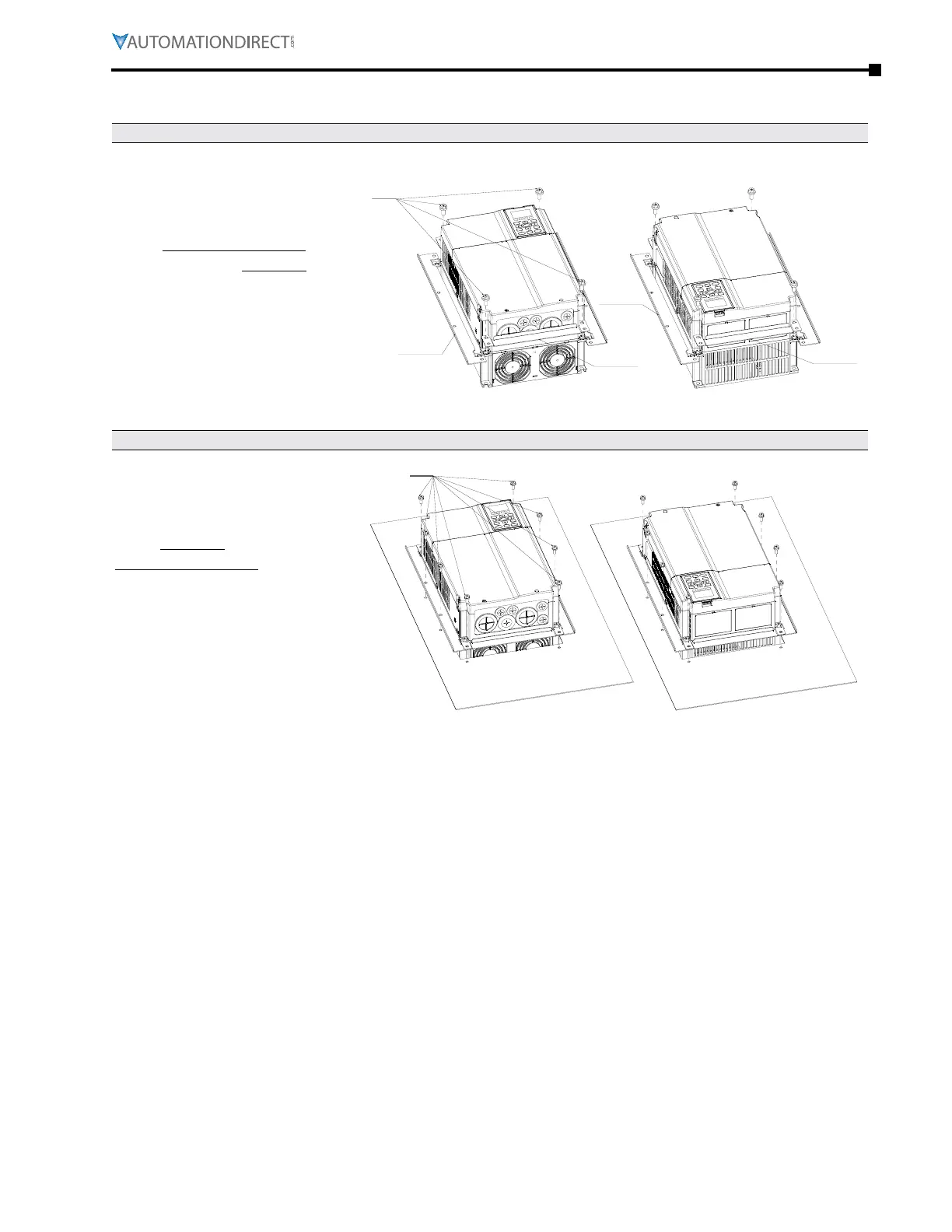
gs4-fmkiT-C insTallaTion
STEP 1
Install accessories 1 and 2 by
fastening 4 of the screws 1 (M8).
Screw torque:
50 - 55 kg·cm (43.4 - 47.7 Ib·in).
1
ACCESSORY 1
ACCESSORY 1
ACCESSORY 2
ACCESSORY
STEP 2
For plate installation, place 8
of the screws 2 (M6) through
accessories 1 and 2 and then
fasten to the plate.
Screw torque:
25 - 30 kg·cm (5.21 - 6.94 Ib·in).
SCREW 2



 To Next Page
 Loading...

