108
V2.6 | 8/30/2022 | 1120758
7.10.3 LineFormat
Controls the current electrical format of the selected physical input or output Line.
By switching the LineFormat, the behavior of the outputs can be adapted to the respective
installation.
Notice
In all modes the supply voltage for the outputs (Pin 11, 12) must to be connected!
Name LineFormat
Category DigitalIOControl
Interface IEnumeration
Access Read / Write
Unit -
Values see table below
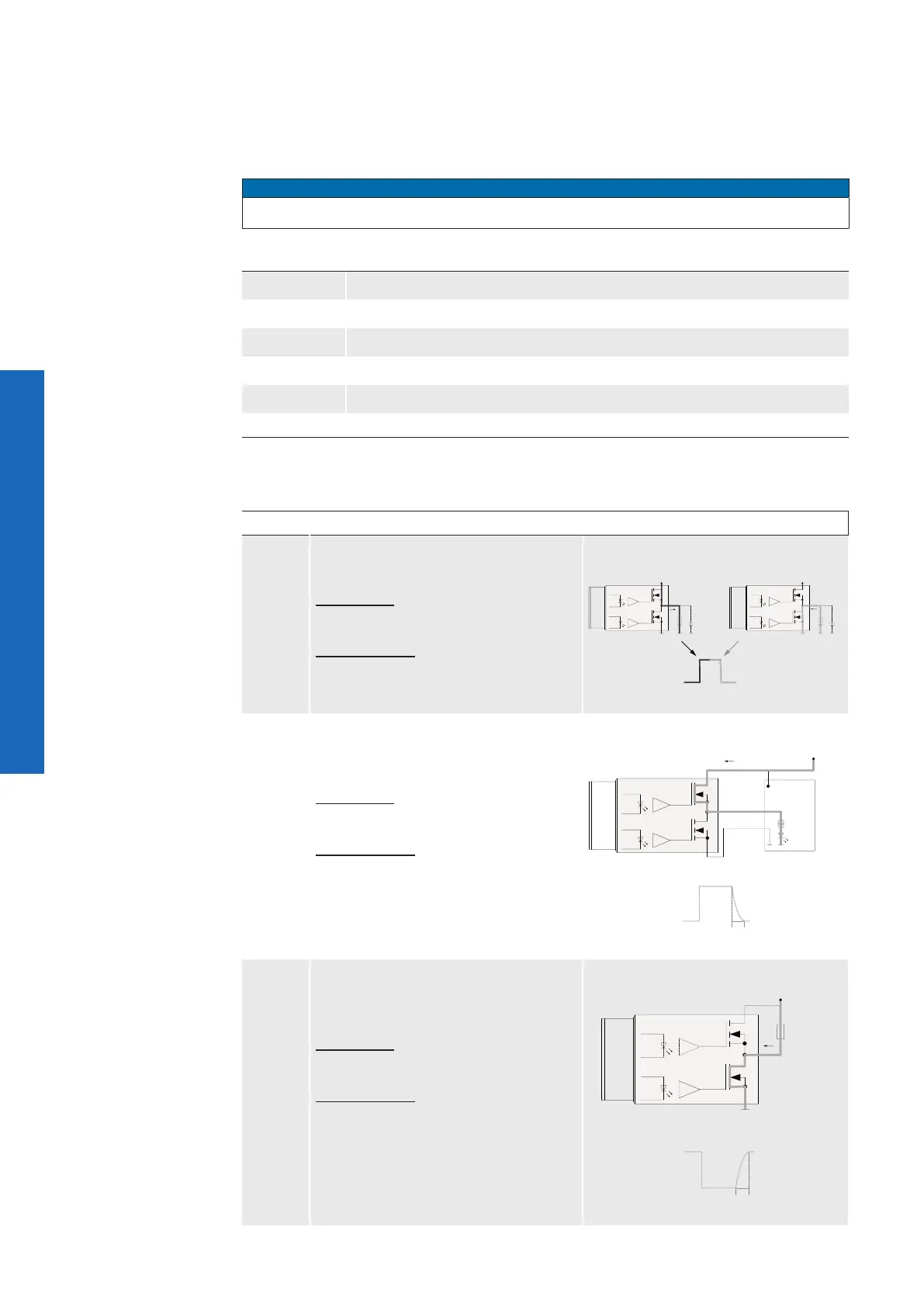
The following line formats are available for each of the 4 outputs (Line 4, 5, 6, 7):
Modes Description Circuit
Push-
Pull
This mode is used to generate sharp
edges for fast switching processes.
Advantage: Sharp edges in both direc-
tions.
Disadvantage: For long cable more
susceptible to ground bounce and po-
tential differences.
Power (IO)
GND (IO)
Camera
Output
I
Power (IO)
GND (IO)
Camera
Output
I
Open-
Source
Typical applications for this mode are:
PLC input, control of illumination con-
nected to ground.
Advantage: Stable at long cable
lengths and potential differences.
Disadvantage: The falling edge has
a lower slope due to parasitic capaci-
tances. Switching off is slower due to
this lower slope.
Power (IO)
Output
SPS
GND (IO)
Camera
I
t
on
t
off
Open-
Drain
A typical case of application for this
mode is a illumination control con-
nected to plus.
Advantage: Stable at long cable
lengths and potential differences.
Disadvantage: The rising edge has a
lower slope due to parasitic capaci-
tances. Switching off is slower due to
this lower slope.
Power (IO)
GND (IO)
Camera
Output
t
off
t
on
I



 To Next Page