130
V2.6 | 8/30/2022 | 1120758
7.12.12 HDRSplitviewEnable
Gain-Controlled (row-based)
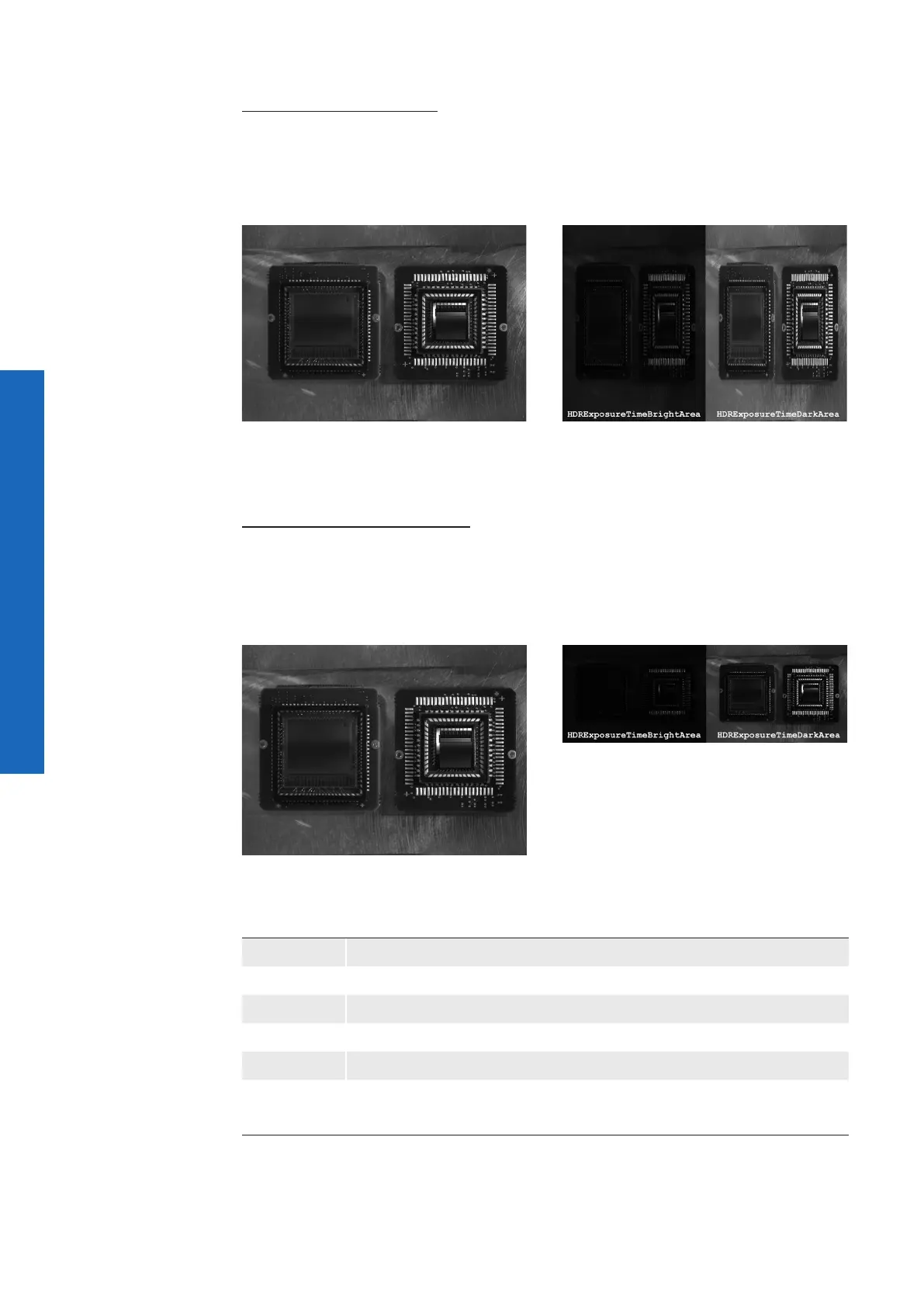
After activating this function, the image for (HDRGainBrightArea) is displayed in the left
area and the image for (HDRGainDarkArea) is displayed in the right area.
This view helps to better adjust the HDRGainRatioSelector.
HDRSplitviewEnable = O
HDRSplitviewEnable = On
(HDRGainRatioSelector = 12.0 dB)
Exposure-Controlled (row-based)
After activating this function, the image for (HDRDRExposureTimeBrightArea) is dis-
played in the left area and the image for (HDRExposureTimeDarkArea) is displayed in
the right area.
This view helps to better adjust the HDRExposureTimeRatio.
HDRSplitviewEnable = O
HDRSplitviewEnable = On
(HDRExposureTimeRatio = 4)
Name HDRSplitEnable
Category HDRControl
Interface IBoolean
Access Read / Write
Unit -
Values
true = 1 (On)
false = 0 (Off)



 To Next Page