71
V2.6 | 8/30/2022 | 1120758
7.4 Category:AutoFeatureControl(≥Release2only)
Category that contains the auto feature control features.
General Information
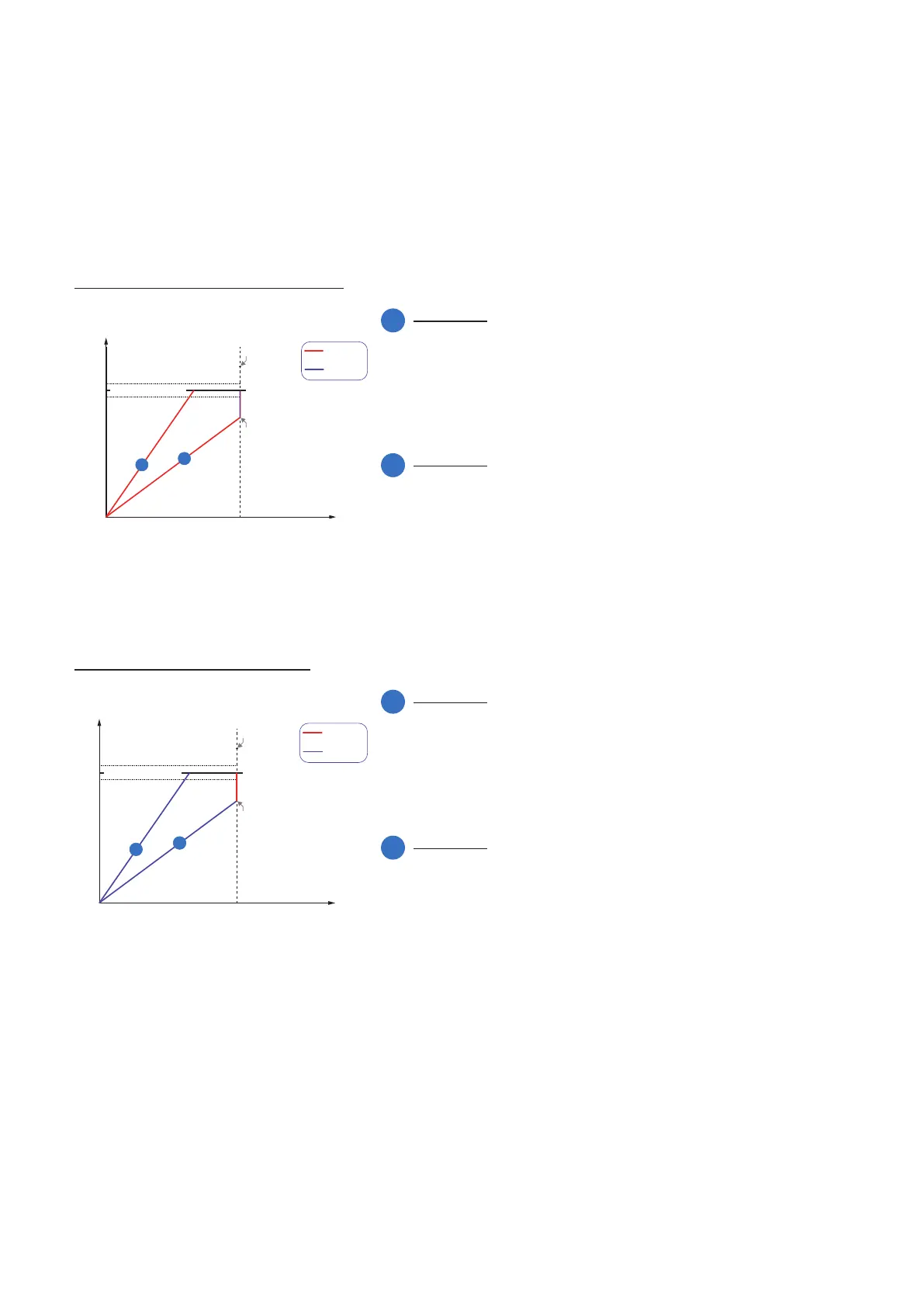
Various auto features are available to affect the automatic adjustment of image bright-
ness. Two methods are described below.
BrightnessAutoPriority = ExposureAuto
ExposureAutoMinValue ExposureAutoMaxValue
Gain
Brightness
BrightnessAutoPriority = Exposure
GainAutoMaxValue
GainAutoMinValue
BrightnessAutoNominalValue
1
2
1
Example 1
For image 1, increasing the bright-
ness with ExposureTime is sufcient
to achieve the BrightnessAutoNomi-
nalValue.
2
Example 2
For image 2, increasing the bright-
ness with ExposureTime is not enough
to reach the value of BrightnessAu-
toNominalValue.
Therefore, the gain is increased after
reaching ExposureAutoMaxValue.
BrightnessAutoPriority = GainAuto
ExposureAutoMinValue
ExposureAuto-
MaxValue
Gain
Brightness
BrightnessAutoPriority = Exposure
GainAutoMaxValue
alue
BrightnessAutoNominalValue
1
2
1
Example 1
For image 1, increasing the brightness
with Gain is sufcient to achieve the
BrightnessAutoNominalValue.
2
Example 2
For image 2, increasing the brightness
with Gain is not enough to reach the
value of BrightnessAutoNominalValue.
Therefore, the ExposureTime is in-
creased after reaching GainAutoMax-
Value.



 To Next Page