139
V2.6 | 8/30/2022 | 1120758
7.13.2 BinningHorizontalMode
Sets the mode to use to combine horizontal photo-sensitive cells together when Binning-
Horizontal is used.
Name BinningHorizontalMode
Category ImageFormatControl
Interface IEnumeration
Access Read / Write
Unit -
Values
Average
The response from the combined cells will be averaged,
resulting in increased signal/noise ratio.
Sum
The response from the combined cells will be added,
resulting in increased sensitivity.
7.13.3 BinningSelector
Selects which binning engine is controlled by the BinningHorizontal and BinningVertical
features.
Notice
(≥Release3only)
Binning can not be used simultaneously with Multi-ROI.
Name BinningSelector
Category ImageFormatControl
Interface IEnumeration
Access Read / Write
Unit -
Values
Region0 Selected feature will control the region 0 (FPGA) binning.
Sensor Selected features will control the sensor binning.
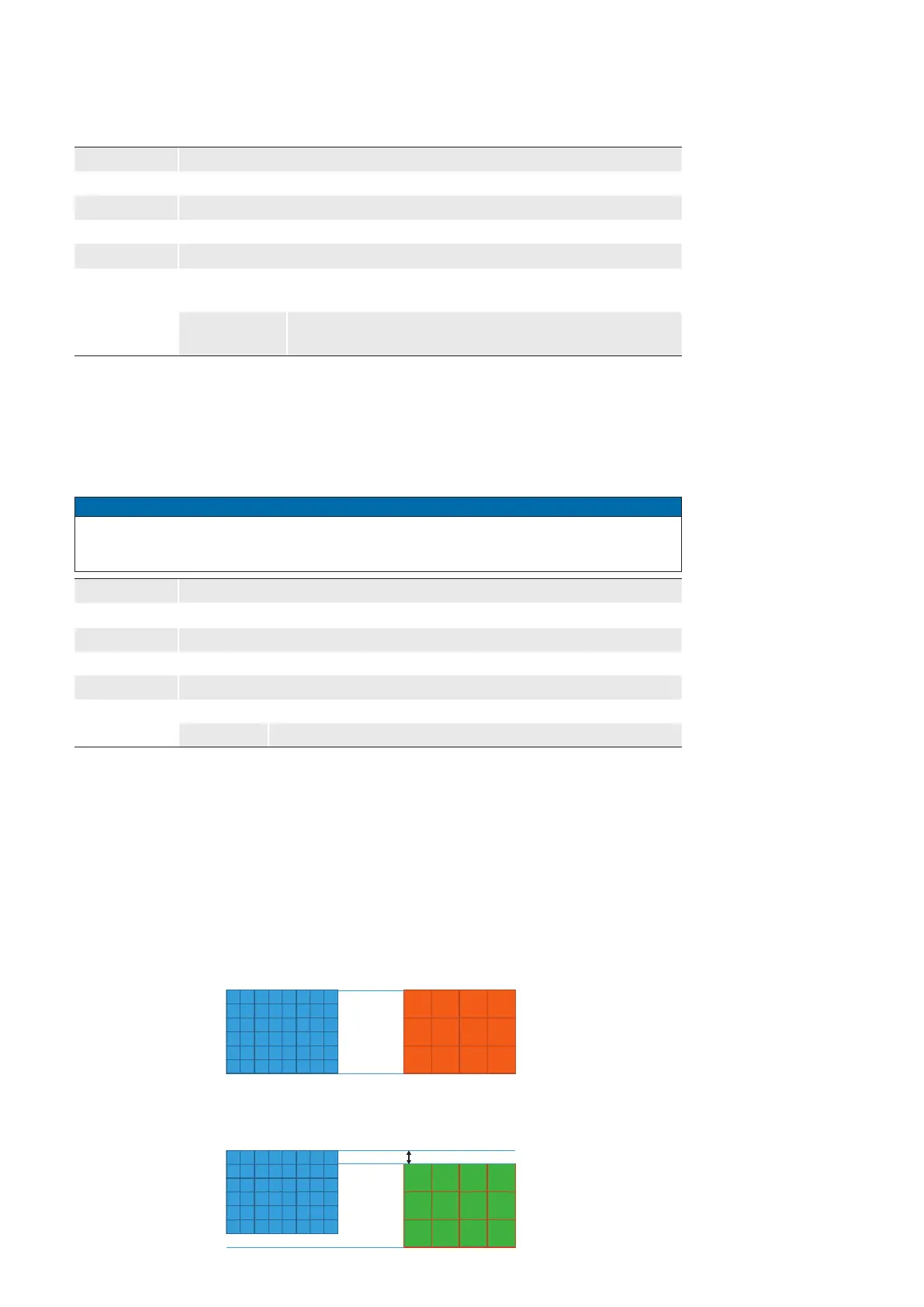
Known issues
Due to the sensor applied, some camera models have an offset of one pixel when bin-
ning performed in the sensor (BinningSelector = [Sensor]).
This behavior also occurs with a set Region of Interest (ROI).
Use binning via the FPGA (BinningSelector = [Region0]) if this behavior occurs
in your application.
Full Frame
Binning = one pixel oset
BinningSelector = [Sensor]
BinningSelector = [Region0]
Binning = OK
Full Frame
The following models
are affected:
▪ VLXT-28M.x
▪ VLXT-71M.x
▪ VLXT-90M.x
▪ VLXT-123M.x



 To Next Page