Chapter 4: Running Samples 145
Recording Data
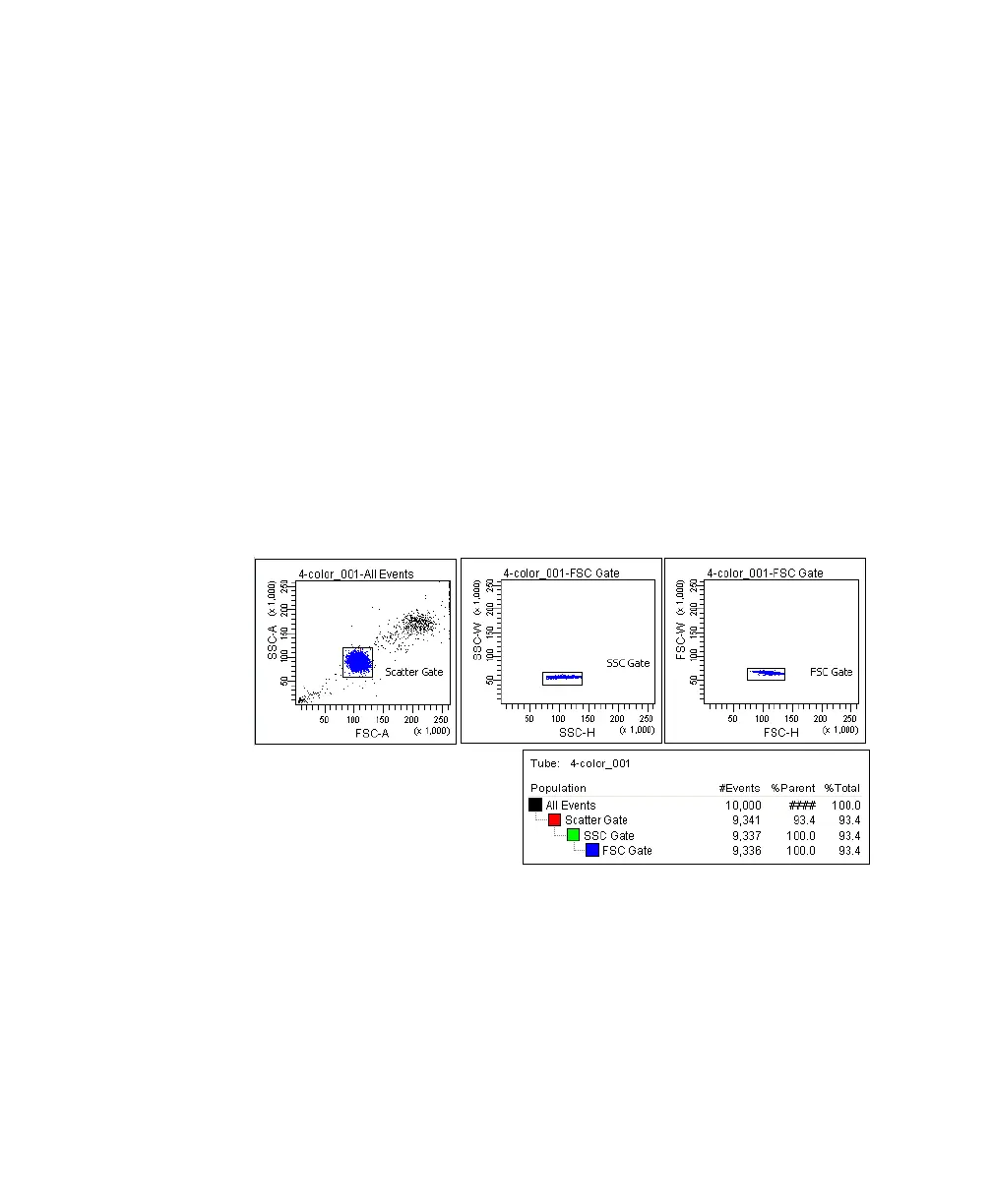
This section describes how to adjust the gates to eliminate doublets and record
singlet events.
1 Move the current tube pointer to the 4-color_001 tube.
2 Install the first mixed sample tube onto the loading port and click Load.
3 Change the Events to Display to 5,000 events.
4 Adjust the Scatter Gate to encompass the singlet events.
5 Adjust the SSC Gate to encompass the low SSC-W population.
6 Adjust the FSC Gate to encompass the low FSC-W population.
Figure 4-15 Discriminating singlet events
7 Click Record in the Acquisition Dashboard to record data.
8 When all events have been recorded, click Unload and remove the tube
from the cytometer.
9 Install the next tube, then click Next Tube in the Acquisition Dashboard to
move the current tube pointer to the next tube.



 To Next Page