60 BD FACSAria User’s Guide
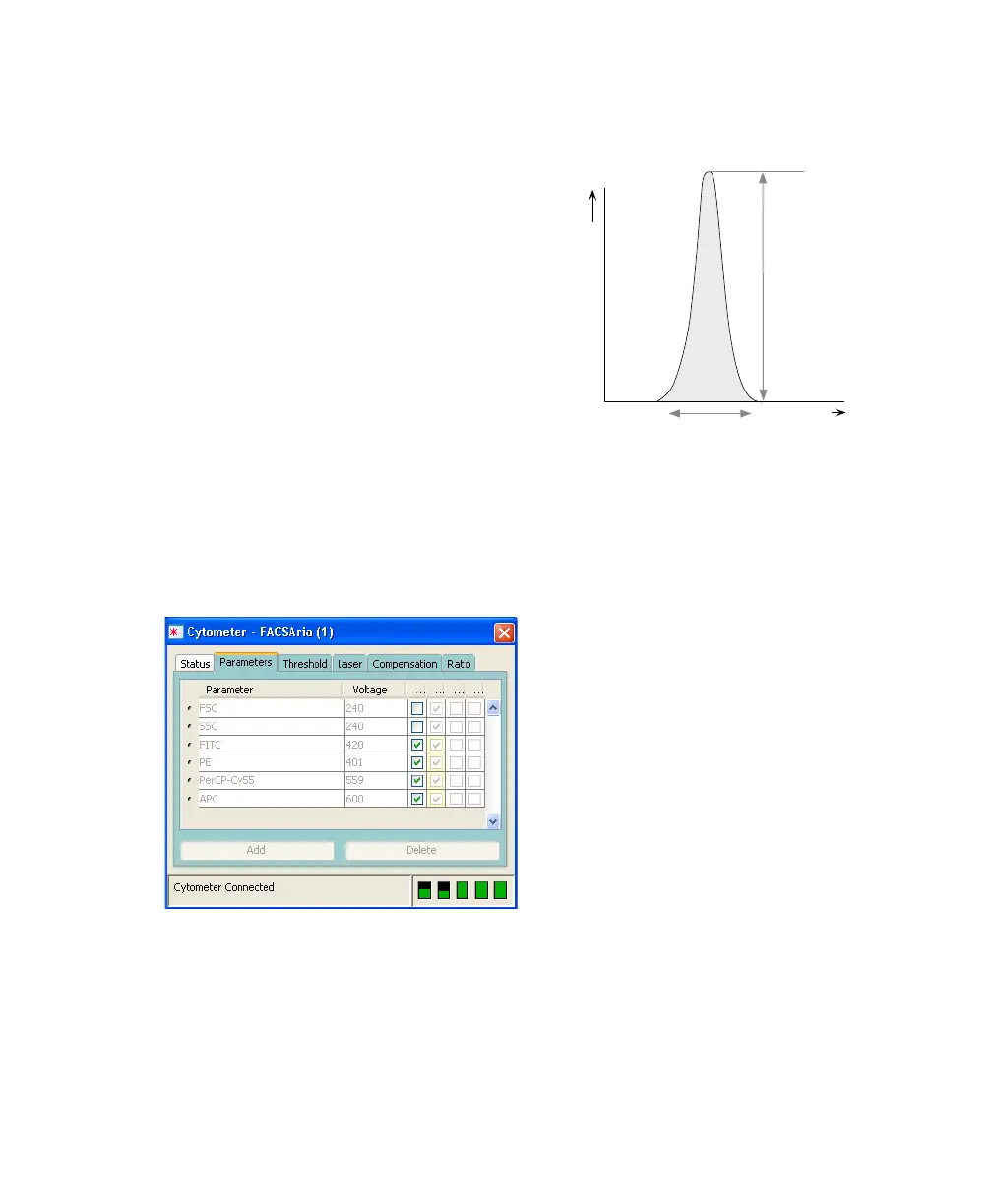
Pulse Parameters
A parameter is a pulse property that is
generated by a single photomultiplier tube or
photodiode, measuring fluorescent or
scattered light. You can measure three
characteristics of a pulse: the area, height, or
width. The pulse height measures the
maximum digitized value for the pulse; the
pulse area calculates the sum of all height
areas for the pulse; and the pulse width
calculates .
You can select which pulse characteristics you
want to measure for each parameter using the
Parameters tab. Pulse area (A) is measured by default. The Parameters tab also
contains voltage controls that allow you to amplify signals by applying a voltage
to PMTs or an electronic gain to the FSC signal. As the voltage is increased, the
detector sensitivity increases, resulting in increased signal. As the voltage is
decreased, the detector sensitivity decreases, resulting in decreased signal.
Digital data is displayed on an 18-bit linear scale, from 2.6–262,144. Select the
Log checkbox to convert the display to a log scale. The Experiment Inspector
contains an option to display log data on a four- or five-decade scale. (Refer to
the BD FACSDiva Software Reference Manual for more information.)
signal
intensity
time
pulse height
pulse
area
pulse
width
area
height
--------------
64000×



 To Next Page