Chapter 2: Theory of Operation 67
Side Stream Formation
Side streams are formed when the voltage is on and you are sorting, or when you
click Voltage, then Test Sort in the Side Stream window.
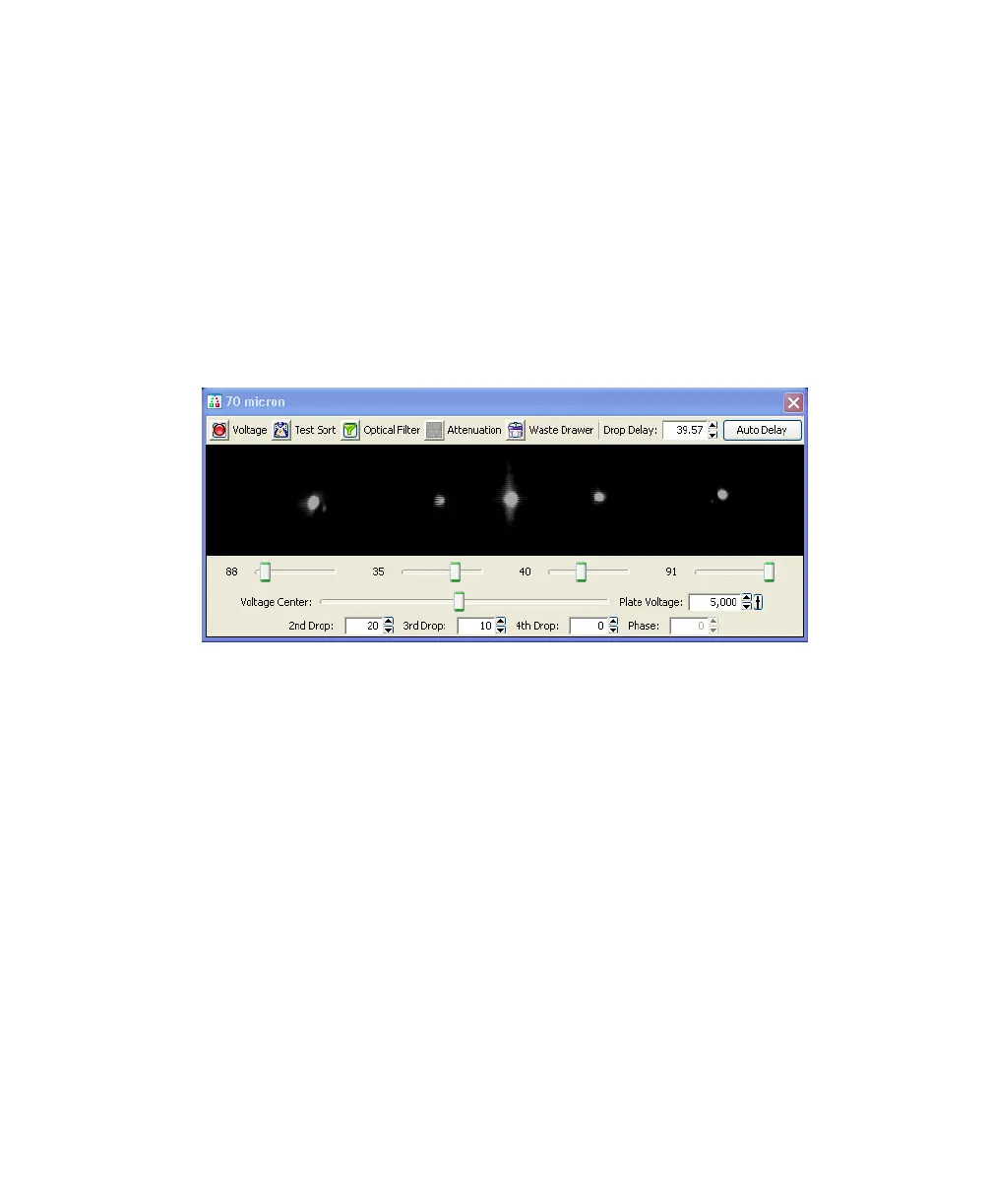
The Side Stream window displays an image of the side streams as transmitted by
the lower camera. In addition to the stream image, the Side Stream window
contains the controls used to adjust electrical charges and to determine the drop
delay using Accudrop, as described in Drop Delay Overview on page 69.
Figure 2-15 Side Stream window
Controls in the Side Stream window are described in Table 2-2 on page 68. You
can send different values to the Side Stream window by choosing a setting from
the Sort > Sort Setup menu.
Note that changes to values in the Sort Setup windows (Side Stream and
Breakoff) are automatically saved. At startup, the last settings used on the
cytometer are restored, except the states of the Voltage, Test Sort, and Optical
Filter buttons, which always default to off. Default values can be restored by
selecting Sort > Sort Setup > Restore Defaults. For more information, see Sort
Setup on page 94.



 To Next Page