Chapter 1: BD FACSAria Cytometer Components 25
Power and Operation
Power to the fluidics cart is supplied by the cytometer—the cart’s fluid pumps are
activated when the cytometer main power switch is turned on (see Power Panel
on page 42).
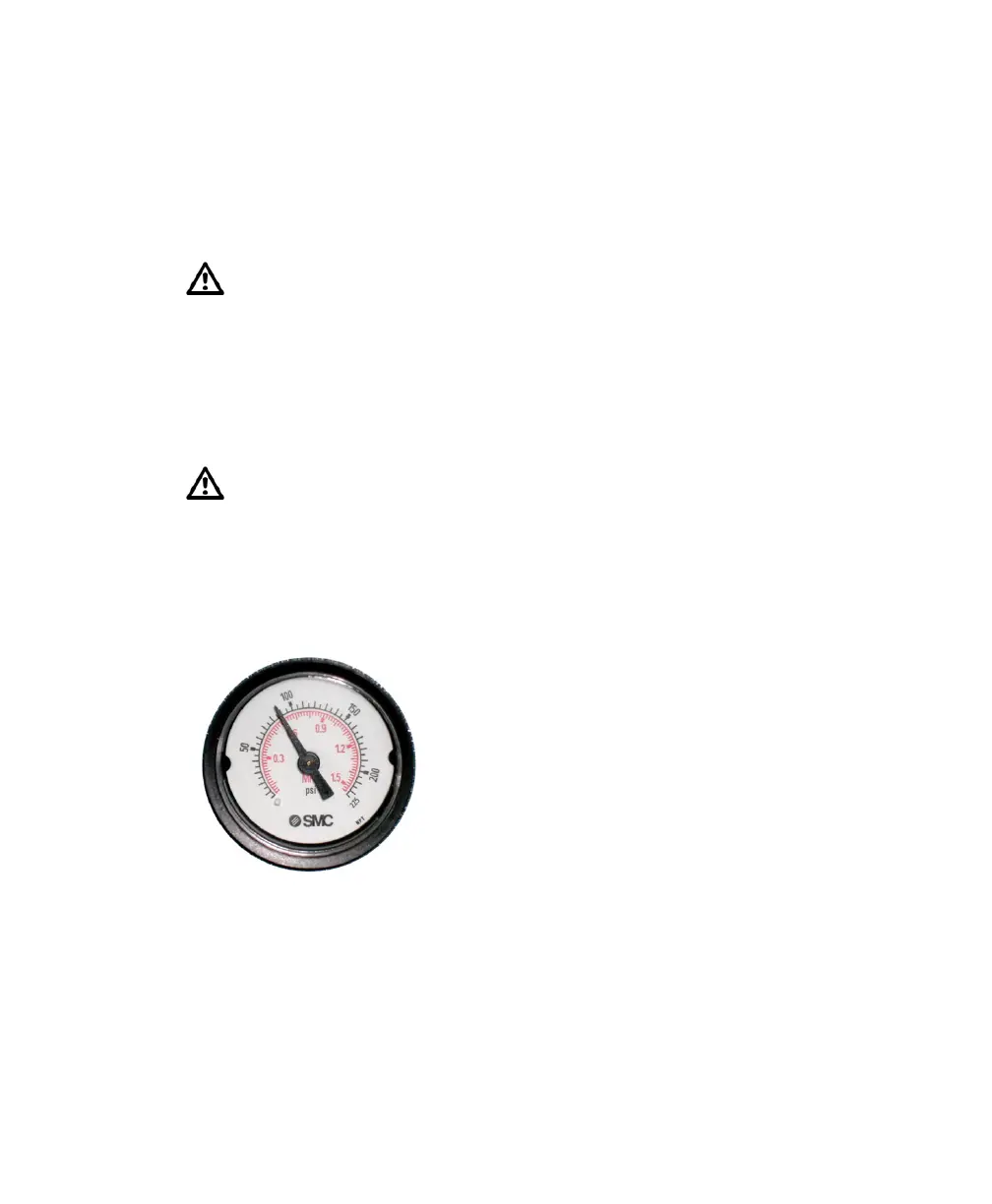
Figure 1-5 Fluidics cart flow gauge
See the following sections for more information about the fluidics cart.
• Setting Up the Fluidics Cart on page 112
• Refilling Containers on page 113
• Emptying the Waste on page 114
Power to the fluidics cart is supplied and controlled through the flow
cytometer. The fluidics cart voltage settings have been configured to match
the supply voltage by your service engineer. To properly operate the fluidics
cart, plug the fluidics cart power cord only into the power receptacle on the
cytometer (Figure 1-4 on page 24). Do not plug the power cord directly
into a wall socket. Do not change the input voltage selection jumpers on the
fluidics cart fuse holder.
When the stream is on, air pressure fluctuates between 80–100 psi
(Figure 1-5). A pressure reading of less than 80 psi or greater than 100 psi
indicates that the fluidics cart is not functioning properly. If this occurs,
contact your BD Biosciences service representative for assistance. Do not
operate the cytometer outside the normal air pressure range.
pressure gauge
at approximately
88 psi



 To Next Page