24 BD FACSAria User’s Guide
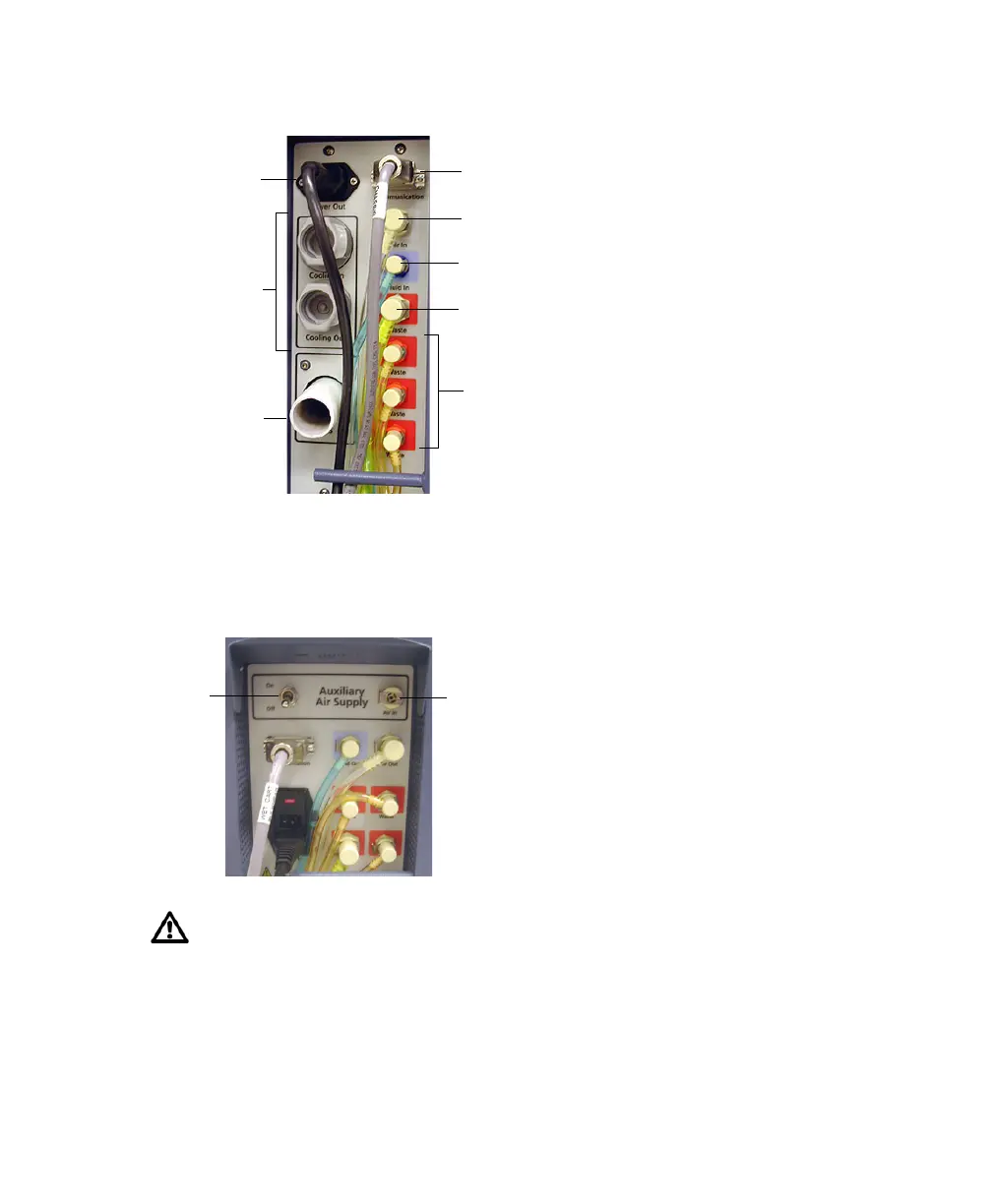
Figure 1-4 Fluidics cart power and fluid line connectors
To connect the fluidics cart to an external air source, open the shutter above the
Communication port, switch on the Auxiliary Air Supply, and attach the external
air line to the air input connector. The external air supply should provide
80–100 psi.
If your laboratory runs the cytometer continuously and does not shut down
at the end of the day, switch on the Auxiliary Air Supply for 15 seconds
every 8 hours (every 4 hours in an extremely humid climate). Doing this
empties the cart condensation trap and prevents excess moisture from
overflowing the trap or causing cart damage.
fluidics cart
power cord
connections
for temperature
control option
AMO
connection
fluid output (orange tubing)
aspirated fluid output (yellow tubing)
sheath input (blue tubing)
air input (clear tubing)
serial communication cable
supply
switch
air input
connector



 To Next Page