BMP
®
61 Label Printer
User’s Manual
1-33
Navigation and Editing
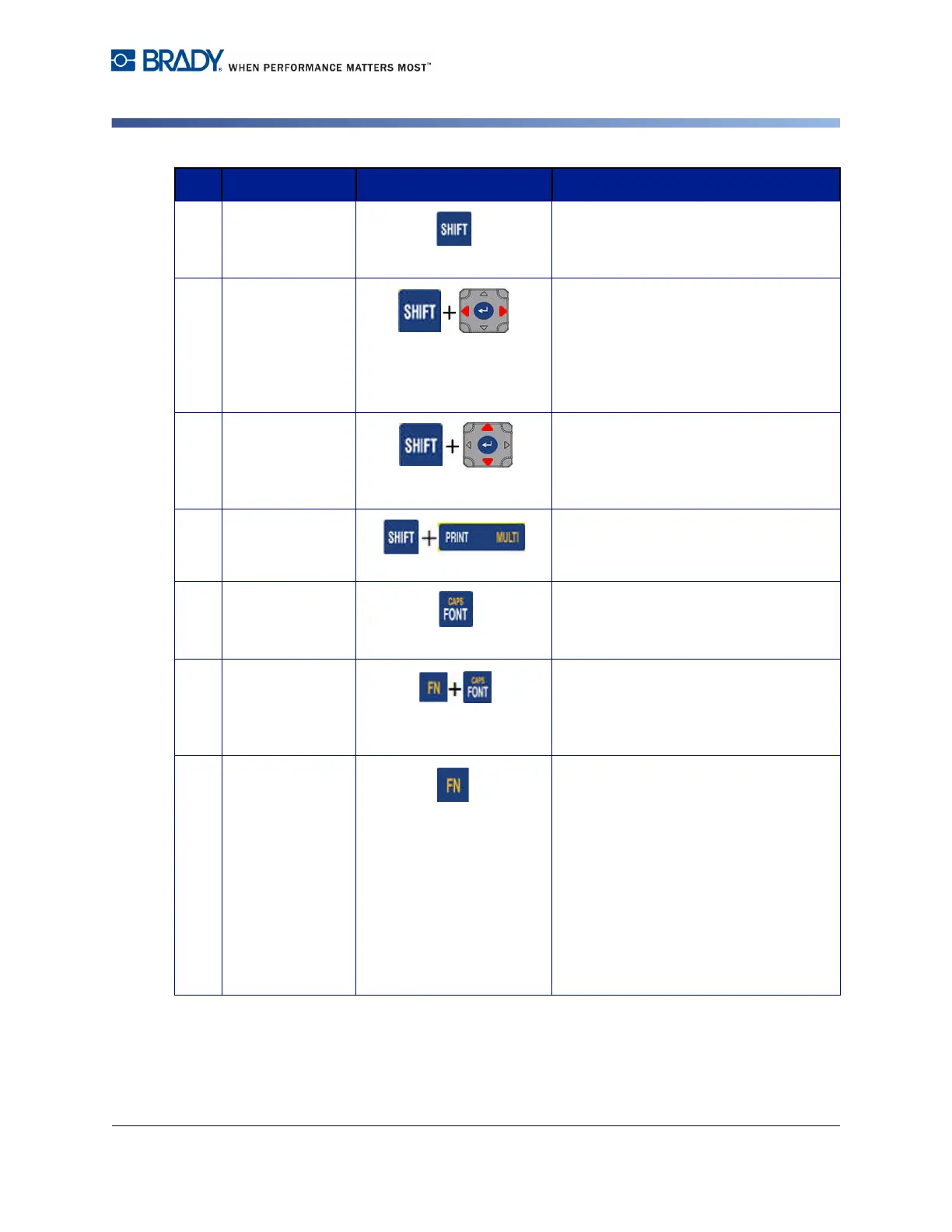
10 Shift Key When Caps Lock is turned off, used in
conjunction with a single letter to enter
that letter in uppercase.
Highlight Text Highlights (selects) text on the editing
screen, left or right a character at a
time, enabling you to add font attributes
(bold, italics, underline) to text already
entered. (Refer to "Pre-Existing Data”
on page 3-3.)
Font Size
Increment
On the editing screen, increases or
decreases the font size, a point at a
time. Hold the [SHIFT] key while
pressing the up or down navigation key.
Print History Brings up Print History menu. (Refer to
"Print History” on page 5-7.)
11 Font Key Provides font sizes and attributes (such
as bold and italics). (Refer to "Font” on
page 3-1.)
Caps Lock Key Acts as a toggle to lock text into
uppercase as data is entered. Press
once to turn Caps Lock on; press again
to turn Caps Lock off.
12 FN Key
• Used in conjunction with the
alternate function (displayed in
gold) on some of the keys. Press
the FN key, then press the
alternate function key.
OR
Hold the FN key while
simultaneously pressing the key
that has the alternate function.
• Used to access special characters
on the alphabetical keys.
Function Key Description



 To Next Page